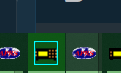
Hmm...that's what I remember seeing, but now I can't duplicate it.The task bar icon has a blue box around the Scanner Picture upon a transmission on my system. Still Win 10 though!
I have set that to multiple colors and no joy. In troubleshooting a different issue I completely removed all instances of ProScan and reinstalled and that seems to be when it disappeared.Try under option / General Activity / Display border color
That's checked as well.I'm guessing its on the General tab; Program Icon, check the box "Show Activity Color on Program Icon".
Interesting. It used to work on this Win 11 machine.Win 10 vs WIN 11
I have set that to multiple colors and no joy. In troubleshooting a different issue I completely removed all instances of ProScan and reinstalled and that seems to be when it disappeared.
I'm guessing it's this setting in the .cfg file...
[SHOW ACTIVITY ICON]=True
Something to play with while I watch the race I guess.
I'm guessing its on the General tab; Program Icon, check the box "Show Activity Color on Program Icon".
Yes, that's the option. When checked, it should show the activity around the icon border in the taskbar.That's checked as well.
I just googled "taskbar icon intermittant"
I would restart Windows Explorer. If that doesn't work then clear the icon cache.
Same here with Win11still not seeing the colored activity outline on the ProScan taskbar icon.
Icon activity color was working on my Win11 machines also..... Quite sure it broke when I went up to ProScan v 23.5. (Option still checked)
View attachment 182564
It works here on Win 11. No changes in this area in the longest time.I used CMD to access the Explorer folder, killed explorer.exe, cleared the icon cache, restarted explorer.exe, rebooted computer, power cycled scanner (SDS200), confirmed option was checked in ProScan,
View attachment 182568
still not seeing the colored activity outline on the ProScan taskbar icon.
Same here.I used CMD to access the Explorer folder, killed explorer.exe, cleared the icon cache, restarted explorer.exe, rebooted computer, power cycled scanner (SDS200), confirmed option was checked in ProScan,
View attachment 182568
still not seeing the colored activity outline on the ProScan taskbar icon.