DSDplus FL - Monitor Source Audio not working?

Status
Not open for further replies.

rumcajs_tr

Member
Joined
Feb 16, 2014
Messages
264
Reaction score
87
Location
Europe, Czech Republic
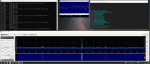
Hi, I don't know since what version, but my "Monitor Source Audio" function is not working. Even when I set it to "Monitor Source Audio Always", there is no sound from the speakers (no noise, no analog voice, no digital data,...). The decoding itself is working well, I get the digital audio on the output device, I also have the source audio windows showing the waveform, so everything is working except no source audio to the speakers. I think it was working before but I haven't used it for a while so I don't know how long it is not working and whether it is only my setup or a bug in the DSD+
Looking for your help. Thanks.
 

a417

Active Member
Joined
Mar 14, 2004
Messages
4,669
Reaction score
3,529
can you provide some screenshots?
 

rumcajs_tr

Member
Joined
Feb 16, 2014
Messages
264
Reaction score
87
Location
Europe, Czech Republic
There is something wrong with the audio device (speaker in my LG desktop monitor... it plays decoded audio but not the source audio.... sometimes, it doesn't play also the decoded audio and the red error message Discarded WaveOut blocks message appears. Restarting the DSD+ FL helps and the audio is played again. No source audio still. But I discovered when I switch to internal speaker of my PC, both the decoded audio and source audio is played well... so there is some problem with the audio setiings in the DSD+

pic.png


pic2.png
scr2.png

scr4.png
 
Last edited:

a417

Active Member
Joined
Mar 14, 2004
Messages
4,669
Reaction score
3,529
I agree that the issue is DSD+ intermittently not connecting to that audio output, causing the "discarded WaveOut" blocks, but I don't think it's DSD+'s problem. Audio device issues are usually traced to the underlying subsystem, so that would be more of a "your particular Windows installation" problem and not directly resultant of the DSD+ instance.

It's telling you that it's trying to connect, but can't.

I usually tell people not to use SDR# to feed DSD+, as Virtual Audio Cables cause more trouble than good. I think that this may have something to do with this particular problem you are having. The programmers wrote FMPx to feed DSD+, anything else is a well-intentioned (and less effective) hack.
 

rumcajs_tr

Member
Joined
Feb 16, 2014
Messages
264
Reaction score
87
Location
Europe, Czech Republic
Hi, thanks for help, now I tend to agree that this is an audio setup problem, even though no other apps on my system have any problems, just DSD+
However, since the internal audio device is working ok and the speaker built in monitor connected by display port cable is not working, this is probably connected to this specific setup.
I will try to do some research as I would like to hear the audio via the monitor speakers not via the internal tiny small speaker.
THX
 

mtindor

FMP24 PRO USER
Database Admin
Joined
Dec 5, 2006
Messages
11,782
Reaction score
3,049
Location
Carroll Co OH / EN90LN
Hi, thanks for help, now I tend to agree that this is an audio setup problem, even though no other apps on my system have any problems, just DSD+
However, since the internal audio device is working ok and the speaker built in monitor connected by display port cable is not working, this is probably connected to this specific setup.
I will try to do some research as I would like to hear the audio via the monitor speakers not via the internal tiny small speaker.
THX

You don't happen to be using RDP (remote desktop) to log into a remote computer running DSDPlus. If so, that's the reason for discarded WaveOut blocks and broken output audio. Once upon a time (early last year and before I think) I never had that problem. But in my case it was likely due to a Windows Update for RDP that probably broke it.

Just throwing this out there if you happen to remote into a machine running DSDPlus using RDP.
 

rumcajs_tr

Member
Joined
Feb 16, 2014
Messages
264
Reaction score
87
Location
Europe, Czech Republic
Nope, I am using generic win10 desktop.
I think it might have something to do with the fact that the speaker (which is not working) is built in desktop display and is connected via display port cable (audio and video in one cable). It is showing as an sound card output but might behave differently. I chcecked this audio output settings but didn't find anything suspicious though.
 

mtindor

FMP24 PRO USER
Database Admin
Joined
Dec 5, 2006
Messages
11,782
Reaction score
3,049
Location
Carroll Co OH / EN90LN
Nope, I am using generic win10 desktop.
I think it might have something to do with the fact that the speaker (which is not working) is built in desktop display and is connected via display port cable (audio and video in one cable). It is showing as an sound card output but might behave differently. I chcecked this audio output settings but didn't find anything suspicious though.

Ok, well I have seen those symptoms in that scenario to. My monitor goes into sleep mode, and when it does then naturally the video disappears, but so does the audio. A real PITA since 99% of the time I don't want the screen on but do want the audio on.

Mike
 

rumcajs_tr

Member
Joined
Feb 16, 2014
Messages
264
Reaction score
87
Location
Europe, Czech Republic
Yes, it hapens to me too. But the problem persists even when the monitor is on.
However I discovered that the problem doesn't happen always. When I see the "Discarded WaveOut blocks" message, then I switch the output to internal speaker via DSD+ Output menu and then I switch back to the monitor speaker and it starts working and the audio comes ok via the minitor speakers.
It looks like there might be a problem in the DSD+ when trying to initialize the audio output device for the first time.
 

lwvmobile

DSD-FME
Joined
Apr 26, 2020
Messages
1,431
Reaction score
987
Location
Lafayette County, FL
But then I will loose the audio device which I want to send the output to?
Every audio device, or device in general, is its own device. You can disable the audio driver for the Intel HD Graphics Display Port in Device Manager and retain the audio output on the Realtek chip. I'm assuming that's what you want, since you said the audio doesn't work coming out of the Display Port.
Screenshot_167.png

Disabling one audio device isn't going to disable all of the audio devices.
 

rumcajs_tr

Member
Joined
Feb 16, 2014
Messages
264
Reaction score
87
Location
Europe, Czech Republic
Oh, the I didn't make myself clear then...
The situation is that I am getting good working audio via the Realtek built-in audio chip and output but I have problems with the audio device built into in my LG display. But I would rather use the LG display as it has better speaker.
So no problems getting the audio out via Realtek audio device... but this is not the device I want to use.
Hope I made it clear... sorry english is not my native language.
 

maus92

Member
Premium Subscriber
Joined
Jun 23, 2004
Messages
8,676
Reaction score
2,489
Location
OCMD
I'm glad you cleared that up because I was going to comment that you had not selected the LG monitor for Output in your screenshots, lol. I am using a DP cable and having no issues with audio on the monitor. Is this a new issue, or did it just start recently? It's possible that you have a bad DP cable - try changing that out, or at least re-seating the cables.
 

rumcajs_tr

Member
Joined
Feb 16, 2014
Messages
264
Reaction score
87
Location
Europe, Czech Republic
The strange thing about the whole issue is that source audio is not playing while decoded audio is playing (sometimes) on the LG monitor speaker. When using the internal Realtek soundcard and speaker on the PC, both audios are playing fine. Strange.
 

maus92

Member
Premium Subscriber
Joined
Jun 23, 2004
Messages
8,676
Reaction score
2,489
Location
OCMD
The strange thing about the whole issue is that source audio is not playing while decoded audio is playing (sometimes) on the LG monitor speaker. When using the internal Realtek soundcard and speaker on the PC, both audios are playing fine. Strange.
Sort of rules out a bad DP cable, but you can still try switching it out or reseating / re-plugging. I'm assuming the monitor is not going to sleep? You can try disabling any power saving settings with the monitor, display adapter and usb ports - generally a good practice anyway with sdrs and continuous use cases.
 
Status
Not open for further replies.
Top