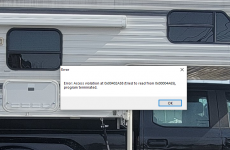
getting error trying to load easy scan?

eryoung2k

Member
Joined
Mar 16, 2009
Messages
38
Reaction score
20
Location
Bridgewater Ma
Hello there, very long time lurker, Been running whistler easy scan software for years since I got my TRX-1. Just tried to load it up to update it and keep getting this error? I have unistalled it and rebooted and gone to Whisler's site and downloaded it again and installed it and keep getting the error when I try to load it up? I have not clue what is going on. Havn't installed anything new in a long time. Ran it about a month ago with no problems. Any idea's??
Screenshot (74).png
 

tvengr

Well Known Member
Joined
Feb 10, 2019
Messages
11,547
Reaction score
4,935
Location
Baltimore County, MD
Are you trying to update the firmware through EZ-Scan or are you downloading the update from the Whistler site?
 

eryoung2k

Member
Joined
Mar 16, 2009
Messages
38
Reaction score
20
Location
Bridgewater Ma
I did run in in Administrator mode for install, still the same problem, Everything installs ok, but keep getting that error message when I double click to start Easy scan? I am at a loss.
 

tvengr

Well Known Member
Joined
Feb 10, 2019
Messages
11,547
Reaction score
4,935
Location
Baltimore County, MD
I have had other programs install OK but refuse to run because of virus software. Uninstall the program again. Disable your virus software. Make sure you download the program again from the whistlergroup.com site. See if it will run without the virus software.
 

eryoung2k

Member
Joined
Mar 16, 2009
Messages
38
Reaction score
20
Location
Bridgewater Ma
Ok will try that I did a full windows 10 reset last night, Installed Easy scan right after (from Whistlergroup) it ran fine. I then Installed my VPN and Bitdefender Anti Virus and a few other programs then after it would not run (same error but different numbers) Fracking strange, my windows 10 did have a update the other day I wonder if there is a problem with the windows update and the easyscan program. Anyways I will un install easy scan, reboot, shut off my Bitdefender virus program, re install easyscan and give it a try. Thank you for the suggestion!
 

RaleighGuy

Member
Premium Subscriber
Joined
Jul 15, 2014
Messages
17,116
Reaction score
26,150
Location
Raleigh, NC
Ok will try that I did a full windows 10 reset last night, Installed Easy scan right after (from Whistlergroup) it ran fine. I then Installed my VPN and Bitdefender Anti Virus and a few other programs then after it would not run (same error but different numbers) Fracking strange, my windows 10 did have a update the other day I wonder if there is a problem with the windows update and the easyscan program. Anyways I will un install easy scan, reboot, shut off my Bitdefender virus program, re install easyscan and give it a try. Thank you for the suggestion!

Mine ran fine after Win10 update this past week. I would suggest whitelisting the EZ Scan program in your virus and VPN programs, sounds like they don't like EZ Scan.
 

eryoung2k

Member
Joined
Mar 16, 2009
Messages
38
Reaction score
20
Location
Bridgewater Ma
Ugh!!!!!!!!!!!!! I uninstalled Easy Scan, Shut off (disabled kept it from starting up at reboot my bitdefender) rebooted, installed Easy Scan and got the error again! I have no idea why this is happening! Screenshot (2).png
 

eryoung2k

Member
Joined
Mar 16, 2009
Messages
38
Reaction score
20
Location
Bridgewater Ma
Mine ran fine after Win10 update this past week. I would suggest whitelisting the EZ Scan program in your virus and VPN programs, sounds like they don't like EZ Scan.
Holy Crap!!!! RaleighGuy you are my hero!! I made trx.exe a safe list exception in bitdefender and it worked!!! I have been running easyscan and bitdefender for years with no problems. Don't know why it just started having problems but it did. Your fix worked! Thank you so much!!! All is well in my scanning world. Thank you.
 

tvengr

Well Known Member
Joined
Feb 10, 2019
Messages
11,547
Reaction score
4,935
Location
Baltimore County, MD
I had to get rid of my McAfee virus protection. You had to send the file to an outside company for them to check it and verify it was OK to have McAfee whitelist it in their program. It was an extremely complicated process. There was no way to whitelist it yourself. My programs would not run with the virus software disabled either. I had no choice but to uninstall the McAfee software.
 
Top