Help with RTLTool

Status
Not open for further replies.

sonm10

Central MN Monitor
Premium Subscriber
Joined
Nov 19, 2016
Messages
1,130
Reaction score
635
Location
Sauk Centre, Minnesota
Bought (2) noolec v4 from Amazon for use with DSD+. Trying to use RTLTool (replacement for eeprom???) to rename serial numbers. I can launch program but everthing is grayed out. Device manager says RTL2832U but nothing in the program. Also, there are 2 dll files that come with RTLTool; rtlsdr.dll and libusb-1.0.dll - what do I do with these? Trying to follow along the comment section here New RTL-SDR Drivers and SDR-Console ExtIO Available: Bias Tee Support, Direct Sampling, Tunable IF Filters and Improved Gain Profiles but still dont understand. Thanks for any help.


Once I can get program to work, can I choose my own unique number such as like 1123, 1124, etc?
 

AM909

Radio/computer geek
Premium Subscriber
Joined
Dec 10, 2015
Messages
1,664
Reaction score
712
Location
SoCal
... Once I can get program to work, can I choose my own unique number such as like 1123, 1124, etc?
Yes, but I'd stick to the original 8-digit format for maximum chance of success and compatibility with software. Try to choose something unique, but memorable. I picked a 4-digit prefix xxxx and numbered mine xxxx0001, xxxx0002, etc.
 

RaleighGuy

Member
Premium Subscriber
Joined
Jul 15, 2014
Messages
17,116
Reaction score
26,150
Location
Raleigh, NC
It has been a while since I used RTLTOOL when I try to run it it says I'm missing mfc100.dll and msvcr100.dll. Any suggestions on setting it up?
 

PDXh0b0

Active Member
Premium Subscriber
Joined
Mar 31, 2020
Messages
991
Reaction score
706
Location
Woodland, WA
It has been a while since I used RTLTOOL when I try to run it it says I'm missing mfc100.dll and msvcr100.dll. Any suggestions on setting it up?
Same pc you have ran it on in the past? Or first time? You may be missing something like microsoft visual C++ 2010 redist, you'll want to install the x86 & x64

Download Microsoft Visual C++ 2010 Service Pack 1 Redistributable Package MFC Security Update from Official Microsoft Download Center

Some sdr programs install these , I believe sdr-console does
 

dave3825

* * * * * * * * * * * *
Premium Subscriber
Joined
Feb 17, 2003
Messages
10,122
Reaction score
5,709
Location
Suffolk County NY
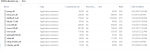
Put the two .dll files in the DSD+ folder.

Are you familiar with Rrltool?

As of June 2022, these are all in the DSDPlus base files.

1669669892278.png


He could copy them but he is trying to use Rtltool and it wont work without the dll files that came with it present in the folder he is running Rtltool from, unless he dumped everything into his DSDPlus folder..

That's why the following is on the web,
RTLTool, in the x32 or x64 Folder, is the exe to test and rename dongles. Unpack into a folder with all three files inside.
 

RaleighGuy

Member
Premium Subscriber
Joined
Jul 15, 2014
Messages
17,116
Reaction score
26,150
Location
Raleigh, NC
Are you familiar with Rrltool?

As of June 2022, these are all in the DSDPlus base files.

View attachment 131845


He could copy them but he is trying to use Rtltool and it wont work without the dll files that came with it present in the folder he is running Rtltool from, unless he dumped everything into his DSDPlus folder..
That's why the following is on the web,
RTLTool, in the x32 or x64 Folder, is the exe to test and rename dongles. Unpack into a folder with all three files inside.

Copied the two dll files and put them in the RTLTool folder, working fine now. Thanks @dave3825 for pointing that out.
 

dave3825

* * * * * * * * * * * *
Premium Subscriber
Joined
Feb 17, 2003
Messages
10,122
Reaction score
5,709
Location
Suffolk County NY
On the pc I am on now, I could not get it to run. I was only able to get it to run after downloading RtlSdr++ Distribution which has x86 and x64 folders. I then took all contents from Rtltool x64 folder and dumped it into RtlSdr++ Distribution x64 folder. Ran RtlSdr Catalog.exe followed by Rtltool.exe and it ran.

I really just did this to learn the process. I am running a bunch of Nooelec dongles and between Sdrtrunk and Unitrunker I have not had any issues or a need to change my serial numbers. DSDPlus is set up to use the first available dongle no matter which bat file I launch.
 

RaleighGuy

Member
Premium Subscriber
Joined
Jul 15, 2014
Messages
17,116
Reaction score
26,150
Location
Raleigh, NC
On the pc I am on now, I could not get it to run. I was only able to get it to run after downloading RtlSdr++ Distribution which has x86 and x64 folders. I then took all contents from Rtltool x64 folder and dumped it into RtlSdr++ Distribution x64 folder. Ran RtlSdr Catalog.exe followed by Rtltool.exe and it ran.

I really just did this to learn the process. I am running a bunch of Nooelec dongles and between Sdrtrunk and Unitrunker I have not had any issues or a need to change my serial numbers. DSDPlus is set up to use the first available dongle no matter which bat file I launch.

Yes that is the proper way, I recall the proceedure after you told me. I just ran RTLTool by downloading the two DLL files and putting them in the directory, I changed serial on my new V5 Nooelec dongle.
 

Dirk_SDR

Member
Joined
Jan 3, 2022
Messages
323
Reaction score
195
Location
Germany
Changing the serial numbers of RTL-SDR receivers with EEPROM is also quite easy with SDR Console V3.x:
1. Start receiving
2. Choose Home - Radio Configuration
3. In the Radio Configuration window choose EEPROM
4. Tap on Load to see the actual EEPROM content
5. Change the Serial as you like, but keep the 8 number format and don't use 000000xx,- instead sth. like 000001xx for your receiver no. xx (xx >= 01)
6. Tap on Save
Done.
 

AM909

Radio/computer geek
Premium Subscriber
Joined
Dec 10, 2015
Messages
1,664
Reaction score
712
Location
SoCal
I really just did this to learn the process. I am running a bunch of Nooelec dongles and between Sdrtrunk and Unitrunker I have not had any issues or a need to change my serial numbers. DSDPlus is set up to use the first available dongle no matter which bat file I launch.
FWIW, I recall having trouble with SDRTrunk 0.5.0 alpha-6 keeping track of multiple SDRs' stored gain and frequency error settings before I changed serial numbers to be unique. I think the issue was that it works OK until you change which devices are plugged into which ports, which can change the order in which they are enumerated. With unique serial numbers, it doesn't matter.
 

dave3825

* * * * * * * * * * * *
Premium Subscriber
Joined
Feb 17, 2003
Messages
10,122
Reaction score
5,709
Location
Suffolk County NY
In sdrtrunk I leave the enable auto ppm checked. I feel for all those posting about having to change serial numbers and I guess have been lucky with what I have.
 
Status
Not open for further replies.
Top