Trouble updating Library Files on TRX-1

Status
Not open for further replies.

crossnote

Member
Joined
Feb 22, 2020
Messages
25
Reaction score
1
Location
whittier, ca.
I'll turn off my scanner then try to update the library files using the TRX app.
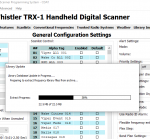
It will start to download and then the message below...

trx update fail.png

Any ideas for a fix?
 

RaleighGuy

Member
Premium Subscriber
Joined
Jul 15, 2014
Messages
17,116
Reaction score
26,150
Location
Raleigh, NC
Have you tried to update EZ Scan? Are you using the correct EZ Scan for your scanner model?

Also, the library updates into EZ Scan, not directly to scanner, you then copy the library to scanner after update.
 

crossnote

Member
Joined
Feb 22, 2020
Messages
25
Reaction score
1
Location
whittier, ca.
Have you tried to update EZ Scan? Are you using the correct EZ Scan for your scanner model?

Also, the library updates into EZ Scan, not directly to scanner, you then copy the library to scanner after update.
I’m not sure, it had been updating/working automatically for over a year and then I started getting this message (see above). I haven’t been able to update the library files for a month or so.
btw, thanks for the reply.
 

RaleighGuy

Member
Premium Subscriber
Joined
Jul 15, 2014
Messages
17,116
Reaction score
26,150
Location
Raleigh, NC
Okay, unsure what the issue might be is, a call to Whistler Support might help. I still suggest you check for updates.

In the meanwhile you can update the library manually, go to the Whistler Download site and download the file Library Database (dbfiles_###). Unzip the down load and copy to your whistler database folder usually found at Documents\xxxxx\DB (replace the xxxxx with your model number).
 

tvengr

Well Known Member
Joined
Feb 10, 2019
Messages
11,553
Reaction score
4,938
Location
Baltimore County, MD
The latest TRX-1 application is version 3.40. Go to the Help tab and click on About Whistler TRX-1 Handheld Digital Scanner Programming System to check the version number. Some of the earlier versions had downloading problems. If you have an earlier version, go to the Updates tab and click on Check for PC Application Update.
 

crossnote

Member
Joined
Feb 22, 2020
Messages
25
Reaction score
1
Location
whittier, ca.
The latest TRX-1 application is version 3.40. Go to the Help tab and click on About Whistler TRX-1 Handheld Digital Scanner Programming System to check the version number. Some of the earlier versions had downloading problems. If you have an earlier version, go to the Updates tab and click on Check for PC Application Update.
I have version 3.40
 

crossnote

Member
Joined
Feb 22, 2020
Messages
25
Reaction score
1
Location
whittier, ca.
Have you tried to update EZ Scan? Are you using the correct EZ Scan for your scanner model?

Also, the library updates into EZ Scan, not directly to scanner, you then copy the library to scanner after update.
I might try an uninstall/reinstall
 

crossnote

Member
Joined
Feb 22, 2020
Messages
25
Reaction score
1
Location
whittier, ca.
That's not a bad idea. Try giving Whistler support an email or call, they are nice people and should be able to help quickly.
I can't find the name of the App to uninstall it.
I hesitate to call Whistler as I stutter pretty bad, they'd have a hard time trying to understand beside the fact I only know half of what I'd be trying to explain.
 

RaleighGuy

Member
Premium Subscriber
Joined
Jul 15, 2014
Messages
17,116
Reaction score
26,150
Location
Raleigh, NC
I can't find the name of the App to uninstall it.
I hesitate to call Whistler as I stutter pretty bad, they'd have a hard time trying to understand beside the fact I only know half of what I'd be trying to explain.

The program is Whistler EZ Scan or Whistler TRX 1, and send them an email.

Screenshot 2022-04-18 17.01.46.png
 

MStep

Member
Joined
May 2, 2005
Messages
2,199
Reaction score
1,193
Location
New York City
Thanks for all your help N1GAW. I really like the sound and form-factor of my TRX-2, but it is quite a transition from Uniden's Sentinel. Some of my issues have been related to crossnote''s as well. A note to crossnote--- I found that I had to remove the card from my scanner and use Windows to do a full format as opposed to a quick format in order to get my TRX to recognize the card again.

To N1GAW-- one of the issues I seem to be having is with trunked systems here in the NYC area. I did import them from the TRX library after I updated all the folders in EZ Scan and then updated the radio. I'll try to follow up in a day or two in more detail. I've reviewed the manual a few times and I have to admit that in certain respects the TRX-2 offers some programming nuances which is more flexible than Unidens..

Thanks again for your help.
 

RaleighGuy

Member
Premium Subscriber
Joined
Jul 15, 2014
Messages
17,116
Reaction score
26,150
Location
Raleigh, NC
@crossnote make an archive of your programming by going to file and save config to archive. AFTER that go to the TRX-1 (I think you said you had the 1) folder in documents folder and delete the database folder contents, now try to download again. It is something with your computer/Internet connection as it just worked fine for me.

Screenshot 2022-04-18 17.33.16.png

@MStep take a look at this and see if it helps... (applies to all the new WS/TRX scanners)
 

Attachments

  • Programming TRX-1.pdf
    533.4 KB · Views: 28
Last edited:

crossnote

Member
Joined
Feb 22, 2020
Messages
25
Reaction score
1
Location
whittier, ca.
A note to crossnote--- I found that I had to remove the card from my scanner and use Windows to do a full format as opposed to a quick format in order to get my TRX to recognize the card again.
That would make sense as the problem arose out of nowhere.
 

crossnote

Member
Joined
Feb 22, 2020
Messages
25
Reaction score
1
Location
whittier, ca.
@crossnote make an archive of your programming by going to file and save config to archive. AFTER that go to the TRX-1 (I think you said you had the 1) folder in documents folder and delete the database folder contents, now try to download again. It is something with your computer/Internet connection as it just worked fine for me.

View attachment 119957

@MStep take a look at this and see if it helps... (applies to all the new WS/TRX scanners)
I'll take a look later, wifey has din din on the table.
 

crossnote

Member
Joined
Feb 22, 2020
Messages
25
Reaction score
1
Location
whittier, ca.
You mean updating the database? No you must import from EZ Scan. I told you how to manually do it above.
Right, I've successfully used EZScan for over a year. Just wondered if I can update the scanner itself using something like the zip code method, etc..
 

crossnote

Member
Joined
Feb 22, 2020
Messages
25
Reaction score
1
Location
whittier, ca.
Thanks for all your help N1GAW. I really like the sound and form-factor of my TRX-2, but it is quite a transition from Uniden's Sentinel. Some of my issues have been related to crossnote''s as well. A note to crossnote--- I found that I had to remove the card from my scanner and use Windows to do a full format as opposed to a quick format in order to get my TRX to recognize the card again.
Thank you, I'll try that tomorrow.
 

MStep

Member
Joined
May 2, 2005
Messages
2,199
Reaction score
1,193
Location
New York City
Don't feel like it may necessarily be anything you are doing wrong crossnote. I'm on my 3rd card reformat of the day with my TRX-2. It seems the once something goes wrong with the updating of the radio from the EZ Scan program, if an error occurs, you have to take the card out of the radio to reformat it in the computer. This is such a nice radio too. I'm about to put it aside in for the night--- will likely give Whistler a call in a day or two to see if they have any suggestions. It seems that N1GAW is the resident expert here on Whistler--- it's lucky we have guys like him here on the forums for us "newbies".

But I'm not a scanner newbie. Just a Whistler newbie. I've been monitoring for over 50 years. If there is a way to overcome the issue, I'll do what it takes to keep the radio.

Keep us posted.
 
Status
Not open for further replies.
Top