I wanted to see if anyone could tell me why the LED indicators for the buttons marked with the red asterisks in the attached picture do not illuminate when the button is pressed on the Harris M7100. The buttons all works and activate their respective mapped functions. The LED lights themselves work and all illuminate upon power up. I've tried a second control head with the same result. I've poured over RPM and can't seem to find anywhere that might allow you to activate them so that they illuminate when their corresponding button is pressed. Is this just a limitation of the assigned features (channels in my case for most of them) or am I missing something. Any help/answer would be greatly appreciated. Thank you in advance.


-
To anyone looking to acquire commercial radio programming software:
Please do not make requests for copies of radio programming software which is sold (or was sold) by the manufacturer for any monetary value. All requests will be deleted and a forum infraction issued. Making a request such as this is attempting to engage in software piracy and this forum cannot be involved or associated with this activity. The same goes for any private transaction via Private Message. Even if you attempt to engage in this activity in PM's we will still enforce the forum rules. Your PM's are not private and the administration has the right to read them if there's a hint to criminal activity.
If you are having trouble legally obtaining software please state so. We do not want any hurt feelings when your vague post is mistaken for a free request. It is YOUR responsibility to properly word your request.
To obtain Motorola software see the Sticky in the Motorola forum.
The various other vendors often permit their dealers to sell the software online (i.e., Kenwood). Please use Google or some other search engine to find a dealer that sells the software. Typically each series or individual radio requires its own software package. Often the Kenwood software is less than $100 so don't be a cheapskate; just purchase it.
For M/A Com/Harris/GE, etc: there are two software packages that program all current and past radios. One package is for conventional programming and the other for trunked programming. The trunked package is in upwards of $2,500. The conventional package is more reasonable though is still several hundred dollars. The benefit is you do not need multiple versions for each radio (unlike Motorola).
This is a large and very visible forum. We cannot jeopardize the ability to provide the RadioReference services by allowing this activity to occur. Please respect this.
You are using an out of date browser. It may not display this or other websites correctly.
You should upgrade or use an alternative browser.
You should upgrade or use an alternative browser.
Harris M7100 LED indicators for some button don't illuminate
- Thread starter Champo
- Start date


Yeah backlight is auto selected in the software. You can't unselect it if you wanted. My presumption as to why 1-5 work is the first 5 S/G frequencies propagate the 5 desktop slots that are available automatically. My guess is that is why those LED indicators illuminate. Just my theory. The radio works and I have it programmed the way I wanted so all is good...I was just curious if someone had an answer.
Merlin,
I've attached some pictures from RPM. Let me know if any tabs look familiar. Thank you for the help.
I've attached some pictures from RPM. Let me know if any tabs look familiar. Thank you for the help.
Attachments


Merlin,
I think I may have found it. I think it is under Macro Keys. Let me know if that looks familiar to you. Thanks.
I think I may have found it. I think it is under Macro Keys. Let me know if that looks familiar to you. Thanks.
Attachments
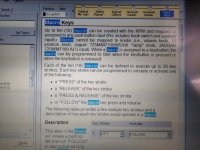


Well, they all look familiar to me. The setting you want is backlight. that is under the display settings.
I think what you have here are your key backlights only illuminate keys that function for a given channel.
They will time out, settings to .5 seconds up to 30 seconds. There is an always on switch you can program also.
Brightness ranges 1 through 6.
I think what you have here are your key backlights only illuminate keys that function for a given channel.
They will time out, settings to .5 seconds up to 30 seconds. There is an always on switch you can program also.
Brightness ranges 1 through 6.
You shouldn't need macros unless you have a use for them, and don't think key backlights are set here.
Your help search, keywords would be backlight, key backlight, key backlight timer.
One of my M7100s simply has backlight on and full level (6), everything stays lit.
Your help search, keywords would be backlight, key backlight, key backlight timer.
One of my M7100s simply has backlight on and full level (6), everything stays lit.
The S/G are macro keys, if programmed, the backlights have a default you can't change.Yeah backlight is auto selected in the software. You can't unselect it if you wanted. My presumption as to why 1-5 work is the first 5 S/G frequencies propagate the 5 desktop slots that are available automatically. My guess is that is why those LED indicators illuminate. Just my theory. The radio works and I have it programmed the way I wanted so all is good...I was just curious if someone had an answer.
I guess what I'm having a hard time wrapping my head around is why the red indicator light would function for some buttons but not all. It would seem that there would need to be a setting for each individual button if that makes sense? Maybe that's just my familiarity with Motorola talking. The backlight that illuminates the entire keypad works fine. In the attached pictures you can see that when 1 is selected the light illuminates but when 8 is selected it does not. The LED itself illuminates on power up so I know it works. I've also attached a picture of the display tab.
Attachments


One thing you can try is under the control unit > keypad options press the "default keymap" button.
Save the file and write to the radio. You will see in the tab, all the keys that are active. and their functions.
Now, if you have modified any keys, you can save that to a keymap file. Maybe a screenshot of yor keymap.
Save the file and write to the radio. You will see in the tab, all the keys that are active. and their functions.
Now, if you have modified any keys, you can save that to a keymap file. Maybe a screenshot of yor keymap.

Do you have a function assigned to Button 8?I guess what I'm having a hard time wrapping my head around is why the red indicator light would function for some buttons but not all. It would seem that there would need to be a setting for each individual button if that makes sense? Maybe that's just my familiarity with Motorola talking. The backlight that illuminates the entire keypad works fine. In the attached pictures you can see that when 1 is selected the light illuminates but when 8 is selected it does not. The LED itself illuminates on power up so I know it works. I've also attached a picture of the display tab.
So I loaded and programmed the Radio with the default keypad map. That's the first image. The second image is of the modified keypad map. The red asterisks represent the keys where the indicator lights do not work on the modified keypad map. While writing the default keypad to the radio followed by writing a modified keypad map did not solve the problem, it did confirm what is happening. Certain key options appear to not be associated with indicator lights. For instance MON CLR, which is on the default keypad map and my modified keypad map, doesn't illuminate the indicator light on either keypad map despite being in different locations. If the MON CLR location on the keypad map is replaced with SQUELCH then the indicator light works. Similarly, EMER will illuminate the indicator light but if it's replaced with LAST SG the indicator no longer illuminates. Basically only certain functions trigger the indicator lights.
Attachments


Yes I do. Every button has an assignment. The keypad map can be seen in the attached image.Do you have a function assigned to Button 8?
