Receiving Analog Audio of an Analog APCO-25 Common Air Interface System With DSD+ & Unitrunker

Status
Not open for further replies.

rkillins

Member
Joined
Dec 15, 2001
Messages
380
Reaction score
42
Location
Kitchener, ON
I am voice trunk following of the Ontario Fleetnet System with Unitrunker and DSD+ (Fastlane).

Unitrunker is decoding properly, with talkgroup activity darting around the different frequencies of the sit.
DSD+ is running and is decoding the P25 digital traffic.

How can I alsoi listen to the analog traffic? Ther talkgroups are showing up on the display, but no audio.
 

BM82557

Member
Joined
Aug 28, 2006
Messages
5,455
Reaction score
4,825
Location
Berkeley Co WV
Are you using monitoring mode 1 in DSDPlus ? If not add -m1 to your DSDPlus start statement
 

slicerwizard

Member
Joined
Sep 19, 2002
Messages
7,799
Reaction score
2,183
Location
Toronto, Ontario
Unitrunker should be handling analog comms itself. I doubt they're being sent to DSD+. Check UT settings for analog comms / output device.
 

rkillins

Member
Joined
Dec 15, 2001
Messages
380
Reaction score
42
Location
Kitchener, ON
Are you using monitoring mode 1 in DSDPlus ? If not add -m1 to your DSDPlus start statement
Is this the same as pressing M and cycling through the 4 modes? I know when I do that, only one is comfortable to use. (Sorry, I not at my computer to provide specifics). With one (setting) I here nothing, the other two I can hear the analog but also squelch and control channel noise and isn't a comfortable listen.

Unitrunker should be handling analog comms itself. I doubt they're being sent to DSD+. Check UT settings for analog comms / output device.

So Unitrunker will broadcast the analogue transmissions through it's interface, and the P25 transmissions will be broadcast through DSD+? I have two VCOs (Signal and Voice) set up in Unitrunker, with digital and analog being piped out through a virtual cable connection. What would need to change Slicer to accomodate the arrangement I think you are suggesting?
 

rkillins

Member
Joined
Dec 15, 2001
Messages
380
Reaction score
42
Location
Kitchener, ON
You tell Unitrunker to send analog traffic to your speakers.

I'm unsure Slicer which setting in Uniktrunker to do that, but I took a guess I am using a one receiver (RTL-SDR) receiver setup with two VCOs, one for the control channel (signal) and the other for voice.

I have the signal VCO settings set as:
Deemphasis: unchecked
Mute: checked
Audio Output: Unspecified
Digital Output: Unspecified (as per DRL-XM43's advice)

The voice VCO set up as:
Deemphasis: checked
Mute: unchecked
Audio Output: Speakers (this is what I interpret from post)
Digital Output: CABLE Input (VB-Audio Virtual Cable) (to DSD+ to decode the digitial P25 transmissions)

This setup nets a solution to my original post, I amnow able to hear the analog comms. But with that change, I finding myself having to listen the the control channel as well. Less of an annoyance is the tailing squelch after analog transmissions. Is there a way to eliminate/reduce that?

Edit: I got rid of the trailing squelch (Squelch setting: 50)
 

DRL-XM43

Member
Joined
Jun 23, 2015
Messages
842
Reaction score
161
Location
Durham Region
If you have it set right VFO1 looks right

VFO 2 analog pointing to mapper or speakers, digital to vb cable there is no way you should hear control channel unless you have "listen" checked in the VB Cable settings in Windows.

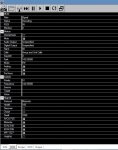
VFO2 should look something like this...

77057
 
Last edited:

rkillins

Member
Joined
Dec 15, 2001
Messages
380
Reaction score
42
Location
Kitchener, ON
Thanks DRL-XM43, I have no idea what's amuck. I am indeed hearing the control channel between transmissions. I'm trying to find out whether I have "listen" checked in the VB Cable settings, but not sure where to access that info.

I went to my Windows "Playback devices" settings, Speakers are my default device, and the sound meter is dancing to thesound of the control channel. Cable input is my default Communications device and the sound meter dances with an activie digital transmission.

I have looked through the Cable input propertiesm, but found no setting associated to "listen"ing.

77058

vco2.JPG
 
Last edited:

DRL-XM43

Member
Joined
Jun 23, 2015
Messages
842
Reaction score
161
Location
Durham Region
my suggestion is install UT v 2.0.0.73 which does not require VB Cable or DSD+ it decodes P25 phase 1

you can find it at the UT help forum by scrolling down through the messages. I do not recommend the latest V2 it has too many restrictions/bugs. (For my taste)

If not in windows sound settings under "recording" VB Cable has to be set to default device before DSD+ is launched.

In "playback" your speakers should be default (VB Cable should not be assigned anything)
 
Last edited:

rkillins

Member
Joined
Dec 15, 2001
Messages
380
Reaction score
42
Location
Kitchener, ON
Thanks for the ongoing support ...

But, what / where is the UT (Unitrunker) help forum?? The Unitrunker Site dwonloads only hosts up to v. 1.0.33.6. And I have not yet found a RR forum specific to UT. If the only way I can get v2 is through the Google Group, then that explains why I'm still only using the public release version of 1.0.33.6. My request to join that group to join that groupo has not ever been accepted.

Under Windows recording settings, VB Cable Output is the default device, and "Listen to this device" is unchecked. In playback, as mentioned in post 9, VBCable is the "Default communications device". I cannot seem to be able to remove that designation. Sepeakers are the "Default Device"
 

rkillins

Member
Joined
Dec 15, 2001
Messages
380
Reaction score
42
Location
Kitchener, ON
I believe I resolved the issue. I had the voice VCO parked on the frequency of the control channel.
I have the control channel frequency parked in VCO1. Unsure why, but without it, UT doesn't appear to work.

Still interested though on getting my hands onb V2 of Unitrunker.
 

DRL-XM43

Member
Joined
Jun 23, 2015
Messages
842
Reaction score
161
Location
Durham Region
I believe I resolved the issue. I had the voice VCO parked on the frequency of the control channel.
I have the control channel frequency parked in VCO1. Unsure why, but without it, UT doesn't appear to work.

Still interested though on getting my hands onb V2 of Unitrunker.

Link to the forum Google Groups

Unfortunately when I checked the download link for 2.0.0.73 it no longer works. That is the version I recommend.

I know some people keep a repository of all the version iterations perhaps we can find a link somehow?

You can get the very latest version from the forum tho.
 

DRL-XM43

Member
Joined
Jun 23, 2015
Messages
842
Reaction score
161
Location
Durham Region
Link to the forum Google Groups

Unfortunately when I checked the download link for 2.0.0.73 it no longer works. That is the version I recommend.

I know some people keep a repository of all the version iterations perhaps we can find a link somehow?

You can get the very latest version from the forum tho.

Ok so I did find a working download link on the UT forum for V2 .0.0.73 so it can be acquired from official source if you are interested although you have to search through the posts there for it on the UT forum.

Or apparently this RR past post may help


Rick has this posted on the group site....

"An announcement of what's new and what's fixed is posted on the Radio Reference forum for all to see. Any last-minute urgent bugs are addressed with a "hot-fix". These releases are usually tweeted so you don't have to orbit the RR forums for timely notification."

Although I have no idea where that page might be.......
 
Last edited:

rkillins

Member
Joined
Dec 15, 2001
Messages
380
Reaction score
42
Location
Kitchener, ON
Thanks DRL-XM43,
Just waiting to be approved to the group. Lat time I tried (a few years ago), I wasn't accepted (or at least never advised). We'll see how things go this time around,
 
Status
Not open for further replies.
Top