Removing horizontal separation lines on display

Status
Not open for further replies.

belvdr

No longer interested in living
Premium Subscriber
Joined
Aug 2, 2013
Messages
2,567
Reaction score
1,653
I was perusing the SDS display customization thread, and noticed @trentbob configured his display without the horizontal lines that separate the system, department, and channel. I've been trying to do the same using Sentinel. Anyone know how to do this?

Example: SDS200 - Display Settings
 
Last edited:

belvdr

No longer interested in living
Premium Subscriber
Joined
Aug 2, 2013
Messages
2,567
Reaction score
1,653
Try making the horizontal lines the same color as the background.
I tried that but that didn't work either.

Also of note, I changed System to bright green and the line stays the original red.
 

n1chu

Member
Premium Subscriber
Joined
Oct 18, 2002
Messages
3,187
Reaction score
984
Location
Farmington, Connecticut
Really? Making the color of the horizontal lines match the background should work. I will look at mine and see if I can better understand what is preventing you from doing this.
 

belvdr

No longer interested in living
Premium Subscriber
Joined
Aug 2, 2013
Messages
2,567
Reaction score
1,653
Really? Making the color of the horizontal lines match the background should work. I will look at mine and see if I can better understand what is preventing you from doing this.
Thanks for checking. The background color for all fields is set to black. I don't know how to select the horizontal lines though. When I try to click that area in Sentinel, it selects a field.

EDIT: Your tip helped me figure it out. I had to select the fields below System, Dept, and Channel and set their text and background colors to black. Thank you!
 

Dewey

Member
Joined
Dec 19, 2002
Messages
1,065
Reaction score
59
If I remember correctly, what he did was to highly customize the detail display screen changing the field that appear where the lines normally appear on the simple display mode.
 

trentbob

W3BUX- Bucks County, PA
Premium Subscriber
Joined
Feb 22, 2007
Messages
6,929
Reaction score
8,191
20201211_203645.jpg
Yes so I could make it the way I want it which is really uncluttered with just the essentials that I need, I customize the detailed screen so there are no lines to deal with.
 

belvdr

No longer interested in living
Premium Subscriber
Joined
Aug 2, 2013
Messages
2,567
Reaction score
1,653
View attachment 108320
Yes so I could make it the way I want it which is really uncluttered with just the essentials that I need, I customize the detailed screen so there are no lines to deal with.
Could you share your display export or the profile.cfg file? I don't see a way to do that directly in Sentinel.
 

tvengr

Well Known Member
Joined
Feb 10, 2019
Messages
11,547
Reaction score
4,935
Location
Baltimore County, MD
Could you share your display export or the profile.cfg file? I don't see a way to do that directly in Sentinel.
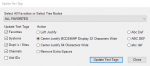
To import a display file, go to the File tab in Sentinel and Import Display Customizing Settings. You will need to do that for each profile.
 
Last edited:

belvdr

No longer interested in living
Premium Subscriber
Joined
Aug 2, 2013
Messages
2,567
Reaction score
1,653
To import a display file, go to the File tab in Sentinel and Import Display Customizing Settings. You will need to do that for each profile.
Already know. :) I was referring to not seeing a way to implement his changes in Sentinel, meaning modifying the display settings myself.
 

tvengr

Well Known Member
Joined
Feb 10, 2019
Messages
11,547
Reaction score
4,935
Location
Baltimore County, MD
Go to the Tools tab in Sentinel and Set the Target Model to SDS200. Under the Edit tab, Edit Display will be unavailable if Target Model is set to BCDx36HP.
 

belvdr

No longer interested in living
Premium Subscriber
Joined
Aug 2, 2013
Messages
2,567
Reaction score
1,653
Go to the Tools tab in Sentinel and Set the Target Model to SDS200. Under the Edit tab, Edit Display will be unavailable if Target Model is set to BCDx36HP.
I'm not being clear enough. I know how to edit the display and import HPE files. What I cannot figure out how to do is setup the display like @trentbob. I cannot alter the System, Dept, and Channel fields.
 

tvengr

Well Known Member
Joined
Feb 10, 2019
Messages
11,547
Reaction score
4,935
Location
Baltimore County, MD
You can change the background and text colors. You cannot alter the system, department, and channel fields otherwise. What you see on trentbobs scanner is BUCKS COUNTY is in the system and ZONE 8 is in the department field. Nothing is showing in the Channel field since it isn't stopped on a talkgroup. He eliminated fields above and below the system, department, and channel fields to keep the display uncluttered.
 

tvengr

Well Known Member
Joined
Feb 10, 2019
Messages
11,547
Reaction score
4,935
Location
Baltimore County, MD
Let me make a slight correction. There is no space above the system field. It looks like the system field is blacked out, BUCKS COUNTY is in the department field, and ZONE 8 is in the channel field. Fields below the channel field were removed. It also appears that the fields between the system, department, and channel fields were removed.
 

trentbob

W3BUX- Bucks County, PA
Premium Subscriber
Joined
Feb 22, 2007
Messages
6,929
Reaction score
8,191
Let me make a slight correction. There is no space above the system field. It looks like the system field is blacked out, BUCKS COUNTY is in the department field, and ZONE 8 is in the channel field. Fields below the channel field were removed. It also appears that the fields between the system, department, and channel fields were removed.
You're good! LOL.
 

trentbob

W3BUX- Bucks County, PA
Premium Subscriber
Joined
Feb 22, 2007
Messages
6,929
Reaction score
8,191
Also, simulcast is the name of the one site. I include that in case another system has multiple sites, but of course I would only have one, maybe two, you notice that I eliminate the date and time, I really don't need the TG number but I wanted to make it symmetrical. You notice I put the favorites list name up at the top on the right.
 
Status
Not open for further replies.
Top