

You are using an out of date browser. It may not display this or other websites correctly.
You should upgrade or use an alternative browser.
You should upgrade or use an alternative browser.
SDR 1918 configure source ?
- Thread starter yugps
- Start date
- Status
- Not open for further replies.
win10 system
replace SDR1918 configure source NO reaction

I'm not certain I understand your question.win10 system
replace SDR1918 configure source NO reaction
What SDR device are you using with SDRSharp v1918?
Here is my RTL-SDR V3 dongle with SDR# v1918 on my W10 Laptop:
Attachments
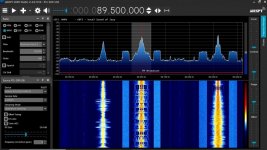
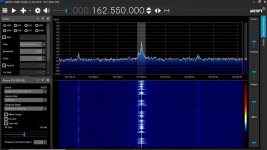
Thank you so muchI'm not certain I understand your question.
What SDR device are you using with SDRSharp v1918?
Here is my RTL-SDR V3 dongle with SDR# v1918 on my W10 Laptop:
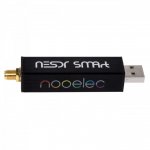
RTL-SDR NOOELEC
Previous version normal。1918 configure source can't open
system WIN10 64X
Attachments

Did you install the x86 version? 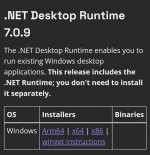
Perhaps a screenshot of the configure source
Thank you for the additional information. That looks like the Nooelec NESDR SMArt v5 SDR - HF/VHF/UHF (100kHz-1.75GHz) RTL-SDR. RTL2832U & R820T2-Based Software Defined Radio. The installation should be similar to the RTL-SDR V3.Thank you so much
RTL-SDR NOOELEC
Previous version normal。1918 configure source can't open
system WIN10 64X
That would be a good idea. You can capture a screen shot using the prt sc (print screen) key and paste into Paint > File > Save as > JPEG picture. I can guide you through it step-by-step if you would like that. Like this:Perhaps a screenshot of the configure source
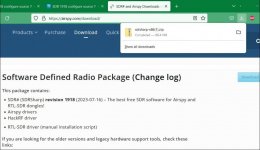
Download zip file:
Extract zip file into folder:
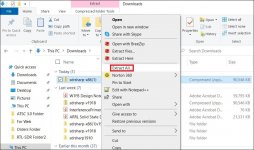
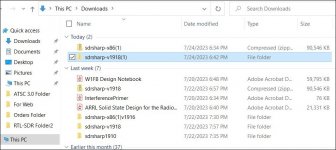
File in folder and renamed:
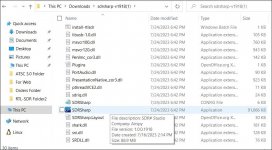
Folder opened:
Shall I continue with more steps?
👍Thank you for the additional information. That looks like the Nooelec NESDR SMArt v5 SDR - HF/VHF/UHF (100kHz-1.75GHz) RTL-SDR. RTL2832U & R820T2-Based Software Defined Radio. The installation should be similar to the RTL-SDR V3.
That would be a good idea. You can capture a screen shot using the prt sc (print screen) key and paste into Paint > File > Save as > JPEG picture. I can guide you through it step-by-step if you would like that. Like this:
Download zip file:
View attachment 145756
Extract zip file into folder:
View attachment 145757
File in folder and renamed:
View attachment 145758
Folder opened:
View attachment 145759
Shall I continue with more steps?
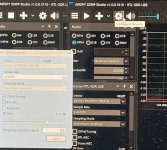
1910👌 1918NOView attachment 145770as shown in the picture
1918, click the pancake, source is there1910👌 1918NO
Thank you for the tests and attachment. Set RF Gain higher than 0 dB:1910👌 1918NO
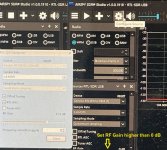
I will continue with the tutorial.
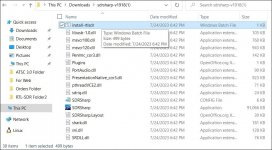
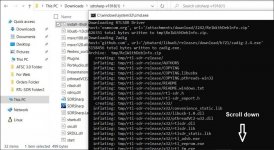
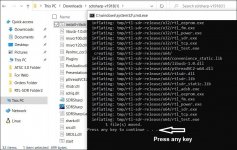
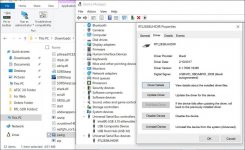
To continue:
But if there are no USB Devices listed in the Device Manager, you will have to use the Zadig that comes with 1918 after you have installed-rtlsdr while connected to the internet as shown above.
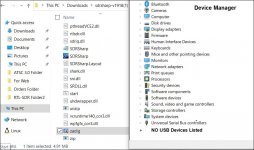
Open Zadig:
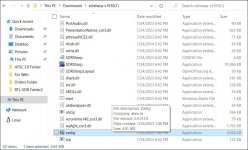
Uncheck Ignore Hubs:
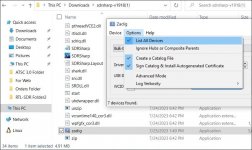
Look for Composite Parent: (You might have to unplug SDR and reinsert in USB port to find all devices.)
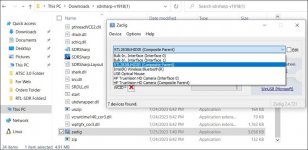
Click on Replace Driver:
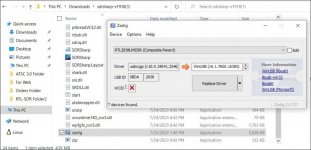
Click on Yes:
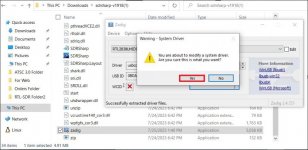
Driver Installed:
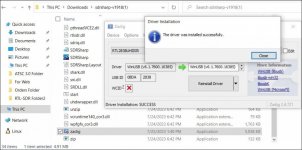
Check Device Manager for device:
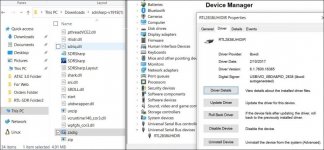
More later.
But if there are no USB Devices listed in the Device Manager, you will have to use the Zadig that comes with 1918 after you have installed-rtlsdr while connected to the internet as shown above.
Open Zadig:
Uncheck Ignore Hubs:
Look for Composite Parent: (You might have to unplug SDR and reinsert in USB port to find all devices.)
Click on Replace Driver:
Click on Yes:
Driver Installed:
Check Device Manager for device:
More later.
I'm glad that I was able to help you.It's back to normal after reinstalling the system, thank you very much
I will finish the tutorial in case anyone else needs it.
I bought a Nooelec NESDR SMArt v5 SDR to be certain it works the same way with SDRSharp v1918 as the RTL-SDR V3; it does.
To continue:
Open SDRSharp:
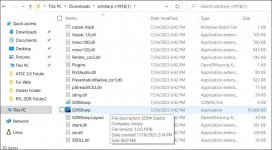
If it is a new copy of 1918, it will show Airspy as the Source device. If you have used it before, it will show RTL-SDR as the source device:
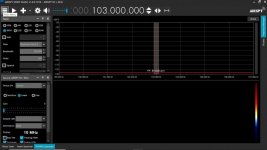
Select source:
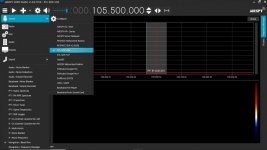
Source selected:
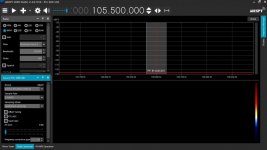
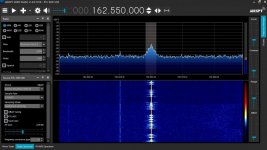
Open zoom bar:
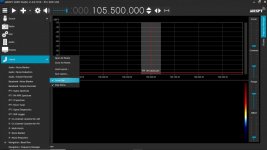
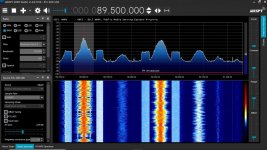
The last 2 images are with the Nooelec NESDR SMArt v5 SDR:
Open SDRSharp:
If it is a new copy of 1918, it will show Airspy as the Source device. If you have used it before, it will show RTL-SDR as the source device:
Select source:
Source selected:
Open zoom bar:
The last 2 images are with the Nooelec NESDR SMArt v5 SDR:
Attachments
- Status
- Not open for further replies.
Similar threads
- Replies
- 5
- Views
- 299

- Replies
- 0
- Views
- 268
- Replies
- 5
- Views
- 956
- Replies
- 4
- Views
- 931
- Replies
- 1
- Views
- 439
