Sentinel: SENTINEL Question Alabama AIRS

caterpillar16

Member
Joined
Nov 3, 2008
Messages
33
Reaction score
8
Location
Crestview, FL
I’ve searched the forums for this issue, but it’s late at night and my eyes are glossed over! Please forgive my ignorance, as I’ve only had my new SDS100 for a few days.

I am using Sentinel to create a few Favorites Lists. I am in Houston County, AL and need to monitor local stuff on AIRS. When I try to add the local AIRS talkgroups, it pulls in every other list from every other county in the state. On the left side of my screen, in the tree, I am right-clicking on HOUSTON COUNTY-DOTHAN AND selecting Appendix to Favorites List, but it’s pulling in everything on that branch (if that’s the correct terminology). I don’t want to wait on the scanner to run through 66 other counties. What am I doing wrong?
 

RMason

Active Member
Premium Subscriber
Joined
Sep 18, 2003
Messages
1,037
Reaction score
649
Location
Mississippi / Colorado
As you have noted, when adding a system using Sentinel, it includes all of the sites in the system. You will only want to scan sites that are close to you. There are several ways to achieve what you are trying to do to limit the number of sites being scanned.
  • Avoid unwanted sites
  • Delete unwanted sites
  • Use Location Control to avoid unwanted sites
Proscan allows for more flexible programming - including the ability to program only the sites of interest. It has a 30 day trial. See: ProScan
 

richardbritt

State of NC
Database Admin
Joined
Sep 17, 2006
Messages
925
Reaction score
372
Location
Northeastern NC
The easiest thing to do is go to location, enter your zip code, then enter a range of say 10 miles. Then see if that helps. You can adjust the range smaller or larger depending on what you want to receive
 

hiegtx

Mentor
Premium Subscriber
Joined
May 8, 2004
Messages
11,884
Reaction score
4,284
Location
Dallas, TX
I’ve searched the forums for this issue, but it’s late at night and my eyes are glossed over! Please forgive my ignorance, as I’ve only had my new SDS100 for a few days.

I am using Sentinel to create a few Favorites Lists. I am in Houston County, AL and need to monitor local stuff on AIRS. When I try to add the local AIRS talkgroups, it pulls in every other list from every other county in the state. On the left side of my screen, in the tree, I am right-clicking on HOUSTON COUNTY-DOTHAN AND selecting Appendix to Favorites List, but it’s pulling in everything on that branch (if that’s the correct terminology). I don’t want to wait on the scanner to run through 66 other counties. What am I doing wrong

As rmason has noted, when using Sentinel to append a “statewide” or large regional system to a Favorites list file, the append process pulls all of the sites for the system, along with whichever sites and departments you chose. Also as noted, you can deal with the excess sites either by deleting the ones out of range and/or not of interest, or setting the excess sites to avoid. Your third choice, using location control for the newly created list, after setting your location and desired range in your profile, will prompt the scanner to ignore the ones out of range.

Note that, after your initial “append”, you can go back into the main database and select additional ‘departments’ to append. As long as the name of the system (in your favorites list) matches the name of the system in the database, the additional append will not add all of the sites a second time. Note that after your initial “append”, if you deleted the extra sites to reduce the clutter, you cannot select and add a site to your list.

As already noted, your best tool to import sites and departments is to sign up as a Premium Subscriber and then use software such as ProScan to select and import only the sites and departments you want. Using ProScan for importing, you can go back and add additional sites if needed, without grabbing every site. The ARC536 software package can handle the import process as well. However, I prefer ProScan because of its wide range of features, including its capabilities of handling programming for a wide range of Uniden models, both the current models as well as many other, older models, that were discontinued years ago. Also, for the $50 registration fee, you get all its features, including logging and virtual control (controlling your scanner with your PC).

For the ARC-software, the “Basic” version allows importing and logging, but without virtual control and other features, for a cost of about $40. If you want those additional options with the ARC software, you must, instead, purchase the “Pro” version for about $70. With ProScan, all those features are available at the $50 purchase price.

Both programs have a 30 day free trial available, and both include any updates to the software that are released after your initial purchase.
 

dave3825

* * * * * * * * * * * *
Premium Subscriber
Joined
Feb 17, 2003
Messages
10,142
Reaction score
5,738
Location
Suffolk County NY
I am using Sentinel to create a few Favorites Lists. I am in Houston County, AL and need to monitor local stuff on AIRS. When I try to add the local AIRS talkgroups, it pulls in every other list from every other county in the state.


If you use ProScan software you can select which sites and or depts you want to import.

1749305522995.png


1749305884278.png


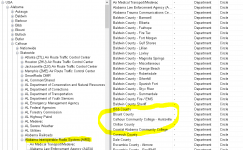
And @ProScan is showing a dept called Calhoun County with 0 tgid's that does not show up in Radio Reference Database or Sentinel. Only Calhoun Community College.

1749306187611.png


1749306240954.png


1749307895757.png
 
Last edited:

W4TRX

Member
Premium Subscriber
Joined
Jan 2, 2020
Messages
17
Reaction score
4
Location
Warrior
I have a similar problem with AIRS as caterpillar16 has. (SDS200)
When conventional (analog) channels are loaded into favorites, everything operates as expected - when scanning, the system is shown in the top panel, the department in the middle panel and the channel in the bottom panel. The scanner rotates through the selected favorites in order. When the channel button is pressed, the top, middle and bottom panels all stop changing and show the system/dept/channel that it stopped on, as expected.

However, when channel(s) of the AIRS system (a large P25 system) is defined as a favorite and added, the scanner acts differently: The conventional favorites are scanned as usual, but when the scanning sequence gets to the AIRS P25 system, the middle panel goes blank (except for the small size font showing it to be scanning the entire AIRS system), and the bottom panel displays "ID Scanning". If the channel button is pressed, the top panel stops changing (showing AIRS), the middle panel displays the selected "child" of the system except THE SMALL FONT BELOW THE DEPT NAME CONTINUES TO SCAN. The bottom panel always displays the first channel in the group (not just random where it stopped).

The display doesn't affect the performance; the description is included here just as a symptom, but the problem is the scanner won't advance past the department until ALL departments of AIRS are scanned, even though the are not included in the favorite.

Removing the extra entries from the favorite doesn't help, avoiding the extra entries doesn't help, setting the location doesn't help - the scanner always appears to scan the entire AIRS group even though only one group of channels has been saved as a favorite.

In order to replicate the problem: select USA, Alabama, Blount, Statewide, Alabama Interoperable Radio System (AIRS), Blount (includes 17 P25 channels). Make it a favorite, download, monitor and scan.

Any ideas? Firmware version 1.23.15, Sentinel version 2.05 r03.
 

W4TRX

Member
Premium Subscriber
Joined
Jan 2, 2020
Messages
17
Reaction score
4
Location
Warrior
zip up your Sentinel export & post it here as an attachment so we can have a look at your programming. See here for directions

Attched is the Favorite I'm having trouble with. Didn't see a way to export the whole list or the profile. The others in my list are all conventional (they scan fine).

I've tried adding it several different ways - 1)appending AIRS, then removing all Counties except Blount, 2) appending Blount, then removing all unwanted channels, appending just the desired channels, etc.

Thanks for looking...
 

Attachments

  • Blount County Sheriff_Fire_EMS.zip
    5.4 KB · Views: 4

dmfalk

Active Member
Joined
May 16, 2024
Messages
664
Reaction score
588
Location
Eureka
You need at least one site to receive your desired channels, so the scanner can monitor something. A common mistake in monitoring trunked systems, you have to make sure that at least one site is not avoided, particularly one of the closest ones.
 

Whiskey3JMC

Another Pesky Scanist
Premium Subscriber
Joined
Jul 16, 2006
Messages
9,936
Reaction score
8,573
Location
Simulcastylvania, TE
Is it just me, or. has anyone had trouble updating the Sentinel database?
No issue for me but....Let's get back to trying to help the OP, shall we?...

When I try to add the local AIRS talkgroups, it pulls in every other list from every other county in the state. On the left side of my screen, in the tree, I am right-clicking on HOUSTON COUNTY-DOTHAN AND selecting Appendix to Favorites List, but it’s pulling in everything on that branch (if that’s the correct terminology). I don’t want to wait on the scanner to run through 66 other counties. What am I doing wrong?
Looking at your export the only department you added was Blount County. If you don't want this county then you'll need to remove it via the "Departments" tab in the favorites list editor then go back to the main Sentinel window, scroll and find the county(ies) you wish to append then right-click to bring up the menu, left-click to append them to your favorites list like so
1750548051824.png


Next, regarding your sites, choose Edit > Edit Favorites List
In the favorites list editor, click the Sites tab
Select AIRS from the tree view on the left-hand side then go to the site list on the right hand side
Hold down CTRL-A to select all sites THEN hold down the CTRL key while clicking the numbered row header(s) for the site(s) you wish to keep. For example if you wish to keep the Bay Minette site you'd hold down CTRL while clicking the #7 row header. Repeat for each additional site you want to keep. Release CTRL key then click the red X to remove all other selected sites.

Once you've ensured all sites within range to you remain, then write the change to the scanner

1750547447536.png

OR...

Invest in Proscan, this way you can check boxes only for the sites & departments you want to add & it won't append the others you don't need ;)
 
Last edited:

W4TRX

Member
Premium Subscriber
Joined
Jan 2, 2020
Messages
17
Reaction score
4
Location
Warrior
You need at least one site to receive your desired channels, so the scanner can monitor something. A common mistake in monitoring trunked systems, you have to make sure that at least one site is not avoided, particularly one of the closest ones.
dmfalk - I think I do have a site defined. I have AIRS selected in the tree, then I append Blount County then name it as a favorite, then select the desired channels and append them to the name I gave the favorite. Isn't Blount my site?

Looking at your export the only department you added was Blount County....
Whiskey3JMC - I think you are answering Caterpillar3's question? His original description sounded very much like the problem I was having. For me, Blount County is the one I am trying include channels from.
More on my symptom - when I try to add a few channels from Blount County in the AIRS system, my scanner scans the conventional channels, then when it gets to the AIRS system (top of the display) it hangs while scanning through ALL the counties (which are not included in my favorite). Picture of the display below. The counties NOT selected rotate through where the white arrow is. Note the main name area is blank (green arrow).

1750559130916.png

OR...
Invest in Proscan, this way you can check boxes only for the sites & departments you want to add & it won't append the others you don't need
I don't mind buying Proscan, in fact I probably will. But I just need to make (learn) Sentinel work first to make sure my scanner is working as it should (new scanner). BTW, does Proscan actually change the way the scanner works or just provide an easier way to select the sites/channels?
 

ofd8001

Member
Premium Subscriber
Joined
Feb 6, 2004
Messages
8,342
Reaction score
1,457
Location
Louisville, KY
The "less fuss, less muss" method would be to to use Location Control. You do this by editing the Favorites List in Sentinel, going to the Options tab in the right pane, then select Yes from the dropdown saying Location Control.

Assuming you have your location (zip code) properly entered via the keypad, the scanner will select (turn on) those sites within the desired range and ignore those too far away. (Same for talkgroups/Departments).

That keeps the programmer from having to know which are the best sites to use and greatly reduces the chance of inadvertently deleting a necessary site or department.

Also, as time goes along and more sites/departments are added (fairly rare), updating via Sentinel will not include "stuff" already there, but turned off because of Location.
 

Whiskey3JMC

Another Pesky Scanist
Premium Subscriber
Joined
Jul 16, 2006
Messages
9,936
Reaction score
8,573
Location
Simulcastylvania, TE
Whiskey3JMC - I think you are answering Caterpillar3's question?
Ah yes I guess I mistook you for the OP, my bad
I don't mind buying Proscan,
BTW, does Proscan actually change the way the scanner works or just provide an easier way to select the sites/channels?
No, it doesn't change how the scanner works, it just gives you better selectivity and customization of your favorites lists and then some. Bob (the author) is currently developing a profile editor with a display customizer for the SDSx00s to give Proscan even more of Sentinel's functionality. The only thing I keep Sentinel around for which Proscan can't do as of this posting is updating firmware, but lately there haven't been any FW updates of substance so I rarely have the need to launch Sentinel
 

ofd8001

Member
Premium Subscriber
Joined
Feb 6, 2004
Messages
8,342
Reaction score
1,457
Location
Louisville, KY
Location control does work...somewhat. But it's difficult to make it real specific.
I'm not sure what you mean by "real specific". Most of the time Range goes by circles, however you can do some pretty intricate rectangles to cover irregular areas. A little more work, however.
 

W4TRX

Member
Premium Subscriber
Joined
Jan 2, 2020
Messages
17
Reaction score
4
Location
Warrior
I'm not sure what you mean by "real specific". Most of the time Range goes by circles, however you can do some pretty intricate rectangles to cover irregular areas. A little more work, however.
I'm sure you're right - I didn't spend a lot of time trying to get location patterns down to eliminate sites I don't want. It seemed to work for one county, but I still had my original problem of the scanner scanning through (adding) all counties in the AIRS system if I add more than one site (or channel). When defining more than one channel using location control I got the same result so I abandoned that effort.

I would still like to be able to add channels to favorites individually, but have not been able to for those within the AIRS system without the problem occurring. Strangely enough, using the instructions given in some of the Youtube videos, I can successfully program multiple P25 channels in other states' systems, but not the AIRS system. Not sure what's going on there.

As others have suggested, I may cut my loses and give up on Sentinel and try Proscan. I just hope it handles the AIRS system better for programming favorites..
 

W4TRX

Member
Premium Subscriber
Joined
Jan 2, 2020
Messages
17
Reaction score
4
Location
Warrior
With the help of Proscan I figured out the cause of my problem.
When defining a Favorite from the Alabama AIRS system, Sentinel does not populate the frequency along with the talkgroup when a "department" selection is made. This was apparent in Proscan because in the tree display, frequencies and talkgroups are listed separately. When a selection for the appropriate frequency(ies) is assigned to a Favorite, and an additional one for the corresponding talkgroup(s) is made, the scanner scans correctly (without scanning all the counties (frequencies) of the AIRS system).

Caterpillar16 - I was able to replicate the problem you were having which was the same as mine. I was also able to program my SDS200 correctly for Houston County channels using the frequencies contained in the Dothan Simulcast listing. The scanner now scans all the (selected) channels now without "rotating through" all the other frequencies in the AIRS system. I never could find a way in Sentinel to enter the frequencies and talkgroups separately.

BTW - on the SDS200 display, the small font in the middle panel indicates the source name of the frequency (control channel?) used. See my picture above - white arrow. That was probably known by others, but since this is a new scanner, it was new to me. The fact that this text changed was another indication of the problem.

Hope this helps Caterpillar16 and others trying to program with with AIRS system channels.
 

dmfalk

Active Member
Joined
May 16, 2024
Messages
664
Reaction score
588
Location
Eureka
This is why you need to have at least one site in your Favourites Lists, because the site is where the frequencies are.
 

W4TRX

Member
Premium Subscriber
Joined
Jan 2, 2020
Messages
17
Reaction score
4
Location
Warrior
This is why you need to have at least one site in your Favourites Lists, because the site is where the frequencies are.
How do you do that (include the listing with the frequency and another listing with the talkgroups) in Sentinel? I couldn't find the way.
 
Top