DSDPlus DSD+FL Network/site identification issue

hrh17

Member
Joined
Mar 4, 2015
Messages
148
Reaction score
32
Location
.
using the provided wav files above on a brand new install of DSDPlus in a new directory with nothing but default/empty files I get the following

Code:
dsdplus -v4 ? "F:\Tait\Wav Captures\1T3.wav" 2> test.txt

Code:
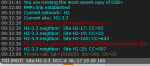
Current network:  H2
Current site:  H2-1.2
Current network:  H1
Current site:  H1-1
OVCM Group call; TG=1940001  RID=1940021  Ch=164  2s
No data for current site found in DSDPlus.frequencies file
H1-1 neighbor:  Site H1-2; CC=193
H1-1 neighbor:  Site H1-5; CC=455
H1-1 neighbor:  Site H1-6; CC=29
H1-1 neighbor:  Site H1-4; CC=413
H1-1 neighbor:  Site H1-3; CC=381
Private data call; Tgt=100279  Src=1940108  Ch=110
ACK: WAIT  Tgt=1940108  Src=100279
Private data call; Tgt=100279  Src=1940103  Ch=109
ACK: WAIT  Tgt=1940103  Src=100279
Private data call; Tgt=100279  Src=1940059  Ch=164
ACK: WAIT  Tgt=1940059  Src=100279
Private data call; Tgt=100279  Src=1940037  Ch=163
ACK: WAIT  Tgt=1940037  Src=100279
 

scottjpalmer

Member
Joined
May 4, 2020
Messages
48
Reaction score
19
Do you get that behaviour from the two wav files?

The plot thickens, no I don't, decoding from .wav works properly with a consistent recalculation to H1-1 format every time. So the issue only presents when decoding live from FMP24.

decode from wav.png
 

mtindor

FMP24 PRO USER
Database Admin
Joined
Dec 5, 2006
Messages
11,800
Reaction score
3,071
Location
Carroll Co OH / EN90LN
I feel like your missing the point tindor

What's the point? It starts out decoding, comes up with H2, realizes it's CAPMAX and appropriately switches to H1. If am missing something, enlighten.
using the provided wav files above on a brand new install of DSDPlus in a new directory with nothing but default/empty files I get the following

Code:
dsdplus -v4 ? "F:\Tait\Wav Captures\1T3.wav" 2> test.txt

Code:
Current network:  H2
Current site:  H2-1.2
Current network:  H1
Current site:  H1-1
OVCM Group call; TG=1940001  RID=1940021  Ch=164  2s
No data for current site found in DSDPlus.frequencies file
H1-1 neighbor:  Site H1-2; CC=193
H1-1 neighbor:  Site H1-5; CC=455
H1-1 neighbor:  Site H1-6; CC=29
H1-1 neighbor:  Site H1-4; CC=413
H1-1 neighbor:  Site H1-3; CC=381
Private data call; Tgt=100279  Src=1940108  Ch=110
ACK: WAIT  Tgt=1940108  Src=100279
Private data call; Tgt=100279  Src=1940103  Ch=109
ACK: WAIT  Tgt=1940103  Src=100279
Private data call; Tgt=100279  Src=1940059  Ch=164
ACK: WAIT  Tgt=1940059  Src=100279
Private data call; Tgt=100279  Src=1940037  Ch=163
ACK: WAIT  Tgt=1940037  Src=100279

Doesn't strike me as odd at all. It initially determined NID/SID based upon generic DMR TIII detection. Then once it saw the MFID for Motorola it changed to calculating the NID/SID based upon it being a CAPMAX system. CAPMAX systems are different.
 

cg

Member
Premium Subscriber
Joined
Dec 13, 2000
Messages
5,124
Reaction score
1,611
Location
Connecticut
I would think it wouldn't be a problem if it stayed one ID but if it keeps switching, do you populate and maintain two sets of Sites, Radios and Groups? Or it the type correction/change fast enough that no voice traffic would have different system info?
 

scottjpalmer

Member
Joined
May 4, 2020
Messages
48
Reaction score
19
What's the point? It starts out decoding, comes up with H2, realizes it's CAPMAX and appropriately switches to H1. If am missing something, enlighten.


Doesn't strike me as odd at all. It initially determined NID/SID based upon generic DMR TIII detection. Then once it saw the MFID for Motorola it changed to calculating the NID/SID based upon it being a CAPMAX system. CAPMAX systems are different.

That is the point, that is the issue this whole thread is about. On connecting to any of the sites on this particular CAPMAX system, sometimes it comes up with H1-XX and that's what it stays as. The other times it connects it comes up as H2-X.X and when it does that it doesn't recalculate, it stays as that.

Again to show you, below are examples of the same site, same frequency, 2 separate connects with the result of 2 different NIDs and site numbering formats. The 2nd example shows there is no recalculation as 38s later when the private call is shown it's still showing the site as H2-3.3.

Note DSD says it is blocking network ID change from 2 to 1, why would that be? Maybe that is the issue although it doesn't always display that line.

2.png

1.png
 

scottjpalmer

Member
Joined
May 4, 2020
Messages
48
Reaction score
19
For clarity, in the screenshots shown in the original post there is no recalculation. When you see the NID has changed from one to other that was when I moved off and then back on to the frequency in FMP24 to force a reconnect.
 

scottjpalmer

Member
Joined
May 4, 2020
Messages
48
Reaction score
19
I would think it wouldn't be a problem if it stayed one ID but if it keeps switching, do you populate and maintain two sets of Sites, Radios and Groups? Or it the type correction/change fast enough that no voice traffic would have different system info?
Whichever one it connects as it stays as until the next reconnect. That is what I currently have in my config - 2 different networks, 2 different sets of sites in the frequencies file, etc so that whichever network it connects as (H1-XX or H2-X.X) it can find the data in the config files.
 

mtindor

FMP24 PRO USER
Database Admin
Joined
Dec 5, 2006
Messages
11,800
Reaction score
3,071
Location
Carroll Co OH / EN90LN
Whichever one it connects as it stays as until the next reconnect. That is what I currently have in my config - 2 different networks, 2 different sets of sites in the frequencies file, etc so that whichever network it connects as (H1-XX or H2-X.X) it can find the data in the config files.

I'd think doing that would be an issue
 

mtindor

FMP24 PRO USER
Database Admin
Joined
Dec 5, 2006
Messages
11,800
Reaction score
3,071
Location
Carroll Co OH / EN90LN
For clarity, in the screenshots shown in the original post there is no recalculation. When you see the NID has changed from one to other that was when I moved off and then back on to the frequency in FMP24 to force a reconnect.

Is it a weak signal site? Are you running too much gain and having frontend overload causing bad reception at times? You really need to produce a minute of raw audio for an instance where it fires up as H2 and never switches to H1 -- and hopefully when it's also presenting the "blocking network ID change from 2 to 1"
 

scottjpalmer

Member
Joined
May 4, 2020
Messages
48
Reaction score
19
I'd think doing that would be an issue
That works without any issues and will be my long term solution if this issue can't be resolved. It's just annoying having to maintain 2 full sets of site, radio and group data for the 2 different NIDs.

Note that a fresh setup DSD from newly downloaded base files with no modification of config exhibits exactly the same undesired behaviour so it isn't this config that is causing the issue.
 

scottjpalmer

Member
Joined
May 4, 2020
Messages
48
Reaction score
19
Is it a weak signal site? Are you running too much gain and having frontend overload causing bad reception at times? You really need to produce a minute of raw audio for an instance where it fires up as H2 and never switches to H1 -- and hopefully when it's also presenting the "blocking network ID change from 2 to 1"
That is exactly what 1.wav is and 1.png confirms in the recordings linked in post #9

I have since discovered (post 22 above) that running those recordings always results in the desired behaviour from DSD, it recalculates to HX-X every time. The issue only occurs when decoding live from FMP24.

The issue occurs consistently in different locations on different machines with different SDRs and different antennas so I really don't think it is related to my setups.

Because recording 1 is decoded differently from wav than it was when it was recorded live (as shown in screenshot 1 here) indicates the issue lies with live decoding from FMP24 yeah?
 

mtindor

FMP24 PRO USER
Database Admin
Joined
Dec 5, 2006
Messages
11,800
Reaction score
3,071
Location
Carroll Co OH / EN90LN
That works without any issues and will be my long term solution if this issue can't be resolved. It's just annoying having to maintain 2 full sets of site, radio and group data for the 2 different NIDs.

Note that a fresh setup DSD from newly downloaded base files with no modification of config exhibits exactly the same undesired behaviour so it isn't this config that is causing the issue.

Pristine install - NO config mods (but configured enough so that you know all the menu settings (input / output / decoder / control) are how they should be for trunking:

1. Fire up FMP24 and tune to a dead-air freq
2. Fire up DSDPlus
3. When focused on DSDPlus, press "R" to start recording raw audio
4. Switch focus to FMP24 and tune to the control channel
5. capture the raw audio for 2 minutes
6. Focus on DSDPlus and press "R" to turn off raw audio
7. Upload/post the raw audio

Nobody can go off your screenshots, or necessarily trust your config files. What can be trusted is the raw audio. Need to see raw audio for an instance where it starts out as H2 and never switches to H1.
That is exactly what 1.wav is and 1.png confirms in the recordings linked in post #9

I have since discovered (post 22 above) that running those recordings always results in the desired behaviour from DSD, it recalculates to HX-X every time. The issue only occurs when decoding live from FMP24.

The issue occurs consistently in different locations on different machines with different SDRs and different antennas so I really don't think it is related to my setups.

Because recording 1 is decoded differently from wav than it was when it was recorded live (as shown in screenshot 1 here) indicates the issue lies with live decoding from FMP24 yeah?

I can't imagine how that would be the case, because by the time the audio gets to DSDPlus for recording, it has already passed through FMP24. If the raw audio recorded doesn't exhibit the behavior, I don't know how it could/would be any different than live recording through FMP24. After all, that raw audio originated from FMP24.

Unfortunately, unless the phenomenon you are experiencing cannot be reproduced in raw audio samples, ex: "dsdplus ? 1.wav" , I don't know how the author would be able to find/fix an issue.

I've personally never encountered a situation where it didnt' switch from generic TIII to CAPMAX calculations myself. Of course, I do use FMP and not FMP24 since I have Airspys. But like I said, the raw audio is recorded from the audio fed to DSDPlus by FMP24.

Do you run a BW of 7.6 in FMP24 when monitoring these DMR systems?

M
 

scottjpalmer

Member
Joined
May 4, 2020
Messages
48
Reaction score
19
I can't explain it either but once again, as in previous examples, the live decoding while recording the below raw audio file didn't recalculate whereas running that recorded file through DSDPlus results in the correct recalculation behaviour.

I downloaded new base files, copied across my DSDPlus.exe, modified the FMP24-CC.bat file to feature the desired frequency and gain then ran 1R.bat, started the audio recording then ran FMP24-CC.bat. No other changes made to any config. Yes BW 7.6.

What causes DSDPlus to block the ID change from 2 to 1? That appears to be issue although it doesn't always display the error when it exhibits the behaviour. Why would the behaviour be different between live and recorded? I know the developer can't replicate my fault but hopefully there is enough info to point them to exactly where DSDPlus is not quite getting it right.

Audio file
(Sorry about the large period of static at the start of the recording, because it was the first run FMP24 had to do it's optimisation calculations).

Live
Live.png

Recorded
Recorded.png
 

hrh17

Member
Joined
Mar 4, 2015
Messages
148
Reaction score
32
Location
.
The only way I have found to overcome this is by having 2 separate dsdplus folders one for Vital and one for CSE, which to be honest is not ideal at all
 

scottjpalmer

Member
Joined
May 4, 2020
Messages
48
Reaction score
19
The only way I have found to overcome this is by having 2 separate dsdplus folders one for Vital and one for CSE, which to be honest is not ideal at all
You don't need 2 separate folders. 2 separate networks configured for the 2 different network IDs works too. Also not ideal.
 

scottjpalmer

Member
Joined
May 4, 2020
Messages
48
Reaction score
19
I'm very very happy to report the reply from the developer of DSDPlus . . .

"The CapMax system does not use RAS, which is unusual and is the source
of the problem. All CapMax testing was done using systems that have RAS
enabled. The required changes are being made now."

We're so fortunate to have such a responsive developer. Thanks.
 

scottjpalmer

Member
Joined
May 4, 2020
Messages
48
Reaction score
19
This has now been in fixed in v2.448, thanks to the developer, much appreciated. It does however seem to have caused a similar issue on other vendors systems, details here
 
Top