DSDTCP - SDR# Plugin

Status
Not open for further replies.

thewraith2008

Member
Joined
Nov 22, 2016
Messages
1,903
Reaction score
910
The plug-in has no feedback from DSDPlus after it attempts a launch and therefore there is no error log to produce.

The only selection of options that I can get to produce a DSDPlus close on start is the selection of 'Create per call [WAV|MP3]' where MP3 is selected. The following is shown briefly in the console window before it closes.

Code:
Writing synthesized audio to per-call mp3 files
Writing synthesized audio to per-call mp3 files NOT YET SUPPORTED

invalid command line parameter: '-Pmp3'

If MP3 is selected, then return to WAV and retry again.

If this is not the problem, the click Default and try again.

If you still see DSDPlus closing, then provide details of your OS/SDR#/Plug-in versions and other set-up related information.
 

Aslan

Member
Joined
Sep 13, 2021
Messages
6
Reaction score
0
A window opens and immediately closes. I can't get better. Username in Russian could this be a problem? (translated by google)
 

Attachments

  • IMG_6309.PNG
    IMG_6309.PNG
    261.8 KB · Views: 28

slicerwizard

Member
Joined
Sep 19, 2002
Messages
7,802
Reaction score
2,196
Location
Toronto, Ontario
You're running DSD+ in a sub-folder off your downloads folder? Looks like Windows isn't happy about that.

I typically make the DSD+ folder right off the C: drive root (C:\DSDPlus) and I've never had any issues.
 

thewraith2008

Member
Joined
Nov 22, 2016
Messages
1,903
Reaction score
910
The error been generated by DSDPlus is clear: "Can't write to working folder"

When I run DSDPlus (v1.101) from a protected location (SD card with write protect switch enabled), this is what I see:
wOZCqsX.png


Why did you not mention the dialog showing, this is a bit of important of information.

And when the Continue button is clicked, the following is briefly shown, which is what you posted.
teKozsl.png


While I don't think the path itself is a problem (because DSDPlus ran and produced an error), DSDPlus sees the path as write protected and so a path that is not write protected must be used. As suggested, use "C:\DSDPlus" as this is better to use to also avoid long path/filename issues.

Also, thanks for completely ignoring my post with things to try and information to report.
 

Aslan

Member
Joined
Sep 13, 2021
Messages
6
Reaction score
0
C:\DSDPlus didn't help. Dialog showing doesn't open for me. dsd tcp from vasily runs without problems from anywhere. Thanks for trying to help. (translated by google)
 

Attachments

  • Новый точечный рисунок.jpg
    Новый точечный рисунок.jpg
    97.5 KB · Views: 17

thewraith2008

Member
Joined
Nov 22, 2016
Messages
1,903
Reaction score
910
I doubt that he was getting that dialog. He's not dealing with hardware-based write protection, just a folder permissions issue.
Indeed you are correct. (y)
I just tried setting the DSDPlus folder to read only and retested and the window flashed briefly then closed with no dialog.

Setting the folder to read only only sets the existing files to read only and if you create a new file, you can edit and save it.
Begs the question, how did the DSDPlus folder get set as read only for this user.

This explains why he didn't have the problem with the old plug-in, because the old plug-in didn't launch DSDPlus to use its folder as the working working folder, instead created files in the SDR# folder. The new plug-in fixes that issue.
 

jlmarc33

Member
Joined
Oct 21, 2020
Messages
20
Reaction score
5
Location
France
Hello,

I am using DSD Interface plugin v1.0.7.0 with VAC, the latest DSD+ Fastlane v2.390, and SDR# Studio v1.0.0.1860.
If I use the SDR# plugin without an additional command line, I got a DSD+ error notification with FMP* link missing.

PluginDSD+E02.jpg

If DSD+ FL is launched as a passive decoder role, no more error popup...

DSDplus role options.JPG

I added the -rp command for passive role in the third panel of the plugin (additional options/Auxiliary options field).

DSDplus-TW-Plugin-v2.jpg

I understand that this plugin is considered end of life, but perhaps it could be nice to update with a checkbox for passive role decoder option.

Thanks @thewraith2008 for your great plugins.
 

MELERIX

Member
Joined
Nov 19, 2018
Messages
116
Reaction score
63
btw, now the DSD+ TCP plugin seems to require updates for the current SDR# due they changed AGC internal behavior.
 

thewraith2008

Member
Joined
Nov 22, 2016
Messages
1,903
Reaction score
910
btw, now the DSD+ TCP plugin seems to require updates for the current SDR# due they changed AGC internal behavior.
Would help to know what issue you are having and current setup of SDR# + plug-in.

For me, the plug-in appears to be working OK with SDR# v1919 and DSD+ decoding.
re2lx4m.png
 

MELERIX

Member
Joined
Nov 19, 2018
Messages
116
Reaction score
63
Would help to know what issue you are having and current setup of SDR# + plug-in.

For me, the plug-in appears to be working OK with SDR# v1919 and DSD+ decoding.
re2lx4m.png

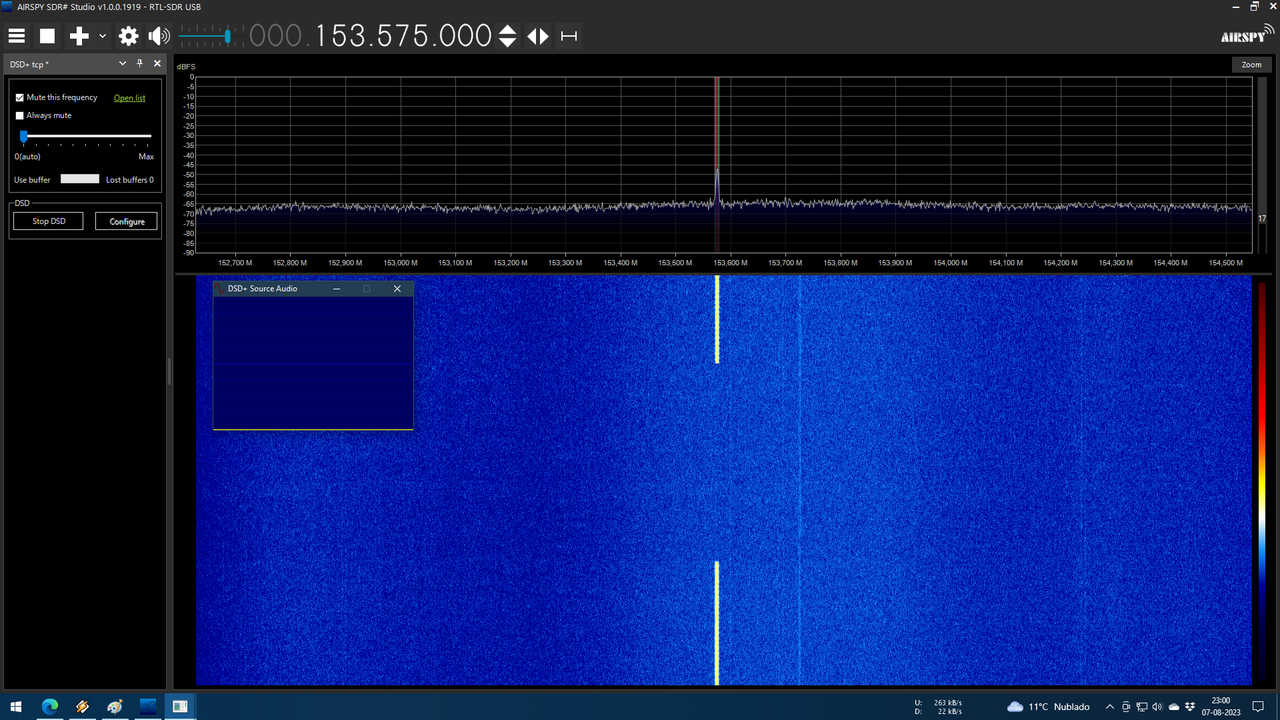
that in "0(auto)" mode it only works fine for the first frequency.

but it stop capturing audio if you change to another frequency fastly (for example when using a scanner).

1919-no.png


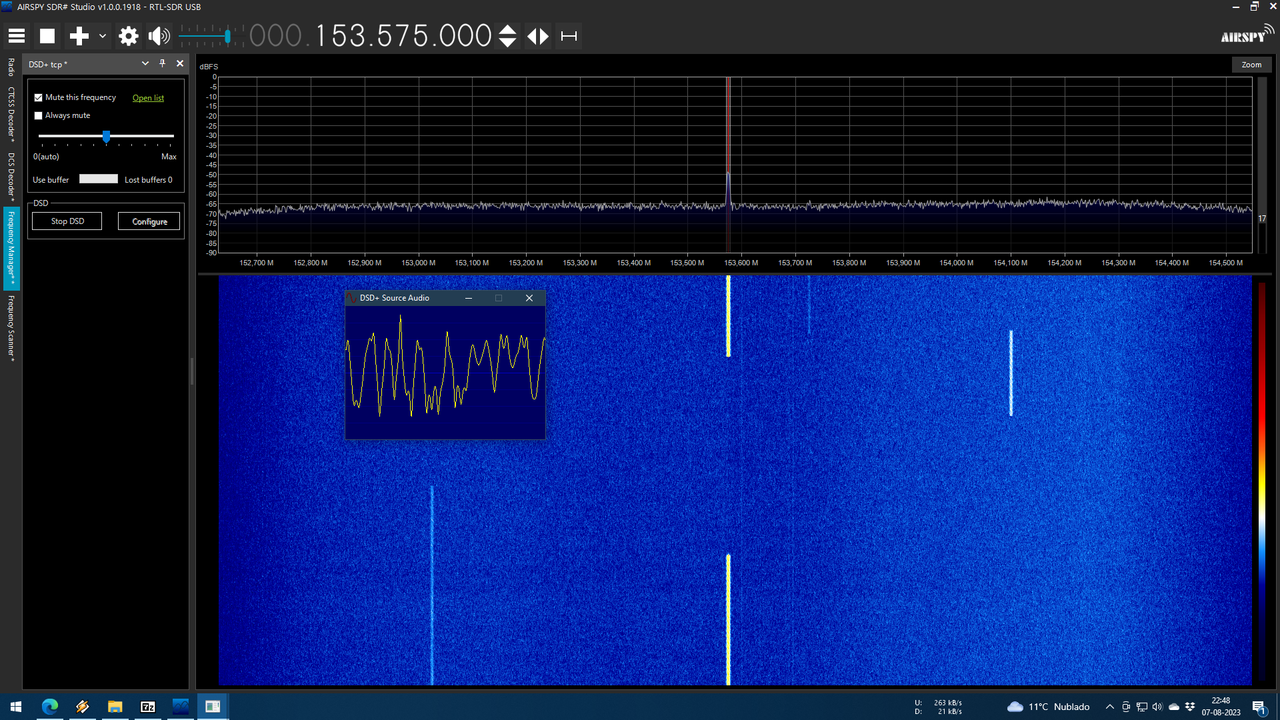
also in previous versions of SDR#, for example in 1918 if you put that option in the middle, it captures DMR audio properly (according to the DSD+ Source Audio window)

1918.png


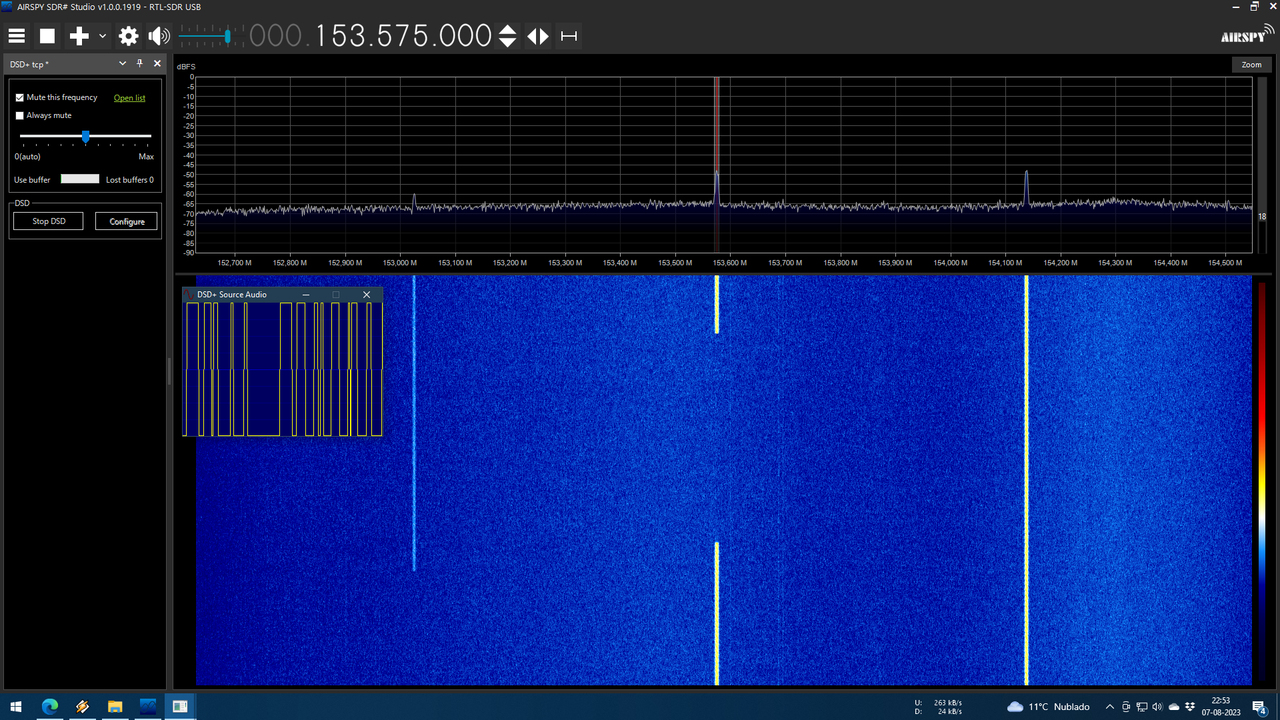
but in 1919 it captures audio extremely saturated (according to the DSD+ Source Audio window) causing it to not decode anything.

1919.png


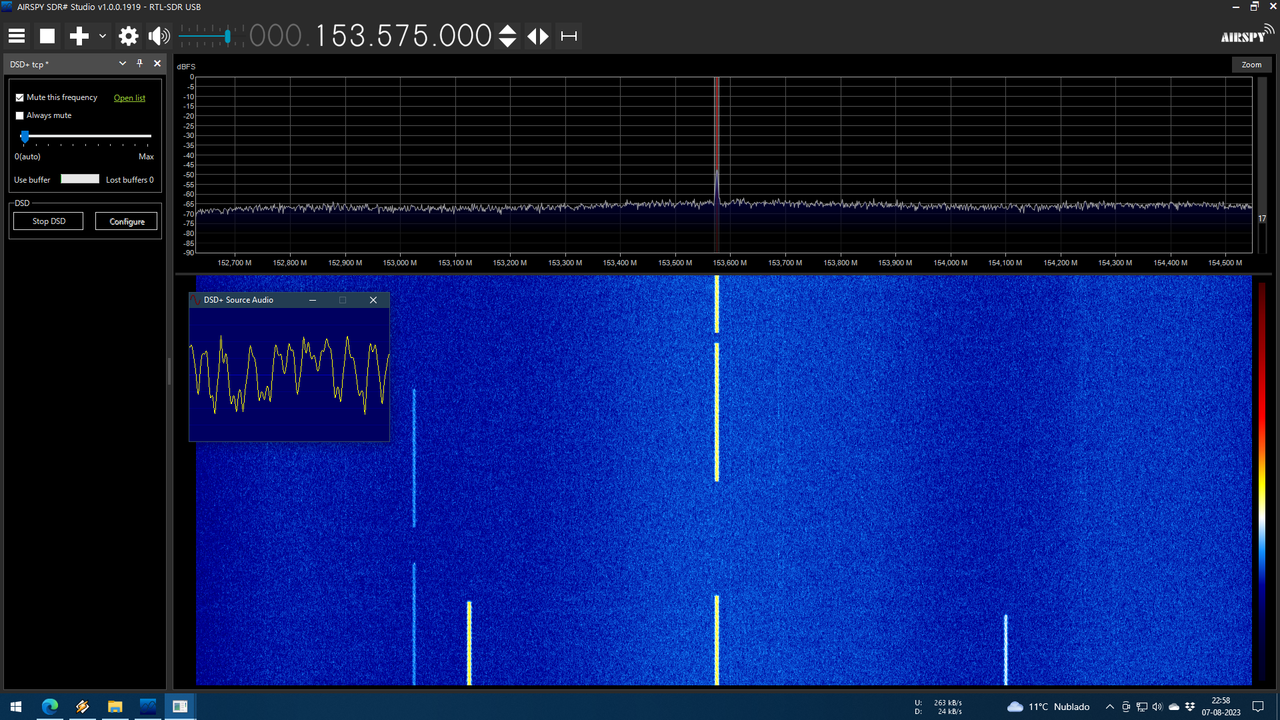
unless you move that setting to the left, near to the 0.

1919-2.png
 

thewraith2008

Member
Joined
Nov 22, 2016
Messages
1,903
Reaction score
910
Problem you see seems to be when the signal is squelched.
On investigation, it looks like the automatic gain value is running away and it cannot recover from it. Only adjusting the slider will reset it.
Another problem is the gain slider range. It's too much with newer versions of SDR# so it maxs out only after 1 or 2 positions.

New versions of SDR# are using a higher audio level than older versions.
This is not a straight forward fix because the code with the issue is in the pack library which I don't have the source code for and Vasili does not appear to be around anymore (what a shame).

A few of these SDR# plug-ins have reached an impasse with these newer SDR# versions due to significant changes to SDR# and it's API.
I don't use SDR# past 1716 so I've not been interested in updating the plug-ins to only work in newer SDR# versions.
 

maxcrt

Member
Joined
Oct 1, 2022
Messages
5
Reaction score
1
HI Melerix and thewraith2008, I have found the same issue.
Also other plugins have the same issue.
Considering all the external SW connected via VAC or VB-Audio, all of them have the same problem.
Both in Downlink and Uplink (including digital decoding like Dmr DL/UL and so on...).
Please note that a dynamic range in input of -876 to more that 200 dBs doesn't make sense.

Don't you think it's time to try for solving it?
Many people are still using the digital external packs.
I think it's better to update those plugins at least with input.

Thanks in advance
 

thewraith2008

Member
Joined
Nov 22, 2016
Messages
1,903
Reaction score
910
Don't you think it's time to try for solving it?
Many people are still using the digital external packs.
I think it's better to update those plugins at least with input.
Maybe you should have read the post previous to your own.


And also previously stated in documentation:
This is an older plug-in I updated (but no longer do) but make available to those who may still wish to use it.

Preferred SDR# version to use is v1716.
While it may work with later versions of SDR#, the smaller buffer it uses may cause TCP streaming issues in some cases.
 

dave3825

* * * * * * * * * * * *
Premium Subscriber
Joined
Feb 17, 2003
Messages
10,911
Reaction score
6,447
Location
Suffolk County NY
The plug-ins are only good for conventional voice decoding or parking on a cc and monitoring its data. With that said, any older version of sdr# and a working plugin will work fine
 

maxcrt

Member
Joined
Oct 1, 2022
Messages
5
Reaction score
1
It is really weird that using v1919, I didn't send the virtual cable output to the plugin (knowing what happens above described), but I sent the output of the SDR# audio directly to the VAC (with VAC control panel set by me) and monitored the output of VAC via Adobe Audition

1.jpg
I tested using first v1902 and then v1919 to have a comparison
This is the output of VAC on Adobe Audition (left part=v1902, right side=v1919): do you see a so big difference?

2.jpg

Watch also the spectrum: do you see any saturation?
3.jpg
 

maxcrt

Member
Joined
Oct 1, 2022
Messages
5
Reaction score
1
It is really weird that using v1919, I didn't send the virtual cable output to the plugin (knowing what happens above described), but I sent the output of the SDR# audio directly to the VAC (with VAC control panel set by me) and monitored the output of VAC via Adobe Audition

View attachment 152213
I tested using first v1902 and then v1919 to have a comparison
This is the output of VAC on Adobe Audition (left part=v1902, right side=v1919): do you see a so big difference?

View attachment 152214

Watch also the spectrum: do you see any saturation?
View attachment 152215
The differences are others:
1) the second is represented in dBs
2) the spectrum of the second is cut at 3k for audio call, though "filtered audio" is unchecked
 
Status
Not open for further replies.
Top