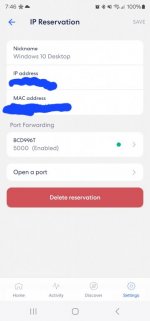
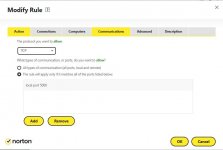
I'm trying to get my external IP to work. Im using Eero router and opened the port on the PC. I also have Norton security. When I look at canyouseeme, it says it timed out.
I'm trying to get my external IP to work. Im using Eero router and opened the port on the PC. I also have Norton security. When I look at canyouseeme, it says it timed out.
I'm trying to get my external IP to work. Im using Eero router and opened the port on the PC. I also have Norton security. When I look at canyouseeme, it says it timed out.
I turned off the "smart firewall" on Norton, and it's still not showing the port as open when I have it all setup correctly based on the IP address of the host PC. It's just for external listening. It's like no ports are open on the PC.
I turned off the "smart firewall" on Norton, and it's still not showing the port as open when I have it all setup correctly based on the IP address of the host PC. It's just for external listening. It's like no ports are open on the PC.