Help DSDPlus full

kb9hgi

Member
Feed Provider
Joined
Jun 17, 2003
Messages
585
Reaction score
96
Location
West Central IL
I have a SDR Play I been playing around with it using software SDRuno and DSDPlus 1.101 been working fine on P25 Digital The DMr not so good and I saw where the new version was DSDPlus Full. Thought I would give it a try. So I downloaded it and made a new folder for it. Well I can get it to work and seems way different then then my old dsdplus. I go to cmd prompt ad type dsdplus -i2 -o1 to config it and I get this stuff need FMPA FMPP FMP24 which I know nothing about and did not have to do all this for the old software. Is there good instruction somewhere how to set this new DSDPlus to work?
 

PDXh0b0

Active Member
Premium Subscriber
Joined
Mar 31, 2020
Messages
1,043
Reaction score
748
Location
Woodland, WA
Ditch the sdrplay software,

Edit the FMPP.cfg (add sdrplay device serial too line 1)

Run FMPP-cc.bat
Click the spectrum window, type frequency, click enter on keyboard

Run 1R.bat
 

mtindor

FMP24 PRO USER
Database Admin
Joined
Dec 5, 2006
Messages
12,258
Reaction score
3,523
Location
Carroll Co OH / EN90LN
I have a SDR Play I been playing around with it using software SDRuno and DSDPlus 1.101 been working fine on P25 Digital The DMr not so good and I saw where the new version was DSDPlus Full. Thought I would give it a try. So I downloaded it and made a new folder for it. Well I can get it to work and seems way different then then my old dsdplus. I go to cmd prompt ad type dsdplus -i2 -o1 to config it and I get this stuff need FMPA FMPP FMP24 which I know nothing about and did not have to do all this for the old software. Is there good instruction somewhere how to set this new DSDPlus to work?

Also, ditch DSDPlus 1.01 -- that is ANCIENT.

1. download DSDPlus Public Release (latest version) from DSDPlus – Digital Decoder
2. Unarchive to sensible folder (such as c:\dsdplus or c:\users\<username>\desktop\dsdplus
3. run FMPP-CC.bat and 1R.bat

Mike
 

kb9hgi

Member
Feed Provider
Joined
Jun 17, 2003
Messages
585
Reaction score
96
Location
West Central IL
Well guys I got home from work thought I would play a bit before bed. I Edit the FMPP.cfg with the serial number from my SDRPlay and then run FMPP-CC.bat and 1R.bat. Click the spectrum window and typed in 153.755 My local PD on a conventional P25 freq and it worked! So Then I thought I will try DMR real quick and put in 446.500 which is my hotspot I'm a ham radio OP and that did not work. Would not decode DMR. I will have to try it on some local business during the day before work. I have not tried and trunking P25 yet like MOSWIN in Missouri. Looks like I still got alot to learn about this DSDPlus and I don't know why I have plenty of scanners that does all this but I like to learn new things. Thank you guys for getting me started in the right direction.
 

mtindor

FMP24 PRO USER
Database Admin
Joined
Dec 5, 2006
Messages
12,258
Reaction score
3,523
Location
Carroll Co OH / EN90LN
Well guys I got home from work thought I would play a bit before bed. I Edit the FMPP.cfg with the serial number from my SDRPlay and then run FMPP-CC.bat and 1R.bat. Click the spectrum window and typed in 153.755 My local PD on a conventional P25 freq and it worked! So Then I thought I will try DMR real quick and put in 446.500 which is my hotspot I'm a ham radio OP and that did not work. Would not decode DMR. I will have to try it on some local business during the day before work. I have not tried and trunking P25 yet like MOSWIN in Missouri. Looks like I still got alot to learn about this DSDPlus and I don't know why I have plenty of scanners that does all this but I like to learn new things. Thank you guys for getting me started in the right direction.
That is good news starting out. Whatever you, do NOT get click-happy in the menu system and do not start changing values because you could not get your hotspot traffic to decode. First off, your hotspot is right next to you. There was probably way too much gain. You should turn the gain all the way down on the SDRP if you are going to try to monitor a transmission 5 feet away from you.

Try actual signals around your area - P25, NXDN, DMR, Fusion, D-Star, whatever -- just don't think there is something wrong because it's not decoding your hotspot.

If you have a local P25 trunked site, find it's current control channel, type it into FMPP, and make sure there is enough gain set but not too much. It's going to start decoding that site. Worry about your hotspot last, and understand that no setting (default setting) when you installed it will not miraculousliy allow you to suddenly pull in your hotspot. If you can't pick up the hotspot, it's probably wiping out the frontend of the SDRP.
 

kb9hgi

Member
Feed Provider
Joined
Jun 17, 2003
Messages
585
Reaction score
96
Location
West Central IL
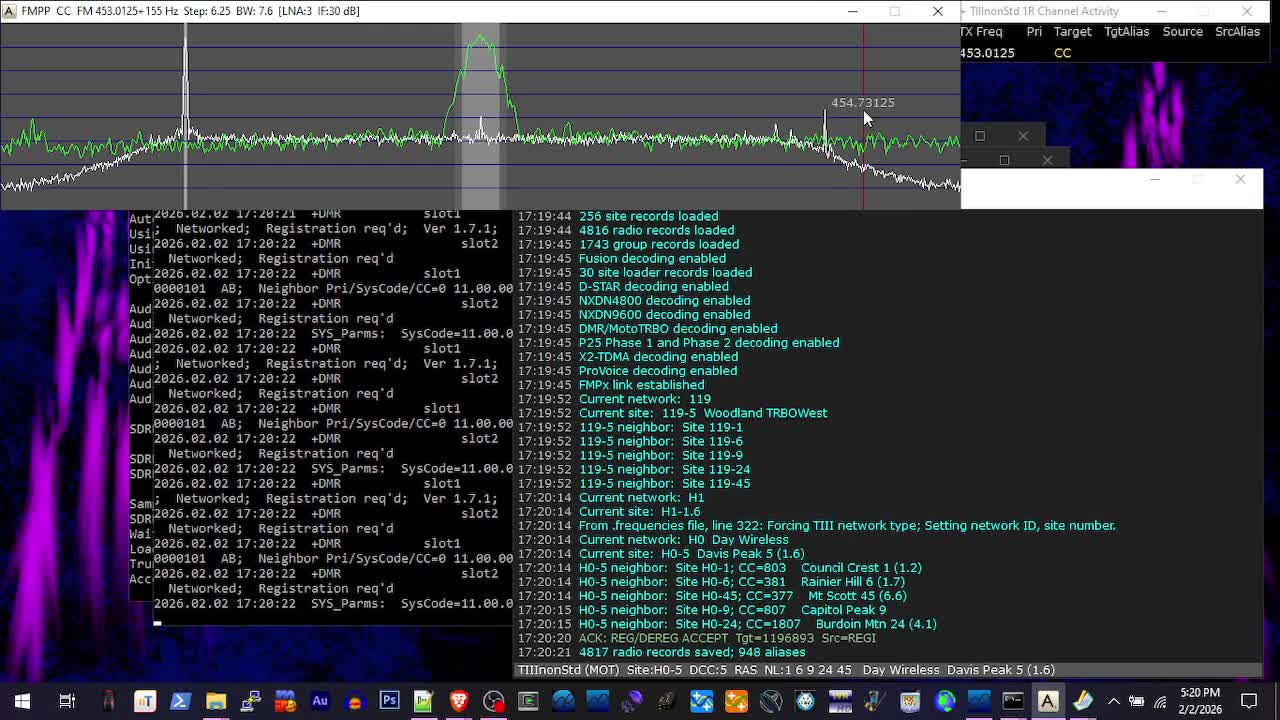
I trying out some DMR this morning. I did some search with my sds200 and found 152.270 on DMR. So I put it in the FMPP at first it started working. So I let it set for awhile and it quit decoding but I can still here them on my sds200. The 1R event log tell me this.
1770227379084.jpeg
 

kb9hgi

Member
Feed Provider
Joined
Jun 17, 2003
Messages
585
Reaction score
96
Location
West Central IL
I also tried it on fusion that worked great! Just can't get DMR to decode. Also is there a way to scan channels. All my public service is on single P25 freqs. Have not tried any trunking yet but will try it when I get some of this figured out.
 

mtindor

FMP24 PRO USER
Database Admin
Joined
Dec 5, 2006
Messages
12,258
Reaction score
3,523
Location
Carroll Co OH / EN90LN
I also tried it on fusion that worked great! Just can't get DMR to decode. Also is there a way to scan channels. All my public service is on single P25 freqs. Have not tried any trunking yet but will try it when I get some of this figured out.
Well, DMR works -- you copied the 152.27 DMR. My guess is maybe the signal wasn't that strong, or that you shut off FMPP or it stopped working. Or they just stopped talking. But DMR works.

Why doesn't your hotspot DMR work? Good question. But there is nothign in the settings you could/should change to try and fix that. Just make sure the signal isn't too strong. When trying to monitor your hotspot, turn your FMPP gain all the way down and then turn it up just far enough that the signal rises 2-3 bars (on the FMPP screen) above the noise. That is 20-30 db. that's all you need. If it's super strong it'll swamp the frontend.

And you'll want BW in FMPP set to 7.6 for DMR.

you can create a scanlist file (check the dsdplus.txt or notes.txt, whichever you have in the distribution, and it should explain how to go about scanning conventional stuff. You would still use both FMPP and DSDPlus but you would set up a scanlist for your P25 stuff and then in FMPP you would press a certain key to set it into scan mode. In FMPP you can press ? and you will get help information in the associated command line window).
 

dave3825

* * * * * * * * * * * *
Premium Subscriber
Joined
Feb 17, 2003
Messages
10,822
Reaction score
6,364
Location
Suffolk County NY
Also is there a way to scan channels.

you can create a scanlist file (check the dsdplus.txt or notes.txt, whichever you have in the distribution, and it should explain how to go about scanning conventional stuff.


Locate FMPP.scanlist file in your directory and populate that to scan analog and or digital conventional channels.

; FMPP Scan List
; --------------
;
; Entries in this file are scanned when the 'S' key is pressed in FMPP
;
; Press Esc in FMPP to exit scanner mode
;
; Lines with leading semicolons are ignored.
; Use a leading semicolon to "lock out" an entry.
; Use a leading semicolon to add comments/documentation.
;
; File processing stops if a line containing "<EOF>" is found.
; Entries after the <EOF> line are not processed.
;
;
; Line format:
;
; frequency options description
;
;
; Frequency is specified in MHz
;
;
; Options:
;
; Modulation Specifier
;
; 4 kHz bandwidth digital protocol specifiers:
;
; iDAS
; NX48
; NXDN48
; NEXEDGE48
;
; 7.6 kHz bandwidth digital protocol specifiers:
;
; Dstar
; D-Star
; DMR
; TRBO
; Cap+
; Con+
; TIII
; XPT
;
; 9.5 kHz bandwidth digital protocol specifiers:
;
; Fusion
; NX96
; NXDN96
; NEXEDGE96
; P25
;
; 12.5 kHz bandwidth digital protocol specifiers:
;
; PV
; ProVoice
;
; Analog modulation specifiers:
;
; Anything else, such as "FM" or "Analog" or nothing
; is assumed to be FM modulated analog and defaults to 12.5 kHz bandwidth
;
;
; Description
;
; User-supplied channel name/description
;
;
; Sample scan list:

145.17 DMR N2GKG

162.4 FM WX

454.35 NX48 Acme Inc.

163.8125 P25 Feds

<EOF>

; any entries after <EOF> line are not scanned
 
Top