davecason
Member
Hi,
I have a brand new out of the box Alinco DR-150T but I'll be dammed if I can make out hide nor hair of how to program up a channel on it. I can't grasp that manual worth a darn ..... I'm gonna call it "child-proof" (grin) Could someone please tell me how can I program up CH 2 with:
RX= 146.850 TX= 146.250 OFFSET = -600kHz TONE= 110.9 ENC/DEC and yep it's FM !
If someone has a step by step walk thru , it would be tremendous! Any help is appreciated !
Right now ..... I've sort got it to the point where I can add a freq to a channel but every time I try to add in the offset at -600 or the tone at 110.9 - it works - up until the point I change the channel to somewhere else - when I come back to that ch2 location the freq is still in but both settings are gone!
So what I managed to do was program only the FREQ in that channel slot and not the tone or the offset - I know you have to toss in all 3 at once, but how?
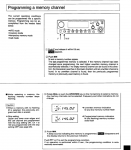
Here a shot of the bloody useless manual page on how to "program a memory channel" (sigh)
Cheers'
Dave
I have a brand new out of the box Alinco DR-150T but I'll be dammed if I can make out hide nor hair of how to program up a channel on it. I can't grasp that manual worth a darn ..... I'm gonna call it "child-proof" (grin) Could someone please tell me how can I program up CH 2 with:
RX= 146.850 TX= 146.250 OFFSET = -600kHz TONE= 110.9 ENC/DEC and yep it's FM !
If someone has a step by step walk thru , it would be tremendous! Any help is appreciated !
Right now ..... I've sort got it to the point where I can add a freq to a channel but every time I try to add in the offset at -600 or the tone at 110.9 - it works - up until the point I change the channel to somewhere else - when I come back to that ch2 location the freq is still in but both settings are gone!
So what I managed to do was program only the FREQ in that channel slot and not the tone or the offset - I know you have to toss in all 3 at once, but how?
Here a shot of the bloody useless manual page on how to "program a memory channel" (sigh)
Cheers'
Dave