BCD436HP/BCD536HP: Problem writing SD card

Status
Not open for further replies.

JoeBearcat

Active Member
Uniden Representative
Joined
Jun 30, 2020
Messages
2,019
Reaction score
2,584
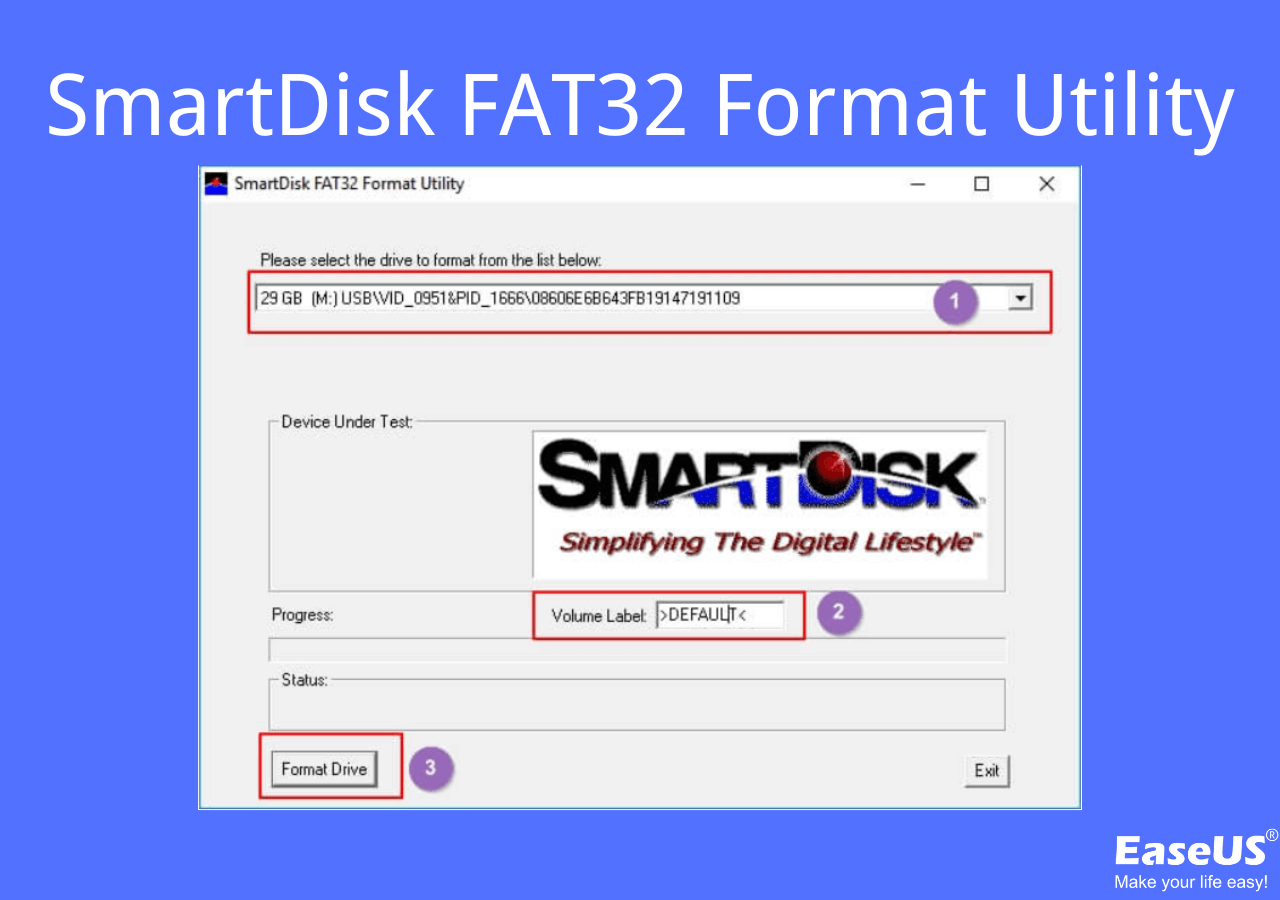
Here is one. No endorsement is implied.
 

JoeBearcat

Active Member
Uniden Representative
Joined
Jun 30, 2020
Messages
2,019
Reaction score
2,584
ya, the sd card goes in to put in laptop. sorry im not that smart with computers lol

You can use that adapter to connect it to your PC so you can format it, yes.
 

w1dbc

Member
Premium Subscriber
Joined
Nov 22, 2012
Messages
28
Reaction score
3
Location
townsend ma

JoeBearcat

Active Member
Uniden Representative
Joined
Jun 30, 2020
Messages
2,019
Reaction score
2,584
Just plug in your SD card to your PC. When it is recognized, run the program, select that disc, and click FORMAT.

If you really don't 'get this' maybe have someone help you. Formatting the wrong disc can have major consequences.
 

w1dbc

Member
Premium Subscriber
Joined
Nov 22, 2012
Messages
28
Reaction score
3
Location
townsend ma
Just plug in your SD card to your PC. When it is recognized, run the program, select that disc, and click FORMAT.

If you really don't 'get this' maybe have someone help you. Formatting the wrong disc can have major consequences.
I think I just need to select "fat32" for file system and 32kb for cluster size?? after I click format?
 

JoeBearcat

Active Member
Uniden Representative
Joined
Jun 30, 2020
Messages
2,019
Reaction score
2,584
Yes. I just did one to make sure I was familiar and it didn't ask the size but it was a smaller size card.
 

JoeBearcat

Active Member
Uniden Representative
Joined
Jun 30, 2020
Messages
2,019
Reaction score
2,584
CLEAR USER DATA using Sentinel first. That will be faster using that same card reader.

You can actually write your scanner profile to it using that reader too.
 

w1dbc

Member
Premium Subscriber
Joined
Nov 22, 2012
Messages
28
Reaction score
3
Location
townsend ma
CLEAR USER DATA using Sentinel first. That will be faster using that same card reader.

You can actually write your scanner profile to it using that reader too.
if I put the card in and plug it in , I get the error. if I unplug the scanner I can't clear any data??
 

JoeBearcat

Active Member
Uniden Representative
Joined
Jun 30, 2020
Messages
2,019
Reaction score
2,584
if I put the card in and plug it in , I get the error. if I unplug the scanner I can't clear any data??

This is after you cleared it and wrote your profile to it?
 

w1dbc

Member
Premium Subscriber
Joined
Nov 22, 2012
Messages
28
Reaction score
3
Location
townsend ma
I think I got it figured out. now my issue is the fav lists are not downloading so im in process of turning that on. I'll get back to you in a few. THINK I got it
 
Status
Not open for further replies.
Top