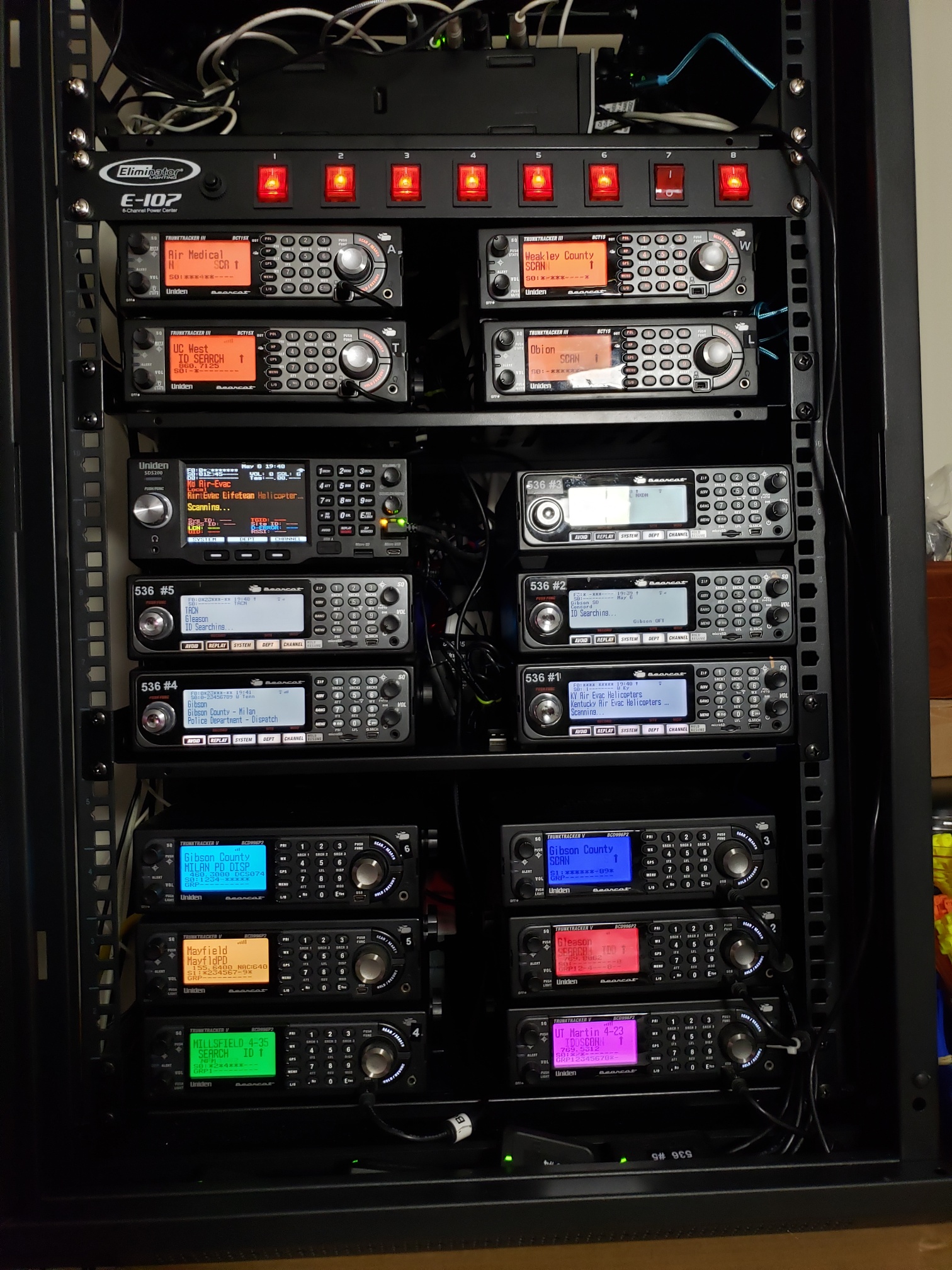
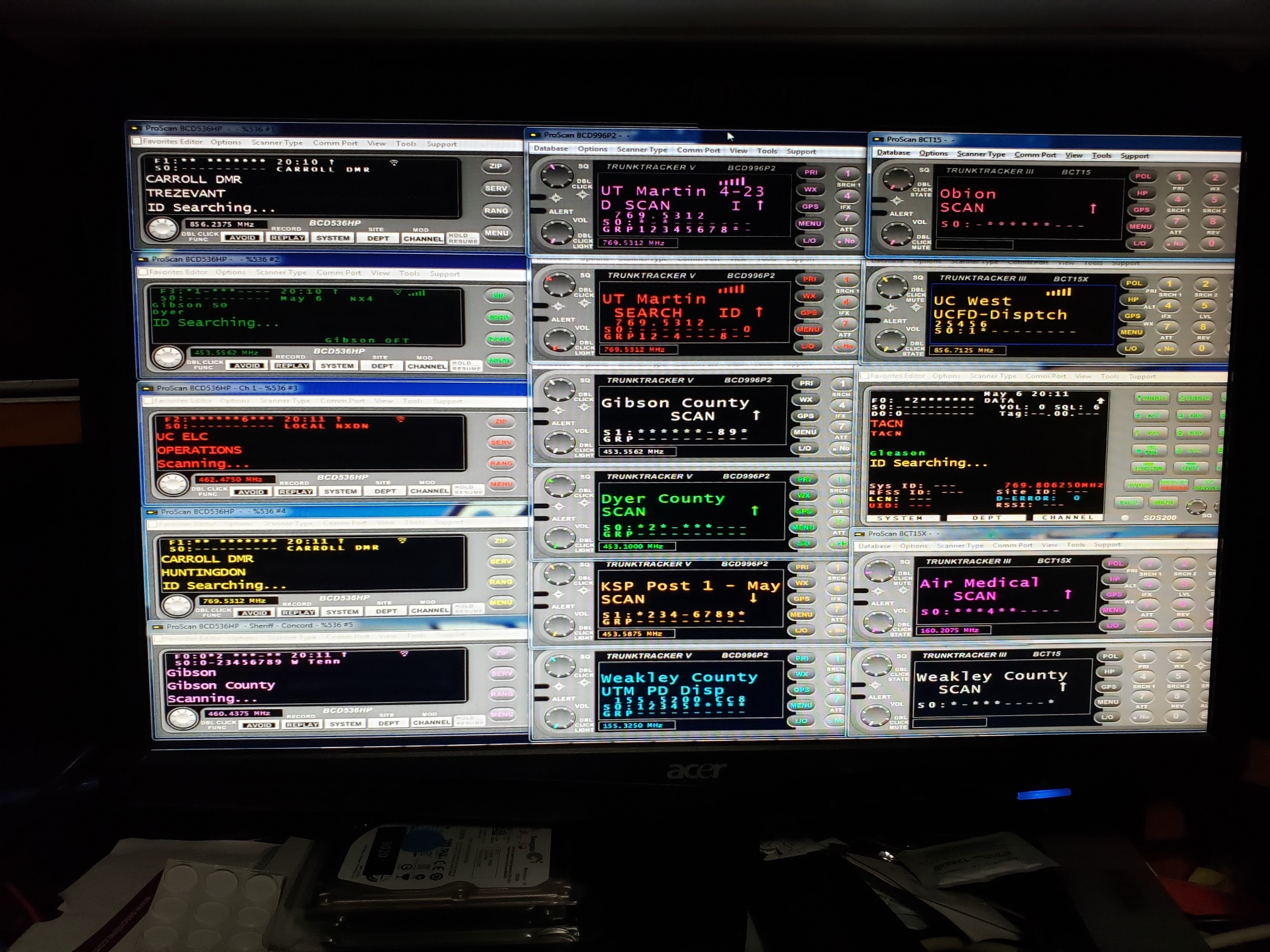
ProScan: ProScan - Best practices for running multiple instances?

K5IUC

Newbie
Premium Subscriber
Joined
Mar 21, 2025
Messages
4
Reaction score
3
Location
Fort Worth, TX
I am about to install ProScan on a dedicated PC in order to host/stream multiple scanners. If anyone has advice, 'best practices', and/or examples on setting up multiple instances of PS for this purpose, that would be very much appreciated.

Thanks!
Clif
 

Whiskey3JMC

Another Pesky Scanist
Premium Subscriber
Joined
Jul 16, 2006
Messages
9,858
Reaction score
8,450
Location
Simulcastylvania, TE
Welcome to the RR forums. Copy the entire contents of the C:\Program Files (x86)\Proscan folder to as many new directories as you require (you can name the folders Proscan2, Proscan3, etc) and launching the respective Proscan.exe file in each folder will open a new instance. Note that when it comes time to update the app you'll need to run the update installer for each separate directory
 

K5IUC

Newbie
Premium Subscriber
Joined
Mar 21, 2025
Messages
4
Reaction score
3
Location
Fort Worth, TX
Welcome to the RR forums. Copy the entire contents of the C:\Program Files (x86)\Proscan folder to as many new directories as you require (you can name the folders Proscan2, Proscan3, etc) and launching the respective Proscan.exe file in each folder will open a new instance. Note that when it comes time to update the app you'll need to run the update installer for each separate directory

Wow!! That was quick, thanks!

Can I put them in C:\ProScan, C:\Proscan2, etc, or does the Proscan folders need to reside in C:\Program File (x86) ?
 

N9JIG

Sheriff
Moderator
Joined
Dec 14, 2001
Messages
6,368
Reaction score
5,510
Location
Far NW Valley
That is exactly what I do, works great.

When there are updates to ProScan (there was one that came out just today!) run the new installer into a new folder. There will be 8 files in the new folder, including the .exe and some .dll's. Then copy these 8 files and paste them into each of your ProScan folders. This updates the program but retains your existing logs and programming files.

I did just this today on both my computer and a friends (via remote access). It took just a couple minutes each for 8 copies on mine and 4 on his computers.
 

K5IUC

Newbie
Premium Subscriber
Joined
Mar 21, 2025
Messages
4
Reaction score
3
Location
Fort Worth, TX
That is exactly what I do, works great.

When there are updates to ProScan (there was one that came out just today!) run the new installer into a new folder. There will be 8 files in the new folder, including the .exe and some .dll's. Then copy these 8 files and paste them into each of your ProScan folders. This updates the program but retains your existing logs and programming files.

I did just this today on both my computer and a friends (via remote access). It took just a couple minutes each for 8 copies on mine and 4 on his computers.

That sounds like an efficient way to update several folders. Thanks for sharing!
 

ProScan

Software Provider
Premium Subscriber
Joined
Jul 2, 2006
Messages
8,256
Reaction score
4,623
Location
Ontario, Calif.
Wow!! That was quick, thanks!

Can I put them in C:\ProScan, C:\Proscan2, etc, or does the Proscan folders need to reside in C:\Program File (x86) ?
Yes, I recommend installing in C:\ProScan1, C:\ProScan2, etc. mainly because if using the recorder, less characters in the path and filenames so it's less likely to exceed the 260 character limitation. C:\ProScan is the default folder when installing ProScan for the 1st time.

I don't recommend installing in the C:\Program File (x86) folder because Windows will put all program generated files; config and logging, in a VirtualStore folder so they will appear hidden in the C:\Program File (x86) folder.
 

richardbritt

State of NC
Database Admin
Joined
Sep 17, 2006
Messages
918
Reaction score
360
Location
Northeastern NC
What are you running operating system wise and how much ram do you have for running 16 copies? I assume you have 16 scanners you are monitoring with? How do you keep track of your findings and such? I am in the process of getting 3 pro-2096 running pro96com, and setting up 3 536 scanners running Proscan on 1 windows 11 laptop running 16 gb of memory. Thanks
 

richardbritt

State of NC
Database Admin
Joined
Sep 17, 2006
Messages
918
Reaction score
360
Location
Northeastern NC
Hopefully my i5 and 16gb will work out then. Bought the laptop used on ebay for $90. It had been used in a docking station, keyboard and screen are like new.
 

N9JIG

Sheriff
Moderator
Joined
Dec 14, 2001
Messages
6,368
Reaction score
5,510
Location
Far NW Valley
I ran up to 24 instances combined of ProScan and ARC-xx products with 8GB of RAM and a 1TB SSD on an Intel i5 NUC with no problems. I later upgraded that to an i7 with 16 GB of RAM (later upgraded again to 32MB) and a 2TB SSD. Most of the time I also ran an AirNav Radar Box along with it.

These days I have a much more powerful PC running around 12 instances of ProScan, the AirNave and SDR# or some other SDR program. It has an AMD Ryzen X7-7800 and 64GB of RAM that has plenty of headroom to spare.

You should be fine with the i5 and 16GB of RAM.
 

JimmyJet727

KR4GXO
Premium Subscriber
Joined
May 12, 2024
Messages
63
Reaction score
45
Location
Carolinas
Hopefully my i5 and 16gb will work out then. Bought the laptop used on ebay for $90. It had been used in a docking station, keyboard and screen are like new.

And remember, RAM for old PC's is dirt cheap. If it has an empty RAM slot, you can probably double the RAM for about $15. Worth every penny.
 

KINGVAPOR69

Member
Joined
Mar 2, 2018
Messages
11
Reaction score
2
I run 16 copies in 16 different folders on the same pc
How TF? Is that all serial + audio connections?

I have a 436 running on my main (Gaming-PC) all split up with voicemeeter Potato from my primary audio for a broadcastify stream, but I'm unsure how to add additional audio ins (and com ports) to add more scanners.

I just got a BCT15X I would like to also stream and then retract a bit of frequencies on the 436 because the 15X does it a bit better.

Eventually (By April, when I get my tax return) I'm gonna be getting a 536, 100, 200 and maybe a few 996P2s to single out on some TGs that way I don't miss chatter when one of them locks on to something.
 

buddrousa

Member
Premium Subscriber
Joined
Jan 5, 2003
Messages
13,922
Reaction score
9,676
Location
Retired 40 Year Firefighter NW Tenn
I am very smart and I use multiple USB Audio Cards and very Expensive Serial Cards. I also learned from another member here.
full


full
 

richardbritt

State of NC
Database Admin
Joined
Sep 17, 2006
Messages
918
Reaction score
360
Location
Northeastern NC
I am curious to how you keep them all straight as far as which scanner is which screen on your computer? I have 7 scanners I am watching using pro96com on 7 P25 phase 1 scanners and I change what NC VIPER sites I watch occasionally (I can see 13 different sites reliability from the house). Any tips?

Thanks, Richard
 
Top