SDS150: SDS150 Review

policefreak

Member
Premium Subscriber
Joined
Jan 5, 2007
Messages
2,334
Reaction score
353
Location
Berlin, NJ
I am an excited new owner of an SDS150! I just had it on a couple hours, but here's a very preliminary review.
-P25 ONLY RECEPTION - Improved over SDS100 - That's a huge deal for me! I live within 2 miles of an antenna for a 700mhz P25 system. On the SDS100 this system would interfere with other P25 systems on the same band, particularly weaker systems that other devices would pick up easily. So far the SDS150 receives those systems as good, if not better than the my Unication pager and BK Radio. I have to come within a mile of that tower now before the interference occurs, and even then some transmissions pop through. Changing modulation to NFM seems to make somewhat of a difference. And the issue Uniden is working on the SDS100 where Phase 2 transmissions randomly come in garbled or are completely lost I have not had so far on the SDS150. That's big. More scientific testing to follow! I also am getting a 500mhz P25 Harris system some 31 miles away only my BK Radio could receive. Nicely done! 👏 Again I'll be putting the SDS150 through it's paces in the coming days.

AUDIO QUALITY - Yes it's definitely true, the SDS150 is quieter than the SDS100 at the same volume level. On the road it is a little harder to hear. The SDS150 speaker also sounds a bit scratchy at or past Volume level 11, so I don't want to push it too much for fear of blowing the speaker. It might just have a little too much low level bass.

SCAN SPEED - Scanning speed seems a bit slower on the SDS150 as opposed to the 100. When monitoring 1 P25 system, I'm noticing quite a few transmissions coming in a step late versus my portable, especially when the system is busy. Occasionally when attempting to scan 2 or more P25 trucked systems the scanner skips over 1 system. I have also seen the scanner stop on an incorrect voice frequency when attempting to scan 2 or more P25 systems before correcting itself. I'll be sending some debug files to Uniden about it. For now, toggling that system off and on again fixes the problem.

DISPLAY SCREEN - The display screen on the SDS150 is just a little brighter and the colors more defined than the SDS100. The screens are the same size on each.

WATERFALL - I am happy the SDS150 already comes with the waterfall feature. Once you learn how to use it, it is a great tool.

HEAT - So far the back of the SDS150 and the antenna connector do not get nearly as hot as the SDS100 does.

ODD BEHAVIOR - Out of the 10 times or so I have turned the unit on today, 2 times there was absolutely no reception when it turned on. Either on the local P25 system I was monitoring, or in search mode. 0 reception. Turning the scanner off and on again fixed this. I ran the scanner for about 90 minutes with no changes. Again, something I'll be sure to get some debug files to Uniden. So far, no big deal.

Overall I am really liking the new scanner! My initial grade on the SDS150 is a 4.5 out of 5. Much, much more testing to follow! And I haven't even explored the Bluetooth and app just yet!

Who else is willing to share their review of their new SDS150?

 

J-Wrock

Member
Premium Subscriber
Joined
Aug 18, 2017
Messages
234
Reaction score
296
Location
Kansas City Area
In addition to the above I like that it loads favorite lists a lot faster during startup compared to the 100 or 200. As for your odd behavior, I have not seen that issue. Assuming your firmware is up to date - they released an update just after launch. Might mention it on the Official SDS 150 Tech thread.


policefreak

Member
Premium Subscriber
Joined
Jan 5, 2007
Messages
2,334
Reaction score
353
Location
Berlin, NJ
In addition to the above I like that it loads favorite lists a lot faster during startup compared to the 100 or 200. As for your odd behavior, I have not seen that issue. Assuming your firmware is up to date - they released an update just after launch. Might mention it on the Official SDS 150 Tech thread.

Dang I didn't realize that. I'll download it and see.
 

eaf1956

Member
Feed Provider
Joined
May 11, 2007
Messages
3,525
Reaction score
1,030
Location
Evansville, IN
Received the SDS 150 today...I like it better than I did the SDS 100. WHY:

1) No Filters to mess with (shouldn't need to have to select filters on a Portable Scanner)
2) Nicer Case and construction (Sold my SDS 100 which came with the small battery later the larger one)
3) Even with the standard rubber duck antenna it still picks up like my SDS 200 with an outside Triband Antenna
4) VHF reception appears to have improved
5) No GPS puck to mess with
6) Cradle charging (like Ham Portables this should have been on the SDS100)
7) Bluetooth (disappointed it doesn't support connecting to a Speaker, but the APP works Great)
8) USB C Thank God

On P25 Trunk System (SAFE-T) the Evansville tower was difficult to recieve the SDS 150 picks it up on the Stock Antenna. So far no issues and I consider the SDS 150 is the scanner the SDS 100 should have been. Just my 2 Cents...

Note: Had a odd issue with a NXDN system, said nothing to scan...Seems I didn't restart aka turn off and on after entering the NXDN key My BAD!
 
Last edited:

werinshades

Member
Premium Subscriber
Joined
Jan 21, 2002
Messages
6,676
Reaction score
3,218
Location
Chicago , IL
Received the SDS 150 today...I like it better than I did the SDS 100. WHY:

1) No Filters to mess with (shouldn't need to have to select filters on a Portable Scanner)
2) Nicer Case and construction (Sold my SDS 100 which came with the small battery later the larger one)
3) Even with the standard rubber duck antenna it still picks up like my SDS 200 with an outside Triband Antenna
4) VHF reception appears to have improved
5) No GPS puck to mess with
6) Cradle charging (like Ham Portables this should have been on the SDS100)
7) Bluetooth (disappointed it doesn't support connecting to a Speaker, but the APP works Great)
8) USB C Thank God

On P25 Trunk System (SAFE-T) the Evansville tower was difficult to recieve the SDS 150 picks it up on the Stock Antenna. So far no issues and I consider the SDS 150 is the scanner the SDS 100 should have been. Just my 2 Cents...

Note: Had a odd issue with a NXDN system, said nothing to scan...Seems I didn't restart aka turn off and on after entering the NXDN key My BAD!
Agreed! It was mentioned in one of the threads of a 6-8db signal improvement, and can also concur with that finding. I'm receiving sites from further distances than the 100 on the stock antenna.

I have found after entering the keys, I had to turn the scanner off and let the SD card reload the DMR and NXDN systems up, and then started to receive. This has been the case in the 100 & 200's when I first loaded the keys in. Not a major issue, but it's not unusual.
 
Last edited:

Ubbe

Member
Joined
Sep 8, 2006
Messages
10,831
Reaction score
4,611
Location
Stockholm, Sweden
Not sure about the slower scan speed as it was tested and is faster than the SDS100.
Could please do a simple test, by enable the debug log while monitoring a DMR system and then scan thru some analog channels, maybe air or marine, and then look in the text file that the debug log created?

For DMR there are 30mS between TDMA timeslots so it will look something like this:

0018800 TDMA CH: 1
0018816
0018816 FS DET: 1 FS Type: 1 Terminate: 0
0018816
0018816 QSYNC to FSYNC
0018816
0018816 FWD_PRT_CNT: 00
0018827
0018827 Slot End
0018827
0018827 Superframe Count: 0
0018830
0018830 TDMA CH: 0

So in this case it is verified that the log uses timestamps that are 1mS.

While scanning it changes frequency with each PLL function:

0020343 PLL,08516625
0020394 PLL,08523375
0020445 PLL,08544375
0020470 SP1 DA1: 0253 FIR2: 25AD
0020487 PLL,08544375
0020493 SP0 DA1: 0253 FIR2: 2C8D
0020539 PLL,08523875

It scans with 50mS between channels that equals 20ch/s and at 0020470 and 0020493 it detected some kind of signal but not a valid one to stop scan. But I think this 85MHz log are from an earlier firmware version of SDS100 that used a 0,5mS increment so it's really a 40ch/s scanrate. But the debug function loaded the CPU too much and the log became unreliable so Uniden later changed to 1ms increments. So it must first be verified what the increments stands for by looking at the timeslot timings from a DMR signal.

/Ubbe
 

eaf1956

Member
Feed Provider
Joined
May 11, 2007
Messages
3,525
Reaction score
1,030
Location
Evansville, IN
Agreed! It was mentioned in one of the threads of a 6-8db signal improvement, and can also concur with that finding. I'm receiving sites from further distances than the 100 on the stock antenna.

I have found after entering the keys, I had to turn the scanner off and let the SD card reload the DMR and NXDN systems up, and then started to receive. This has been the case in the 100 & 200's when I first loaded the keys in. Not a major issue, but it's not unusual.
Ok so I wanted to compare the SDS 150 and the SDS 200 for reception...

NXDN system next county over: SDS 150 -99 to -110 dBm
SDS 200 -88 to -94 dBm

Same Antenna and it's a VHF NXDN 5 site system

SAFE-T Evansville Tower (located way North of me) SDS 150 -100 to -110 dBm
SDS 200 -88 to -90 dBm

Same Antenna and its a Phase 1 P25 Trucked System 900Mhz

Note: While it appears the 150 doesn't do as well as the 200, the 150 can receive the Evansville Tower with it's standard rubber Antenna while no other scanner would without a Yagi from my location. No, it can't receive the Posey Co NXDN system with it. And no the Antenna used for the above test was a TRIBAND Antenna mounted on the chimney outside the house not a YAGI.
 

Ubbe

Member
Joined
Sep 8, 2006
Messages
10,831
Reaction score
4,611
Location
Stockholm, Sweden
Note: While it appears the 150 doesn't do as well as the 200, the 150 can receive the Evansville Tower with it's standard rubber Antenna while no other scanner would
You can't go by RSSI signal strength in a SDR based receiver. You have to use the bit error count function to see what the difference are in receive quality. The signal strength will show a higher signal level the more interference you get so that a higher signal are actually the worst receiver, the SDS200.

/Ubbe
 

wa8pyr

Retired and playing radio whenever I want.
Staff member
Lead Database Admin
Joined
Sep 22, 2002
Messages
7,901
Reaction score
4,693
Location
Ohio
I have come up with a quick question in regard to the SDS 150, What is the purpose of ZIP Code Scanning on a GPS featured scanner? Turn on GPS and do Full DB why enter a ZIP?
Zip code scanning is a feature of all the radios descended from the original Home Patrol 1 (including the BCD436/536 and SDS100/200). It's already in the firmware and has to be there for those radios to effectively use the internal database. Since the SDS150 is descended from the SDS100 and uses most of the same code base, there's no point in making life difficult by removing features and having to maintain a totally separate code base for the SDS150.

Besides, GPS is only useful if you're traveling about and need the radio to continuously update what it's scanning as you travel. In a fixed location, pop in the zip code and keep GPS turned off to conserve battery.
 

eaf1956

Member
Feed Provider
Joined
May 11, 2007
Messages
3,525
Reaction score
1,030
Location
Evansville, IN
Zip code scanning is a feature of all the radios descended from the original Home Patrol 1 (including the BCD436/536 and SDS100/200). It's already in the firmware and has to be there for those radios to effectively use the internal database. Since the SDS150 is descended from the SDS100 and uses most of the same code base, there's no point in making life difficult by removing features and having to maintain a totally separate code base for the SDS150.

Besides, GPS is only useful if you're traveling about and need the radio to continuously update what it's scanning as you travel. In a fixed location, pop in the zip code and keep GPS turned off to conserve battery.
If I am at a fixed location for any length of time I program a Favorites list. And they did remove items from the SDS 100 to the SDS 150 ie Filters, and a few minor things so the code base is different.

I received my REM 842S antenna for the SDS 150, there is no noticeable difference from the stock antenna. Signal strength remains at about the same level, although it had a slight improvement on VHF
 

wa8pyr

Retired and playing radio whenever I want.
Staff member
Lead Database Admin
Joined
Sep 22, 2002
Messages
7,901
Reaction score
4,693
Location
Ohio
If I am at a fixed location for any length of time I program a Favorites list. And they did remove items from the SDS 100 to the SDS 150 ie Filters, and a few minor things so the code base is different.

I received my REM 842S antenna for the SDS 150, there is no noticeable difference from the stock antenna. Signal strength remains at about the same level, although it had a slight improvement on VHF
If you use a favorite list when in a fixed location, then why are you concerned about using GPS instead of zip code? Yes, the code base is somewhat different, but why complicate things by removing too much? In my experience, the zip code feature is used by a lot of people who have no real need to use GPS unless they're traveling; to remove the zip code feature would cause squeals of outrage and unnecessarily complicate things.

Personally, I see a noticeable difference when using the REM842 antenna with my SDS150. However, obviously YMMV.
 

Ubbe

Member
Joined
Sep 8, 2006
Messages
10,831
Reaction score
4,611
Location
Stockholm, Sweden
If you use GPS you don’t need to use zip code as the GPS auto locates you.
It's primary use are to quickly get the scanner working when you buy it. Uniden loads the scanner with a very old database at the factory but even then you just enter your own zip code and start scanning. The database then needs updating and service types needs to be added to the defaults set from factory but for a novice it enables the scanner to work directly out of the box for any type of user.

/Ubbe
 

eaf1956

Member
Feed Provider
Joined
May 11, 2007
Messages
3,525
Reaction score
1,030
Location
Evansville, IN
If you use a favorite list when in a fixed location, then why are you concerned about using GPS instead of zip code? Yes, the code base is somewhat different, but why complicate things by removing too much? In my experience, the zip code feature is used by a lot of people who have no real need to use GPS unless they're traveling; to remove the zip code feature would cause squeals of outrage and unnecessarily complicate things.

Personally, I see a noticeable difference when using the REM842 antenna with my SDS150. However, obviously YMMV.
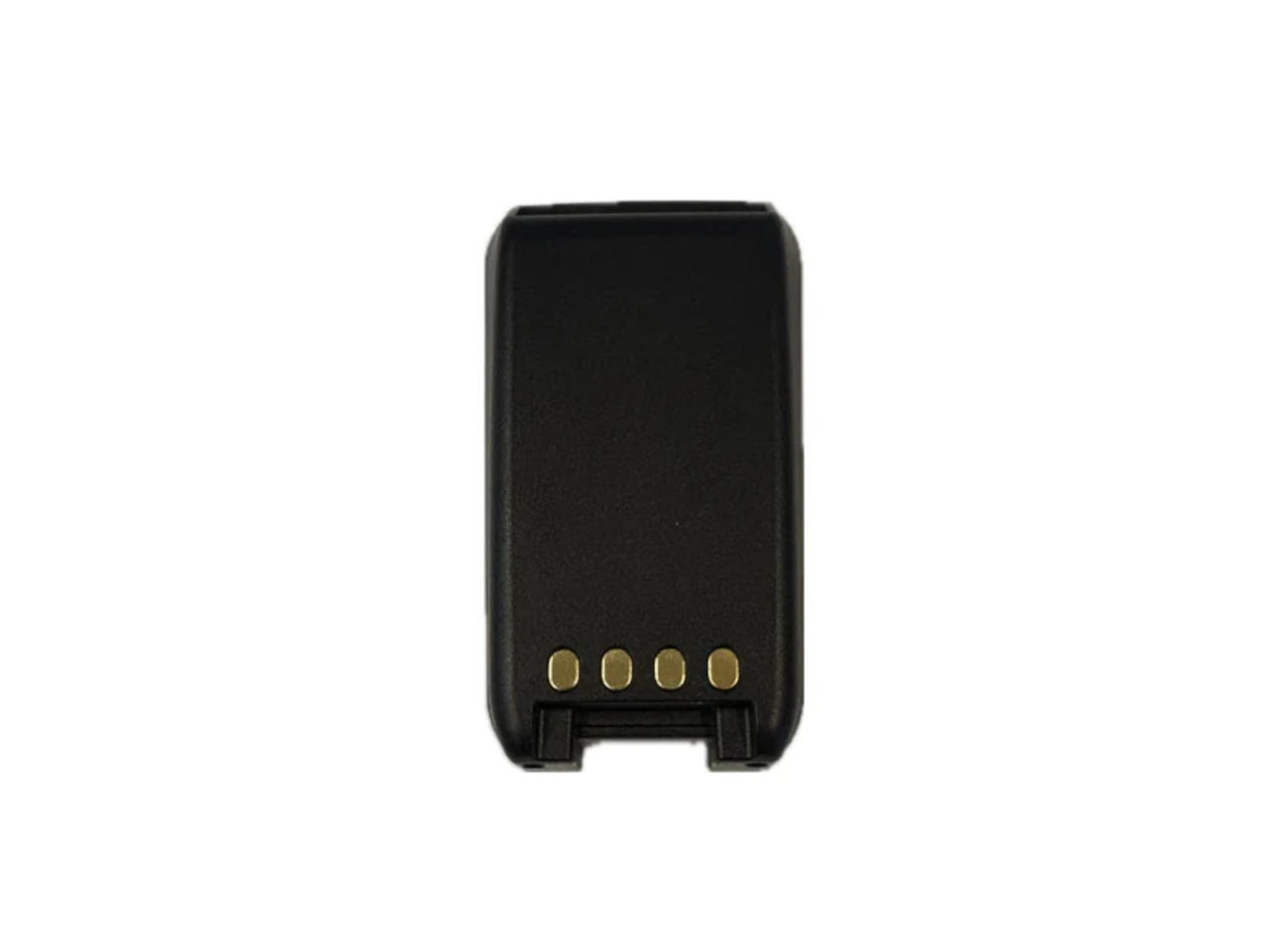
Easier to just turn GPS on get the location and turn it back off if you want to save battery. Speaking of batteries If anyone needs a SPARE SDS 150 battery, HRO has them in stock for $74. No one else appears to have them yet.
 

eaf1956

Member
Feed Provider
Joined
May 11, 2007
Messages
3,525
Reaction score
1,030
Location
Evansville, IN
If you use GPS you don’t need to use zip code as the GPS auto locates you.
I wasn't concerned just thought the code could be optimized and reduced since the SDS 150 Has GPS included. They did remove the Filter Options since they added Hardware Filtering. Overall, I like the SDS 150 a whole lot better Than I did the SDS 100.
 

eaf1956

Member
Feed Provider
Joined
May 11, 2007
Messages
3,525
Reaction score
1,030
Location
Evansville, IN
H0-019373A.jpg


UNIDEN


BPS150


Extra 3.6V 7000mAh Lithium-Ion Battery Pack​


HRO Discount Price $74.99
 
Top