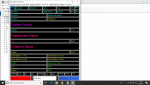
SDS200 - UID alpha display

Status
Not open for further replies.

Division200

Member
Premium Subscriber
Joined
Nov 14, 2004
Messages
204
Reaction score
8
Location
Cambridge, Ma.
Go to customize display, the drop down will bring you to a selection, you can pick unit id, unit it name.
 

newsnick175

Member
Premium Subscriber
Joined
Oct 4, 2006
Messages
693
Reaction score
-20
Location
Sherrills Ford, North Carolina
The owner’s manual says (p.42) “Unit ID must be set On in the Display Options menu to view Unit ID’s.
My goal is to see the alpha tag I programmed for the UIDs. There seams to be no space for it.
 

newsnick175

Member
Premium Subscriber
Joined
Oct 4, 2006
Messages
693
Reaction score
-20
Location
Sherrills Ford, North Carolina
Well, I persisted and activated UID names in both types of displays.
The bummer is that there’s room for only 14 characters! That and the 6 more
characters in each line for systems, departments and channels than my BCD436,
is going to mean setting up separate tag spacing for the 200.
 
  • Like
Reactions: RRR

Ncfirewire

Member
Joined
Feb 17, 2012
Messages
241
Reaction score
31
Well, I persisted and activated UID names in both types of displays.
The bummer is that there’s room for only 14 characters! That and the 6 more
characters in each line for systems, departments and channels than my BCD436,
is going to mean setting up separate tag spacing for the 200.
in the detail screen settings you can set it up to display up to 60 characters
 
Status
Not open for further replies.
Top