Tetra decoding

Status
Not open for further replies.

Nizze

Member
Joined
Nov 3, 2015
Messages
5
Reaction score
0
Tetra

everything should be encrypted (if configured correctly), so SDS too.

Okey , so all that i can se is Master ch freq and all neighbour sites ?
That is the data i can see

But what is this line ?
RESOURCE Encr=2, Length=29 Addr=SSI(14222443) SlotGrant=0/0 sq5bpf req mle_pdisc=0 req=0

As far as i know we dont have that issi in the system .

Br
Nizze
 

sq5bpf

Member
Joined
Jan 23, 2014
Messages
517
Reaction score
12
RESOURCE Encr=2, Length=29 Addr=SSI(14222443) SlotGrant=0/0 sq5bpf req mle_pdisc=0 req=0

As far as i know we dont have that issi in the system .

if it is encrypted, then the rest of the data might not be meaningful. i know this is true with frequency data, probably with the rest too.

the interesting part is if, even if the ssis are encrypted, do they stay the same over a longer time? if so, then you can still do some nice traffic analysis
 

Nizze

Member
Joined
Nov 3, 2015
Messages
5
Reaction score
0
Well i will do some more logging tonight .
I think i saw PABX gateway SSI in the logs .
But i will do some more raw logging tonight .


Br
Nizze
 

sq5bpf

Member
Joined
Jan 23, 2014
Messages
517
Reaction score
12
thing is this is the only way i figuerd out how to stream the sound to my phone/laptop other listeners Vm sound is virtual audiocable thats streamed by Edcast to caster.fm

any icecast 2 streaming program should work here. see:
Code:
http://icecast.org/apps

i'd probably try ices, and route the audio around using standard pulseaudio tools (like pavucontrol etc), another application that is even on the caster.fm site is mixxx (but this is a gui application, so not as nice to set up)
 

jlxsolutions

Member
Joined
May 23, 2013
Messages
105
Reaction score
0
any icecast 2 streaming program should work here. see:
Code:
http://icecast.org/apps

i'd probably try ices, and route the audio around using standard pulseaudio tools (like pavucontrol etc), another application that is even on the caster.fm site is mixxx (but this is a gui application, so not as nice to set up)

ices only the deprecated version supports mp3 and mixxx only supports playing playlists.
I been trying to figure out this for quite a while now heh.
liquidsoap should be able to do it but i have not yet figured out how to set it up. guess i will take another look at it today.
P.S
updating the IOMMU driver helped for some reason with telive in the virtual machine but cant perform as well as it did before.
in W7
 

jlxsolutions

Member
Joined
May 23, 2013
Messages
105
Reaction score
0
ices only the deprecated version supports mp3 and mixxx only supports playing playlists.
I been trying to figure out this for quite a while now heh.
l

Apparently it was Real easy using darkice and input default as soon i realised i had to have it running to turn on "monitor" Guess time to build new freq list and start heating the room with telive/proliant power
 

jlxsolutions

Member
Joined
May 23, 2013
Messages
105
Reaction score
0
While that was fun while it lasted it appears some mystery bug in mint 17.2 cinnamon has appeard everything just stops no crash no message no nothing just freezes and it wont continue with the good old click terminalwindow and scroll up and down method either. Guess i,ll have to try again to get debian installed (darn usb stick dosent like debian)
 

sq5bpf

Member
Joined
Jan 23, 2014
Messages
517
Reaction score
12
Apparently it was Real easy using darkice and input default as soon i realised i had to have it running to turn on "monitor" Guess time to build new freq list and start heating the room with telive/proliant power

publish a simple description for others. i'm sure many people will be interested.

btw also publish what iommu driver you changed to make it wotk better under win10
 

jlxsolutions

Member
Joined
May 23, 2013
Messages
105
Reaction score
0
publish a simple description for others. i'm sure many people will be interested.

btw also publish what iommu driver you changed to make it wotk better under win10

I,ll write up he steps soon maybe you could toss them in the telive github docs once i am done.
driver got updated via driverbooster so no idea what driver it was but latest from AMD
EDIT:
Seems i get to try this on Debian as well since i managed to muck up my mint to unfixable proportions
 
Last edited:

jlxsolutions

Member
Joined
May 23, 2013
Messages
105
Reaction score
0
i got too frustrated with the Proliant server (have to use lightweight desktop because of Matorx GFX chip software rendering=bad and debian USB sticks either cause redscreen of death or wont boot)
But as for the WMvare player updating(or more correctly changeing) to open vm-ware tools.
And with the IOMMU driver the install runs okish up to 4 towers at once from initial 1 to almost two and halting to only decoding one.
Now i got 4 decoding and with some tiny stuttering seems to work fine in windows 10 and vmware workstation 12 player
So if your running on a virtualmachine stick to windows 7
 

jlxsolutions

Member
Joined
May 23, 2013
Messages
105
Reaction score
0
As for the streaming part in linux mint at least this worked.
------------------------------------------------------------------------------------------------------------------------------
First ninstall Darkice and pavucontrol
sudo apt-get install Darkice
sudo apt-get install pavucontrol
Then create a Config file somewhere
for ex /music/darkice.cfg

in the configfile copypasta the following and fill in your caster.fm servers info should be on your main page after logging into your caster.fm server
-------------------------------------------------------------------------------
[general]
duration = 0
bufferSecs = 10
reconnect = yes # reconnect if disconnected

[input]
device = default # or `pulse' for Pulseaudio
sampleRate = 44100 # sample rate 11025, 22050 or 44100
bitsPerSample = 16 # bits
channel = 2 # 2 = stereo

[icecast2-0]
bitrateMode = cbr
format = mp3
bitrate = 128
quality = 0.8
server = shaincast.caster.fm
port = #yourport
password = #yourpassword
mountPoint = listen.mp3 #default caster.fm mountpoit
name = #streamname
description = #stream description
url = #your url if you wantone
genre = rock #genre
public = yes
------------------------------------------------------------------------

Now start darkice
sudo darkice -c ~/music/darkice.cfg
if it starts running without errors all fine for next step if not google is your friend
once its up and running open pavucontrol
and in recording tab you should see darkice choose Monitor (of your defaultsoundcard)
and thats it now this will stream ALL audio that you hear not just Telive.
 

FR3500

Member
Joined
Aug 3, 2012
Messages
58
Reaction score
0
Location
France
(don't worry about the gtk errors)

Hello, i just installed on 17.2 , installed with no errors, (i haven't seen any error msg)

When i launch the .grc, the rx panel appears, but i can't click inside, nothing happens, so i cannot tune, change settings, and the window is too large, i can't access the fields at the bottom (freq, ppm..)

and after the "gtk" erros, a lot of "O" characters scrolling ...

Help me please, i think it's almost done !
 

FR3500

Member
Joined
Aug 3, 2012
Messages
58
Reaction score
0
Location
France
Also worth mentionning,

"cd ~/tetra/telive ./rxx "doesn t launch the channels window with the blocks, i have to type

cd ~/tetra/telive
./rxx

and the window appears ...

but on top of that window the rx freq is= 0 mhz ... is smtg wrong ?

Thanks
 

racingfan360

Member
Joined
Dec 19, 2005
Messages
1,214
Reaction score
246
>When i launch the .grc, the rx panel appears, but i can't click inside, nothing happens, so i cannot tune, change settings, and the window is too large, i can't access the fields at the bottom (freq, ppm..)

Hi.....how is the performance of the PC/laptop you are using for this?
I used to see this problem when I first tried to run this on a netbook that didn't have enough RAM/CPU. I need to move to a more powerful laptop.
 

FR3500

Member
Joined
Aug 3, 2012
Messages
58
Reaction score
0
Location
France
Hi maybe the issue (i hope this is something else )
when i click "play" and the rx window appears, the laptop sounds very busy, maybe has pain running the software?

I use an Acer Aspire 725, cpu AMD C-70 1 GHz , 3.6 GB ram

Mint 17.2 cinnamon installed ( not on vm )

Thanks
 

sq5bpf

Member
Joined
Jan 23, 2014
Messages
517
Reaction score
12
Also worth mentionning,

"cd ~/tetra/telive ./rxx "doesn t launch the channels window with the blocks, i have to type

cd ~/tetra/telive
./rxx

and the window appears ...

the latter is correct. where did you get "cd ~/tetra/telive ./rxx" from?

it's not from the documentation (btw did you read the documentation? looks like clueless copy/pasting)

but on top of that window the rx freq is= 0 mhz ... is smtg wrong ?

the tetra receiver (the thing that is launched via the receiver1 script) doesn't see a valid tetra signal. once it sees it you will have the tx and rx frequencies of the control channel (and other network parameters)

when i click "play" and the rx window appears, the laptop sounds very busy, maybe has pain running the software?

1GHz is not much, it might be sufficient for 1 channel, but not more. you can disable the spectrum display once you are tuned to a known good signal correctly
 

jlxsolutions

Member
Joined
May 23, 2013
Messages
105
Reaction score
0
1GHz is not much, it might be sufficient for 1 channel, but not more. you can disable the spectrum display once you are tuned to a known good signal correctly
Also by turning down the sample rate to 1M sample or 1.5M will help alot in this case.
my ancient amd single core 1.6Ghz with 512mb ram handles one channel when i turn it to 1Megasample from the 2M.
As for the opposite end it seems highest possible for the rtl sticks i have had is around 2.5Msamples
 

FR3500

Member
Joined
Aug 3, 2012
Messages
58
Reaction score
0
Location
France
Ok thnk you
I followed the instructions, from the doc, and from rtl-sdr tutorial

The scope starts freezing as i lauch it, no way to control anything inside this window,
yet the scope works fine, receives signals, and it's moving;
Also in my install i don't have any /tetra/bin
for me tetrad is inside /tetra/telive/bin

My errors:
(python:3546): Gtk-CRITICAL **: IA__gtk_widget_get_direction: assertion 'GTK_IS_WIDGET (widget)' failed
OOOOOOOOOOOOOOOOOOOOOOOOOOOOOOOOOOOOOOOOO ----- (OOOOOOO scrolling...)

File "/usr/lib/python2.7/dist-packages/gnuradio/grc/gui/DrawingArea.py", line 84, in _handle_drag_data_received
self._flow_graph.add_new_block(selection_data.data, (x, y))
File "/usr/lib/python2.7/dist-packages/gnuradio/grc/gui/FlowGraph.py", line 108, in add_new_block
block.set_coordinate(coor)
AttributeError: 'NoneType' object has no attribute 'set_coordinate'

Thanks for help
 
Last edited:

FR3500

Member
Joined
Aug 3, 2012
Messages
58
Reaction score
0
Location
France
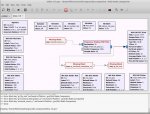
I posted error logs of gnuradio companion when i try to lauch the .grc files ...

after reinstalling Mint 17.2 + telive
 

Attachments

  • telive1grc.jpg
    telive1grc.jpg
    79.7 KB · Views: 1,666
  • telivexterm1.jpg
    telivexterm1.jpg
    94.2 KB · Views: 1,595
Status
Not open for further replies.
Top