Hi folks,
I'm trying to configure ProScan HTTPS using a Cloudflare Origin certificate and it is failing. I pinged Bob via email and he suggested that I open a thread here but followed up a bit later asking if there were any error messages. This is what I replied with and I'm hoping somebody has gotten this to work.
Hi Bob,
No rush on this. It has been on my back burner for a while. Yes, I am receiving an error on the HTTPS Web Server page of ProScan.
The goal here is to allow access to the ProScan server on my DMZ only from users that are forced through Cloudflare. This is achieved through various methods, but it boils down to restricted access to the ProScan server only though Cloudflare-supplied IPV4 subnets and secured through a Cloudflare Origin certificate/connection. I have this working on a few servers already but not with ProScan.
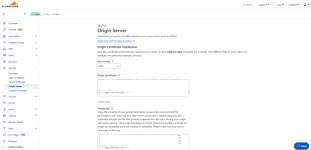
The requirement for this is running a Cloudflare Origin Certificate on the server using a Cloudflare-provided public and private key pair although I can supply my own CSR to Cloudflare if Proscan allowed for CSR generation. The Origin Certificate is a certificate that is supplied by Cloudflare that runs on the local web server and will only allow communication between Cloudflare and the server. Think if it as a client certificate. Cloudflare has a blog post on this feature from 2014: Introducing CloudFlare Origin CA
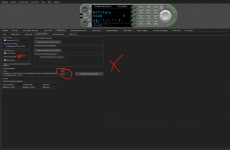
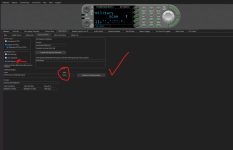
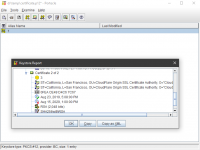
The challenge is that the ProScan server will accept the certificate but does not recognize the certificate as valid. Cloudflare will generate for me a public and private key pair which I’ve added to the server, but the result is that I receive a Valid “False” error message in ProScan. My gut tells me is has something to do with the domain checking that is done on the certificate, but without a deep knowledge of ProScan’s programing, I can only guess.
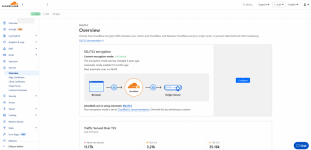
I’ve attached a few screenshots for reference.
I'm trying to configure ProScan HTTPS using a Cloudflare Origin certificate and it is failing. I pinged Bob via email and he suggested that I open a thread here but followed up a bit later asking if there were any error messages. This is what I replied with and I'm hoping somebody has gotten this to work.
Hi Bob,
No rush on this. It has been on my back burner for a while. Yes, I am receiving an error on the HTTPS Web Server page of ProScan.
The goal here is to allow access to the ProScan server on my DMZ only from users that are forced through Cloudflare. This is achieved through various methods, but it boils down to restricted access to the ProScan server only though Cloudflare-supplied IPV4 subnets and secured through a Cloudflare Origin certificate/connection. I have this working on a few servers already but not with ProScan.
The requirement for this is running a Cloudflare Origin Certificate on the server using a Cloudflare-provided public and private key pair although I can supply my own CSR to Cloudflare if Proscan allowed for CSR generation. The Origin Certificate is a certificate that is supplied by Cloudflare that runs on the local web server and will only allow communication between Cloudflare and the server. Think if it as a client certificate. Cloudflare has a blog post on this feature from 2014: Introducing CloudFlare Origin CA
The challenge is that the ProScan server will accept the certificate but does not recognize the certificate as valid. Cloudflare will generate for me a public and private key pair which I’ve added to the server, but the result is that I receive a Valid “False” error message in ProScan. My gut tells me is has something to do with the domain checking that is done on the certificate, but without a deep knowledge of ProScan’s programing, I can only guess.
I’ve attached a few screenshots for reference.