


K6PYR
Member/Feeder
- Joined
- May 19, 2007
- Messages
- 38
- Reaction score
- 4
I use Chrome to run Dashboard. When I have Dashboard running for several hours, sometimes I notice that I have lost the audio. When that happens, I see in the Windows Tray at the bottom of the screen a red X across the speaker icon. Clicking on the icon causes a Windows troubleshooting utility to run. The troubleshooting utility says that my speakers are unplugged. This is not true. The speakers are plugged in just fine. The only way I can get audio back is to re-boot the computer.
I am not running anything other than Chrome on that PC. It is just used listening to Broadcastify, so no other Apps are running. Has anyone else experienced this?
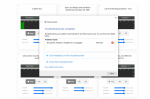
A screenshot of the Audio Utility is below.
I am not running anything other than Chrome on that PC. It is just used listening to Broadcastify, so no other Apps are running. Has anyone else experienced this?
A screenshot of the Audio Utility is below.


