DHCP or static IP?

Status
Not open for further replies.

TGuelker

Retired ASE CMAT L1 MRRT
Premium Subscriber
Joined
Dec 17, 2021
Messages
395
Reaction score
281
Location
Collinsville, Illinois
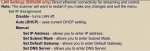
B5B57AFD-A2EC-43AF-A8BC-0E5B5BA53679.jpegThere are a lot of posts about DHCP and static IPs but none that I could find explaining why one is better than the other.

The SDS200 is connected to the Internet via an Iogear Ethernet to WiFi dongle.

Currently the scanner is set to static, and the dongle’s IP address is reserved in my router. It has been like that for 2 months.

The easier to read manual doesn’t go beyond explaining what each function does.

A ‘recommended’ setting would be helpful.

I have over 50 WiFi devices, and the only other device is static. That is my Hubitat Elevation hub. Hubitat strongly recommends using a static IP. Setting it to DHCP causes my smart home to lose connection with Google Home and Alexa.

Should I change to DHCP, and if so, why?

Thanks.
 

nessnet

Member
Premium Subscriber
Joined
Jan 22, 2007
Messages
2,198
Reaction score
1,714
Location
What month is it?
View attachment 134530There are a lot of posts about DHCP and static IPs but none that I could find explaining why one is better than the other.

The SDS200 is connected to the Internet via an Iogear Ethernet to WiFi dongle.

Currently the scanner is set to static, and the dongle’s IP address is reserved in my router. It has been like that for 2 months.

The easier to read manual doesn’t go beyond explaining what each function does.

A ‘recommended’ setting would be helpful.

I have over 50 WiFi devices, and the only other device is static. That is my Hubitat Elevation hub. Hubitat strongly recommends using a static IP. Setting it to DHCP causes my smart home to lose connection with Google Home and Alexa.

Should I change to DHCP, and if so, why?

Thanks.

Everyone's network is set up differently.
If you bind mac addresses to IPs as an SOP on your network, do it for the radio too.
If most everything is DHCP, then do that.

Maybe if you use ProScan, then a static may make it easier for Proscan to find it when it fires up every time?
 

GTR8000

NY/NJ Database Guy
Database Admin
Joined
Oct 4, 2007
Messages
17,218
Reaction score
16,876
Location
BEE00
Reserving IP addresses by MAC address is the way to go. You can leave all devices set to the default DHCP, while still assigning a static IP to any devices that would benefit from one, such as the 536HP or SDS200. Best of both worlds.
 

donc13

Member
Premium Subscriber
Joined
Dec 19, 2002
Messages
1,548
Reaction score
1,095
Location
Grand Junction, CO
I presume you put the sds200 on your WiFi because you have something else on your network that will connect to it. In that case STATIC is best. That way whatever you are connecting to your scanner can be set to contact just that 1 net address.
 

brcoz

Member
Premium Subscriber
Joined
Feb 23, 2007
Messages
161
Reaction score
32
Location
Florence, AZ
You could set all of the static addresses to the higher end of your subnet so a DHCP device will not grab that IP address.
IE: 10.1.0.250
 

belvdr

Active Member
Joined
Aug 2, 2013
Messages
2,582
Reaction score
1,665
Personally, I use DHCP reservations; a web browser is much faster than messing with menus on various devices.

In layman's terms, that means that even though the device is using DHCP, it always gets the same address. In this way, the DHCP pool can be kept large and the reservations are managed through one user interface. If a device's IP needs to be changed, it can be updated from the DHCP server, typically a user's router, then the device is rebooted to pull the new IP.

If you go with static, then you'll want to have a space outside of your DHCP pool for those devices. You do not want the DHCP pool to overlap with static IP addresses.

There's no best method here. Each yields the same result. It's up to personal preference on how you want to manage it. As I said, I prefer a web browser. I can see all the reservations in one place.
 

avaloncourt

Member
Joined
Jun 10, 2011
Messages
167
Reaction score
74
I reserve static IPs by MAC address in the router. That way you can leave the network device alone and the router manages everything in one place rather than chasing around plugging in static IPs into multiple devices. I have 4 servers and two NAS on my home network and have for a quite a long time.
 

smithken

Member
Premium Subscriber
Joined
Dec 19, 2002
Messages
355
Reaction score
106
Location
Michigan
If it ain't broke, don't fix it. If the static address is working for you then leave it alone.
 
Status
Not open for further replies.
Top