DSDPlus -- New Public Release and Fast Lane Changes

mtindor

FMP24 PRO USER
Database Admin
Joined
Dec 5, 2006
Messages
11,795
Reaction score
3,067
Location
Carroll Co OH / EN90LN
I don't run Linux. FMP24 starts the receiver and sends data over the chosen link address. DSDPlus looks for linked data when it starts.

It might depend on which type of linking you are using. I use Direct and starting in the wrong order occasionally produces the "not listening" error or just failure of DSDPlus to detect when FMP24 starts sending.

If I start the "wrong" one first but ultimately start them both, they end up talking to each other. It might be that if you start the "wrong" one first and wait too long to fire up the other part, that the one initiating the connection may have given up. I've never had an issue though.

As a general rule I fire off whichever one shows up first in my Explorer window and then fire up the other, and I've never had a problem with the two connecting even if I fired up the "wrong" one first.
 

RichM

Member
Joined
Jul 22, 2004
Messages
138
Reaction score
139
Thank you so much for posting this. I have been struggling unsuccessfully with the old version for well over a year. With this new version and patient, methodical set up (thanks to Funnyfarm 299’s excellent tutorial) I have finally been successful.

My local road commission switched to NXDN and I really missed their up to the minute road condition reports during snow plowing season. Timing was perfect as the plows are very active right now. I’ve also been able to hear some DMR and Fusion which is really terrific. Opens up a lot more listening opportunities that my older P25 phase 1 scanners are not capable of. Thanks again to all.
 
Joined
Feb 3, 2015
Messages
414
Reaction score
220
Hi, all

There is a first time for everything. I decided to try out this DSDPlus program this afternoon.
The only thing that I had missed after editing the FMP24.bat, was then editing the 1R.bat with the same -i7777.
I thank you all for what you all do so well.

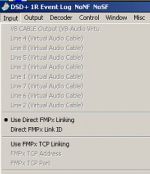
DSDPlus-.png

Cheers.
 

mtindor

FMP24 PRO USER
Database Admin
Joined
Dec 5, 2006
Messages
11,795
Reaction score
3,067
Location
Carroll Co OH / EN90LN
Hi, all

There is a first time for everything. I decided to try out this DSDPlus program this afternoon.
The only thing that I had missed after editing the FMP24.bat, was then editing the 1R.bat with the same -i7777.
I thank you all for what you all do so well.

View attachment 193925

Cheers.
It's kind of funny that you found instructions that tell you to use 7777, when out-of-the box it is already set up to work perfectly with 20001. So technically you didn't need to chnge anything :)

And keep in mind that even though you set a bunch of FMP24 options in the batch file, you can set any of them on-the-fly as well. As long as you have mouse-focus on FMP24, you can press B/B to adjust bandwitdth, P/p to adjust PPM, G/g to adjust gain, and you can just type in any frequency and hit enter and you'll see it show up at the top of the FMP24.exe screen as your typing and pressing enter.

Glad to see it working good for you.

Mike
 

R0am3r

Salt Water Conch
Premium Subscriber
Joined
Apr 13, 2014
Messages
781
Reaction score
542
Location
Oneida County, NY
You need to start FMP before DSD+.
That is incorrect. If you start DSDPlus.exe first, it happily waits and displays a link error until it sees the FMPx link.

Initiating FMPx link using link ID 20001...
FMPx link error = -5
[Server is not listening on selected link ID]
 
Top