SDS100 Updated Display Customizations

Status
Not open for further replies.

jasonhouk

Uniden AlphaMan
Uniden Representative
Joined
Mar 29, 2013
Messages
1,188
Reaction score
1,382
Location
Marion, Ohio
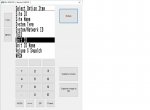
Thanks Jason. If I saw this correctly, in order to see Unit ID in a Trunk system, this is only available in Detail Trunk mode?

UNIT ID
UNIT ID NAME

Both are available in Simple Trunk as well.

Houk
 

Attachments

  • simptrunk.jpg
    simptrunk.jpg
    27.6 KB · Views: 914

WX4JCW

Member
Premium Subscriber
Joined
Jun 26, 2006
Messages
3,495
Reaction score
1,018
Location
Stow, Ohio
Sweet


Sent from my iPhone 8 using Tapatalk Pro
Jason WX4JCW
Unication G4, BCD536HP
 

freqgeek2

Member
Joined
Apr 27, 2004
Messages
33
Reaction score
0
Location
McHenry, IL
I just received my SDS100 today and for the life of me I can not figure out how to turn on the TGID while in simple trunking mode. I have a list in my favorites, I just need a little guidance in finding the correct location in the menu.

Thank you
 

jasonhouk

Uniden AlphaMan
Uniden Representative
Joined
Mar 29, 2013
Messages
1,188
Reaction score
1,382
Location
Marion, Ohio
I just received my SDS100 today and for the life of me I can not figure out how to turn on the TGID while in simple trunking mode. I have a list in my favorites, I just need a little guidance in finding the correct location in the menu.

Thank you
Menu/Customize/Set Simple Trunk.

TGID should be displayed by default if not see attached picture with highlighted "TGID" should be where it's displayed. Highlight that area the ITEM/Select Option Item then choose TGID then enter. Menu key out to scan.

Houk
ecc276e3fb239695e6eabb56a530213c.jpg


Sent from my Moto G (4) using Tapatalk
 

jasonhouk

Uniden AlphaMan
Uniden Representative
Joined
Mar 29, 2013
Messages
1,188
Reaction score
1,382
Location
Marion, Ohio
Hah! I didn't catch the date that was posted. Too busy playing with my new toy Scanner Master so kindly sent to me today. I thought there was a new one posted today.... Carry on!!!
Copy that and enjoy!

Houk

Sent from my Moto G (4) using Tapatalk
 

freqgeek2

Member
Joined
Apr 27, 2004
Messages
33
Reaction score
0
Location
McHenry, IL
Menu/Customize/Set Simple Trunk.

TGID should be displayed by default if not see attached picture with highlighted "TGID" should be where it's displayed. Highlight that area the ITEM/Select Option Item then choose TGID then enter. Menu key out to scan.

Houk
ecc276e3fb239695e6eabb56a530213c.jpg


Sent from my Moto G (4) using Tapatalk
Thank you for the information, this is exactly what I was looking for. It worked perfectly!!
 
Status
Not open for further replies.
Top