So, is it officially unusable now..? I was attempting to re-load my 996XT using Freescan with original uniden USB1 cable but I can't get windows 10 to recognize the cable. I've tried the "fixes"and/or "workarounds" and re-installing the drivers through the uniden site as well as six-spot etc. to no avail. I've searched a few of the posts here but they seem to digress into other topics and issues. Does anyone know if this original cable is no good and whether or not I'll have to buy a new one? Thanks for any advice.


You are using an out of date browser. It may not display this or other websites correctly.
You should upgrade or use an alternative browser.
You should upgrade or use an alternative browser.
BCD396XT/BCD996XT: USB 1 programming cable
- Thread starter AuntEnvy
- Start date
- Status
- Not open for further replies.
ChuckWillis55
Member
If you are trying to use the old cable from 2005 or so, it will not work with Windows 10. The chip set inside the little box on the cable is no longer supported. Good news is, the USB 1 cable from Uniden has been updated with a new chipset that will work with Windows 10. Unfortunately, the new cable is also called USB 1. You should be able to get it from Uniden or any other reputable dealer.

doctordialtone
Member
Scannermaster.com USB 1If you are trying to use the old cable from 2005 or so, it will not work with Windows 10. The chip set inside the little box on the cable is no longer supported. Good news is, the USB 1 cable from Uniden has been updated with a new chipset that will work with Windows 10. Unfortunately, the new cable is also called USB 1. You should be able to get it from Uniden or any other reputable dealer.
Thanks for any advice.


- Joined
- Jun 30, 2020
- Messages
- 2,019
- Reaction score
- 2,586
Unfortunately, the new cable is also called USB 1.
...another decision I wish I had been around for....
Maybe it's not 'too late' to make it something like USB-2 going forward.

- Joined
- Jan 15, 2007
- Messages
- 7,636
- Reaction score
- 3,886
So, is it officially unusable now..? I was attempting to re-load my 996XT using Freescan with original uniden USB1 cable but I can't get windows 10 to recognize the cable. I've tried the "fixes"and/or "workarounds" and re-installing the drivers through the uniden site as well as six-spot etc. to no avail. I've searched a few of the posts here but they seem to digress into other topics and issues. Does anyone know if this original cable is no good and whether or not I'll have to buy a new one? Thanks for any advice.
You can use the older USB-1 cable on Win10. I finally purchased a newer version of the USB-1 cable recently, however....
I had an older USB-1 cable from around 2007, and this procedure worked every time for me on Win10 - and still does.... you do have to re-install the driver per these instructions every time there is a major Win10 update. It only takes a few seconds, and saves a few bucks if you only occasionally use the cable.

Windows 10 & Uniden USB Driver
A serial driver should not have any effect on the Windows Mass Storage driver. Fire Away. Unless you replace the mass storage driver with the serial driver. If you connect the scanner in mass storage mode, then replace the driver, not only will the serial still not work, but you will break the...
.
It is an "older version" as I bought it with the scanner years ago. Not sure if it was 2005 but it may be close to that year. I've tried those procedures in the past and they worked but they don't appear to be working any longer. I'll try it one more time but it appears I'll have to buy a new one.You can use the older USB-1 cable on Win10. I finally purchased a newer version of the USB-1 cable recently, however....
I had an older USB-1 cable from around 2007, and this procedure worked every time for me on Win10 - and still does.... you do have to re-install the driver per these instructions every time there is a major Win10 update. It only takes a few seconds, and saves a few bucks if you only occasionally use the cable.
Windows 10 & Uniden USB Driver
A serial driver should not have any effect on the Windows Mass Storage driver. Fire Away. Unless you replace the mass storage driver with the serial driver. If you connect the scanner in mass storage mode, then replace the driver, not only will the serial still not work, but you will break the...forums.radioreference.com
.
- Joined
- Jan 15, 2007
- Messages
- 7,636
- Reaction score
- 3,886
Give it another try... I just installed the driver earlier this afternoon and it works as always. The installed Prolific driver is dated 7/31/2007.It is an "older version" as I bought it with the scanner years ago. Not sure if it was 2005 but it may be close to that year. I've tried those procedures in the past and they worked but they don't appear to be working any longer. I'll try it one more time but it appears I'll have to buy a new one.


- Joined
- Jan 5, 2003
- Messages
- 14,837
- Reaction score
- 10,808
- Location
- Retired 40 Year Firefighter NW Tenn
I have 4 I use just the same as FXDSCOM
Ok guys, thanks for the info. Hopefully this works for me. I'm pretty sure that's the same process I used in the past.

Pro Tip: You can also have Windows10 not update device drivers, ever. We have done this by default for years.
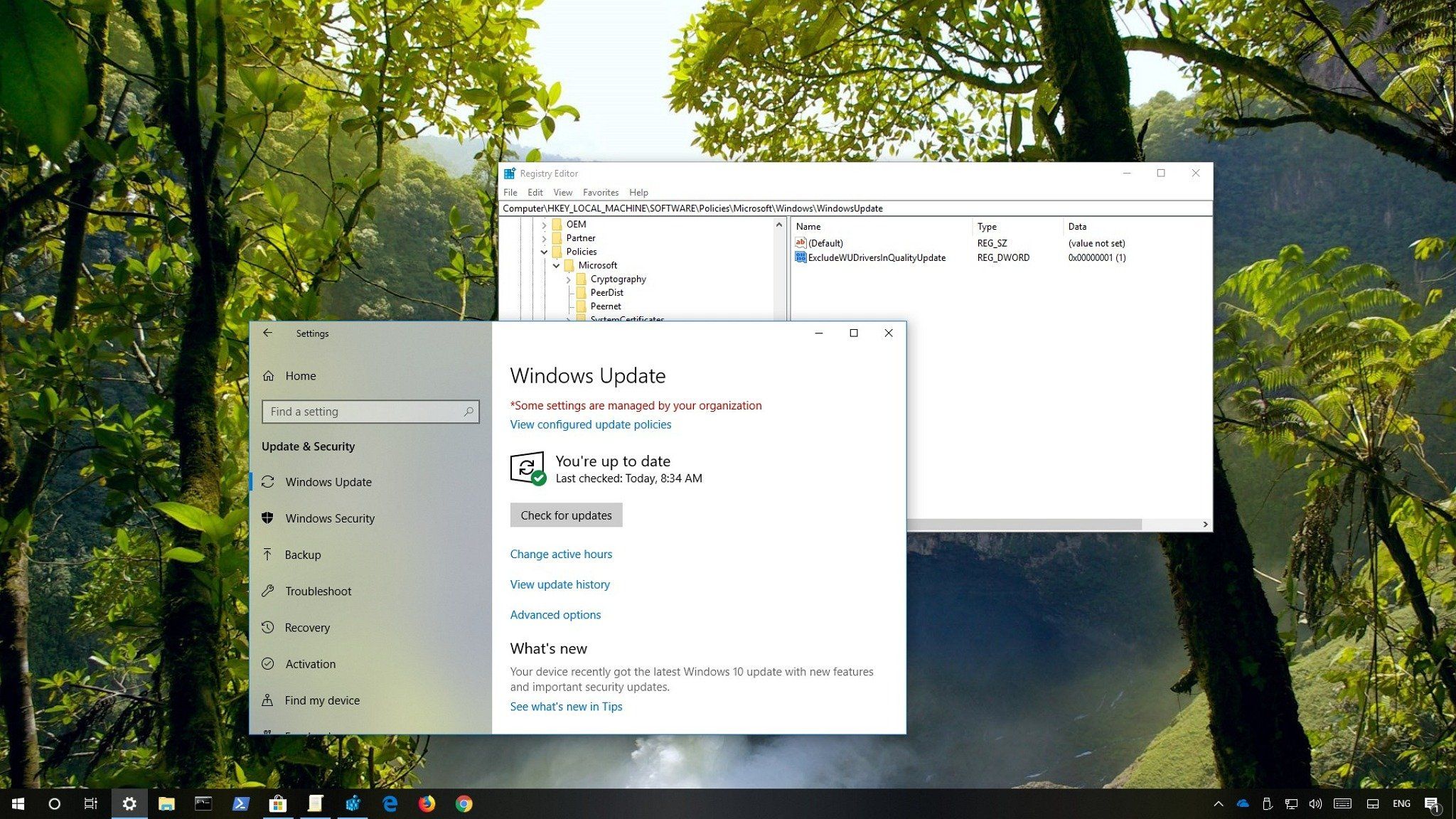
 www.windowscentral.com
How to disable automatic driver updates on Windows 10
If you want to use specific drivers, you can configure Windows 10 to prevent drivers delivery through Windows Update, and here's how to do it.
www.windowscentral.com
Thank you for that option marcotor. I feel as though I've also tried that process as well but it's been a couple of years since I last did any re-loads or had issues with this cable. I'm hoping the driver fix works because that windows workaround makes me a little nervous.
Well good news and bad news... that was the "fix" I used before and it did work - thank you - but now, after the reload, the 996xt won't scan the programmed systems. It's only scanning in public safety search mode. I don't see where the function is to get back to my programmed channels... I looked to see if I changed something in the freescan software but I don't see anything that I might have changed. Anyone have this issue before? Thanks again.You can use the older USB-1 cable on Win10. I finally purchased a newer version of the USB-1 cable recently, however....
I had an older USB-1 cable from around 2007, and this procedure worked every time for me on Win10 - and still does.... you do have to re-install the driver per these instructions every time there is a major Win10 update. It only takes a few seconds, and saves a few bucks if you only occasionally use the cable.
Windows 10 & Uniden USB Driver
A serial driver should not have any effect on the Windows Mass Storage driver. Fire Away. Unless you replace the mass storage driver with the serial driver. If you connect the scanner in mass storage mode, then replace the driver, not only will the serial still not work, but you will break the...
.
doctordialtone
Member

Attachments

Last edited:
Thank you doctor... Are you saying the custom/search key assignment options should be what you're showing as well or is that just what you happen to have as your own personal setting?
My setting already had it locked out but maybe I didn't save it correctly...
doctordialtone
Member
That's just the file I brought up as an example. Just check the lockout box.
Glad you got it figured out.
Glad you got it figured out.
Ok, thank you. I'll try it again...
Well, that isn't fixing the issue... I seem to recall this being an issue when I first got this scanner years ago. I believe I had to go into the scanner itself and lock something out..? I haven't had this problem since then but I wonder if somehow the new driver install did something goofy to it...
I figured it out... I forgot to go through the entire list on the drop-down menu and individually lock out each service. I thought it was a global type setting Thanks again to everyone, I appreciate the help.
Thanks again to everyone, I appreciate the help.Ohh... great... just got a windows update notification... must be they realized I got my driver to work.
- Status
- Not open for further replies.
Similar threads


- Replies
- 6
- Views
- 5K


- Locked
- Replies
- 5
- Views
- 2K
