Why do you keep posting the IAR contact info?
Where else did I post it?


Why do you keep posting the IAR contact info?
@jhsands Exactly what I was looking for. I should have scrolled down the page a little further.Why do you keep posting the IAR contact info?
@johnmac - in post 4037, aaknitt provides a link you can click - if you click that, and then go to the bottom of that page and click on the word 'here' as indicated in that post, there is a method you can download the individual version just by supplying your email address.

Where else did I post it?
When filling out the form just put something like "personal use" in the Agency field(s).I understand that I can get the latest version of TwoTone detect from "I am Responding", but I do not belong to any agency and have been using the software for a number of years for personal use. Is it possible to get it without filling out the form, which requires agency information.
I have downloaded the latest version and I get the following error -When filling out the form just put something like "personal use" in the Agency field(s).
Andy
I have downloaded the latest version and I get the following error -
Version: TwoToneDetect73f
FFMPEG FOUND
Traceback (most recent call last):
File "TwoToneDetect73f.py", line 248, in <module>
File "configparser.py", line 823, in getfloat
configparser.InterpolationSyntaxError: '%' must be followed by '%' or '(', found: '% tone offset, -.02 = -2% tone offset, etc.'
Traceback (most recent call last):
File "TwoToneDetect73f.py", line 406, in <module>
NameError: name 'input_device_index' is not defined
The input_device_index was "2"
I used the old config file, do I need to use the new config file and update my info or is the old config file still good.
Ok, eliminated the comments, still will not start.Try using a text editor to remove the comments (everything after the semicolon) from the old config file. Some updates were made to the config file reader and it no longer likes the comments.
Andy
I think I have it corrected. Need to wait for some alert tonesOk, eliminated the comments, still will not start.
Used the new config file and added my info and still will not start. Error message below
Version: TwoToneDetect73f
FFMPEG FOUND
Traceback (most recent call last):
File "configparser.py", line 788, in get
File "C:\Python37\lib\collections\__init__.py", line 916, in __getitem__
KeyError: 'mp3_bitrate'
During handling of the above exception, another exception occurred:
Traceback (most recent call last):
File "TwoToneDetect73f.py", line 249, in <module>
File "configparser.py", line 791, in get
configparser.NoOptionError: No option 'mp3_bitrate' in section: 'Section1'
Traceback (most recent call last):
File "TwoToneDetect73f.py", line 406, in <module>
NameError: name 'input_device_index' is not defined
A very tiny error message flashes on the screen for a nano second - something about audio is all I can get as it flashes by.
Copied all files to a different computer and it loads right up. The sound device numbers appear to be much higher in the config file and was automatically changed when I clicked on SHUTDOWN. It looks like the error may have something to do with the audio, but I have no idea how to find the correct instance #. I tried "0" "1" and "2" . Version 71a loads ok with "2" for the 'input_device_index'
Any suggestions? Thanks

I finally got the program to load (Windows 10), but it does not respond to the tones.cfg. Next step redo the tones.cfg and see if that works. May have to go back to 71a. I used the new config file, that was the only way to get it to start, then changed the file to my settings.I toyed with v73f a little last week. The pi version. I got it working fine but found it to be less tolerant of little things in the tones.cfg and config.cfg files. Things that my v71c seemed to ignore. In one instance I had two delay_record entries in a tone set. That kept my remote tones file from loading. It had worked fine for years in previous versions. So you may need to make some little tweaks when using existing files with v73f. Like removing the comments as Andy has said.
I finally got the program to load (Windows 10), but it does not respond to the tones.cfg. Next step redo the tones.cfg and see if that works. May have to go back to 71a. I used the new config file, that was the only way to get it to start, then changed the file to my settings.
- Added task bar icon to indicate that TTD is running without main GUI active. Click on taskbar icon to open main GUI. Recommend only opening main GUI when needed - close it during normal unattended operation.
- Removed embedded support for twotonedetect.net audio hosting (replaced with Iamresponding.com support)
No that's still there, it's just anything related to twotonedetect.net hosting that was removed.Does this mean the option option to have the REMOTE file with address to fetch it if we host it on our own will no longer work? Or just better integration for IaR vs the DYI method?
Great idea, I have a hard time telling if TTD is actually running or not and was toying with the heartbeat to see if I could watch this with a script.
Does this mean the option option to have the REMOTE file with address to fetch it if we host it on our own will no longer work? Or just better integration for IaR vs the DYI method?
No that's still there, it's just anything related to twotonedetect.net hosting that was removed.
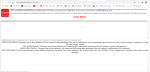
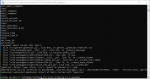
My next trial was to use 73f to encrypt the sample local tones.cfg and upload that to FTP and try to retrieve that. Using the GUI tones editor in 73f, I did a save as and entered my key. I assume the path will be relative to the location off TwoToneDetect73f.exe. No file is ever created. The tone editor GUI distorts and I see errors in debug. See attached.


