ProScan SDS200 LAN issues

Status
Not open for further replies.

Seymourmtn

Member
Premium Subscriber
Joined
Jun 6, 2013
Messages
196
Reaction score
1
Location
Seymour, Tn
Greetings Gurus
New Sds200, latest version of ProScan, LAN enabled with static ID and lights flashing.
In Webserver audio settings, I have select URL and then click on Setup
I have changed the IP address only. No connection. Reconnect diesn’t Connect

Any ideas what the issue Is?

Thanks
Doug


the IP address,
 

mm68gto

Member
Joined
Jan 13, 2009
Messages
21
Reaction score
2
Location
Barberton, Ohio
A picture is like a thousand words. Can you provide screenshots of the Audio Control -> Source Client tab and the Source Client tab?

Well I messed with it again there are error at the botom. I'm thinkin it a Ausu router firewall problem and I don't know how to get past it. Most device that I've hook to the router or hub requires a user name and password. Look I'm old not an IT person even tho I've gotten by.
 
Last edited:

ProScan

Software Provider
Premium Subscriber
Joined
Jul 2, 2006
Messages
8,368
Reaction score
4,814
Location
Ontario, Calif.
Well I messed with it again there are error at the botom. I'm thinkin it a Ausu router firewall problem and I don't know how to get past it. Most device that I've hook to the router or hub requires a user name and password. Look I'm old not an IT person even tho I've gotten by.

What does the error say and at the bottom of what? Post some screenshots.
 

mm68gto

Member
Joined
Jan 13, 2009
Messages
21
Reaction score
2
Location
Barberton, Ohio
What does the error say and at the bottom of what? Post some screenshots.


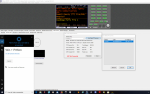
Bytes TX and Rx is showing packed being transmitted
No packet loss
TCP scanner port 554
TCP computer port number is always changing
UDP scanner port number is always changing
UDP computer port number is always changing

error TCP not connected
error UDP not connected .... errors seem to blink on and off
 

eaf1956

Member
Feed Provider
Joined
May 11, 2007
Messages
3,516
Reaction score
1,016
Location
Evansville, IN
This is what it is supposed to look like.
6a77440708f023cf7727e9d740b683dd.jpg


Sent from my SM-N960U using Tapatalk
 

ProScan

Software Provider
Premium Subscriber
Joined
Jul 2, 2006
Messages
8,368
Reaction score
4,814
Location
Ontario, Calif.
Bytes TX and Rx is showing packed being transmitted
No packet loss
TCP scanner port 554
TCP computer port number is always changing
UDP scanner port number is always changing
UDP computer port number is always changing

error TCP not connected
error UDP not connected .... errors seem to blink on and off

To resolve that, I would do the following:
1. Check the Scanner menu -> Settings -> LAN Settings -> Show IPs - shows an IP address.
2. Make sure the IP of the scanner LAN is entered correctly in ProScan URL Setup.
3. Click the Reconnect button.
4. If errors don't go away then power cycle the scanner.
 

mm68gto

Member
Joined
Jan 13, 2009
Messages
21
Reaction score
2
Location
Barberton, Ohio
See if a scanner power cycle resolves the UDP Not Connected error. If it's still there then perhaps reboot the computer and router.

Ok everyone thanks for putting up with me. So I unhooked the desktop and hook it up to the lap top that I was replacing the original xp computer and the darn thing started working. Hope it stays working if I turn off the scanner Thank again
 
Status
Not open for further replies.
Top