IdleMonitor

Member
Premium Subscriber
Joined
Feb 17, 2005
Messages
3,320
Reaction score
452
Location
The Ottawa Valley - Eastern Ontario
So I just downloaded this latest update and I have an issue with the logging. I see the UID logging as usual for trunked systems etc., but what happened to the logging screen for everything else conventional?

Also when sending programming to the scanner, upon reboot it's still not retaining the favourite lists etc.. as they were prior to being rebooted. So anytime after sending the info to the scanner, one must activate all the appropriate favourite lists again. This needs to be changed.

btw, I'm using a BC436.

ProScan Version 17.1 Just Released!
  • Added - Custom Formatter %SI-Site Name to the BCDx36HP & SDSx00 scanner types.
  • Added - UID Logging Frequency column.
  • Added - Option to reset the logging Hit Counters (History, UID, & FTO) at midnight.
  • Changed - Frequency input box changed to a combo box so the last 10 frequencies entered are remembered.
  • Changed - Display font selection box in the options now shows only the monospaced fonts.
  • Changed - ProScan now targets the .NET Framework 4.8. Runs on Win 7 SP1 and above.
  • Fixed - Close Calls were not always logging due to a firmware issue.
  • Fixed - Editing the Recorder Notes & Save columns were not retained when a new recording started.
ProScan supports the BCT15, BCT15X, BC250D, BC296D, BR330T, BC346XT, BC346XTC, BCD325P2, BCD396T, BCD396XT, BCD436HP, BCD536HP, BC780XLT, BC785D, BC796D, BCD996T, BCD996XT, BCD996P2, SDS100, SDS200, SDS100E, SDS200E, UBCD3600XLT, & USDS100 scanners.

ProScan is the most powerful and feature rich scanner software in the world !!!

Made in the USA
 
Last edited:

ProScan

Software Provider
Premium Subscriber
Joined
Jul 2, 2006
Messages
8,264
Reaction score
4,636
Location
Ontario, Calif.
So I just downloaded this latest update and I have an issue with the logging. I see the UID logging as usual for trunked systems etc., but what happened to the logging screen for everything else conventional?

Also when sending programming to the scanner, upon reboot it's still not retaining the favourite lists etc.. as they were prior to being rebooted. So anytime after sending the info to the scanner, one must activate all the appropriate favourite lists again. This needs to be changed.

btw, I'm using a BC436.
On the second issue, Is the Monitor box checked?
Untitled.png

On the first issue, If you want to help to test and get it fixed:
Bug Reporting

If you discover a bug, sent an email to support@proscan.org . The advantage of email is so I can ask questions and send you production quality files with additional testing to help fix the bug. The person reporting the bug will get the fix sooner then waiting for the next release.

Bug Reports - Advise on the following:
  • Product (ProScan, Free Client, or RadioFeed):
  • Version:
  • Scanner type:
  • Scanner firmware version:
  • OS type:
  • Options pertaining to the bug:
  • Describe in detail what the bug is doing or not doing:
 

IdleMonitor

Member
Premium Subscriber
Joined
Feb 17, 2005
Messages
3,320
Reaction score
452
Location
The Ottawa Valley - Eastern Ontario
Where is the monitor option?
Edit - found it and yes it's check marked. This was an issue in the last update as well. But before that this was never an issue in any of the previous versions.

Unfortunately I'm unable to do the bug reports at this time, but I'm sure someone else will be able to chime in hopefully with this.

On the second issue, Is the Monitor box checked?
View attachment 97972

On the first issue, If you want to help to test and get it fixed:
Bug Reporting

If you discover a bug, sent an email to support@proscan.org . The advantage of email is so I can ask questions and send you production quality files with additional testing to help fix the bug. The person reporting the bug will get the fix sooner then waiting for the next release.

Bug Reports - Advise on the following:
  • Product (ProScan, Free Client, or RadioFeed):
  • Version:
  • Scanner type:
  • Scanner firmware version:
  • OS type:
  • Options pertaining to the bug:
  • Describe in detail what the bug is doing or not doing:
 
Last edited:

ProScan

Software Provider
Premium Subscriber
Joined
Jul 2, 2006
Messages
8,264
Reaction score
4,636
Location
Ontario, Calif.
Where is the monitor option?
Edit - found it and yes it's check marked. This was an issue in the last update as well. But before that this was never an issue in any of the previous versions.
I'll look at it before the next release.

{edit} It works here:
My test consisted of :
1. Created 3 favorites: Fav. 1 Monitor Checked, Fav. 2 Monitor Not Checked, Fav. 3 Monitor Checked
2. Put the scanner in Mass Storage mode then wrote all 3 favorites to the scanner.
3. Put the scanner in normal mode and looked in the scanner menu Select List To Monitor. Fav 1 is On, Fav 2 is Off, Fav 3 is On as expected.
4. Put the scanner in Mass Storage mode and read from the scanner. Monitor check boxes matched from step 1.
 
Last edited:

ProScan

Software Provider
Premium Subscriber
Joined
Jul 2, 2006
Messages
8,264
Reaction score
4,636
Location
Ontario, Calif.
Where is the monitor option?
Edit - found it and yes it's check marked. This was an issue in the last update as well. But before that this was never an issue in any of the previous versions.

Unfortunately I'm unable to do the bug reports at this time, but I'm sure someone else will be able to chime in hopefully with this.
Also the UID logging is logging UIDs on conventional frequencies.
 

IdleMonitor

Member
Premium Subscriber
Joined
Feb 17, 2005
Messages
3,320
Reaction score
452
Location
The Ottawa Valley - Eastern Ontario
When I connect to ProScan at first, I don't usually have to read from the scanner. Why? Because it already opens up in the favourites editor from the last time used/edited. So I begin to work from what's there first. Now I will first read the scanner info only if I've been somewhere else with the scanner before I begin editing. Example if I found stuff while out mobile and saved to radio, so when I get home I can read from radio and begin editing. Perhaps that's my issue. Heh, pandemic on and I haven't been anywhere else lately to monitor. Been monitoring at home mostly.

In ProScan, in the logging screen. Where it says, UID Before Lookup, there was another tab or option on the left side and that's where all the other logging occurred. It's gone now. Only logging able to be done is to any trunked systems and that's it no conventional logging.


I'll look at it before the next release.

{edit} It works here:
My test consisted of :
1. Created 3 favorites: Fav. 1 Monitor Checked, Fav. 2 Monitor Not Checked, Fav. 3 Monitor Checked
2. Put the scanner in Mass Storage mode then wrote all 3 favorites to the scanner.
3. Put the scanner in normal mode and looked in the scanner menu Select List To Monitor. Fav 1 is On, Fav 2 is Off, Fav 3 is On as expected.
4. Put the scanner in Mass Storage mode and read from the scanner. Monitor check boxes matched from step 1.
 

ProScan

Software Provider
Premium Subscriber
Joined
Jul 2, 2006
Messages
8,264
Reaction score
4,636
Location
Ontario, Calif.
In ProScan, in the logging screen. Where it says, UID Before Lookup, there was another tab or option on the left side and that's where all the other logging occurred. It's gone now. Only logging able to be done is to any trunked systems and that's it no conventional logging.
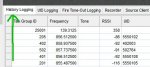
Are you talking about the History Logging tab?Untitled.png
 

IdleMonitor

Member
Premium Subscriber
Joined
Feb 17, 2005
Messages
3,320
Reaction score
452
Location
The Ottawa Valley - Eastern Ontario
I do not see this screen shot anywhere.

Is there somewhere in the logging options that I should have checked off for this? Cause if so I don't see that option. Nor did I have to select that as an option previously. Atleast not that I can remember.

Are you talking about the History Logging tab?View attachment 97974
 

ProScan

Software Provider
Premium Subscriber
Joined
Jul 2, 2006
Messages
8,264
Reaction score
4,636
Location
Ontario, Calif.
When I connect to ProScan at first, I don't usually have to read from the scanner. Why? Because it already opens up in the favourites editor from the last time used/edited. So I begin to work from what's there first. Now I will first read the scanner info only if I've been somewhere else with the scanner before I begin editing. Example if I found stuff while out mobile and saved to radio, so when I get home I can read from radio and begin editing. Perhaps that's my issue. Heh, pandemic on and I haven't been anywhere else lately to monitor. Been monitoring at home mostly.
I see. Whenever a change is made to the scanner directly, ProScan doesn't know about until ProScan reads the scanner.
 

ProScan

Software Provider
Premium Subscriber
Joined
Jul 2, 2006
Messages
8,264
Reaction score
4,636
Location
Ontario, Calif.
I do not see this screen shot anywhere.

Is there somewhere in the logging options that I should have checked off for this? Cause if so I don't see that option. Nor did I have to select that as an option previously. Atleast not that I can remember.
No changes in that area nor any option to not show it.

Can you provide a screenshot?
 

IdleMonitor

Member
Premium Subscriber
Joined
Feb 17, 2005
Messages
3,320
Reaction score
452
Location
The Ottawa Valley - Eastern Ontario
Ya, so I could sit here for a few hours in front of the computer listening to the scanner and editing as I go and upload every so often, and every single time, the favourites don't save from the last time I had them all sorted out and was scanning...

I see. Whenever a change is made to the scanner directly, ProScan doesn't know about until ProScan reads the scanner.
 

fxdscon

¯\_(ツ)_/¯
Premium Subscriber
Joined
Jan 15, 2007
Messages
7,589
Reaction score
3,778
I do not see this screen shot anywhere.
Is there somewhere in the logging options that I should have checked off for this? Cause if so I don't see that option. Nor did I have to select that as an option previously. Atleast not that I can remember.
.

I just upgraded to V 17.1.1 and I see no changes on that screen.

log2.jpg
 

ProScan

Software Provider
Premium Subscriber
Joined
Jul 2, 2006
Messages
8,264
Reaction score
4,636
Location
Ontario, Calif.
Ya, so I could sit here for a few hours in front of the computer listening to the scanner and editing as I go and upload every so often, and every single time, the favourites don't save from the last time I had them all sorted out and was scanning...
Is there a chance that you are doing a "Scanner Write" when you really want to do a "Scanner Read"?
 

IdleMonitor

Member
Premium Subscriber
Joined
Feb 17, 2005
Messages
3,320
Reaction score
452
Location
The Ottawa Valley - Eastern Ontario
Sorry can't get ya a screenshot at the moment. But in my start up options. I have the Load Logging Data (History, UID, Fire tone-out) checked off. But it's the history logging that I don't see. The UID logging I see but not the history logging and fire tone-out I never use.
 
Last edited:

IdleMonitor

Member
Premium Subscriber
Joined
Feb 17, 2005
Messages
3,320
Reaction score
452
Location
The Ottawa Valley - Eastern Ontario
No. The issue is on the reboot after sending the info to the scanner. It doesn't save the favourites in the last known on/position. You have to turn them on. But I think we figured that part out already in a previous reply. In which case what I need to do if I plan on doing any editing is before I start, do a read from scanner first and not to first start the editing then loading to scanner.
Is there a chance that you are doing a "Scanner Write" when you really want to do a "Scanner Read"?
 

ProScan

Software Provider
Premium Subscriber
Joined
Jul 2, 2006
Messages
8,264
Reaction score
4,636
Location
Ontario, Calif.
Sorry can't get ya a screenshot at the moment. But in my start up options. I have the Load Logging Data (History, UID, Fire tone-out) checked off. But it's the history logging that I don't see. The UID logging I see but not the history logging
That startup option loads the data or not. The History Logging tab will always show.
Without a screenshot, I probably can't assist any longer. No sense spending hours chasing something that's not there.
 
Top