ProScan

Software Provider
Premium Subscriber
Joined
Jul 2, 2006
Messages
8,406
Reaction score
4,867
Location
Ontario, Calif.
ProScan Version 1.7 Build 2 includes the RadioReference Imports feature, improved Scanner Over IP, and bug fixes.

Supported scanners are the BCD996T, BC796D, BC785D, BC780XLT, BC296D, and the BC250D.

I'm thriving to make this the best Computer Aided Scanning program and suggestions are very much appreciated.

http://www.proscan.org/index.htm

Bob
 

andyman82

TampaScan
Joined
Mar 28, 2014
Messages
25
Reaction score
4
Location
Riverview, FL
The soft keys are also actual buttons.

View attachment 86463


I think that can be achieved now using the %D (Date) custom formatter in the Custom Recording Folders box.


HOW DID I NOT SEE THAT I MUST BE BLIND
sorry i didn't see it before, it was right there the whole time too. I probably thought they were original buttons and never noticed!

I'll try the %D format tonight.

Thanks!!
 

W8WCA

Member
Joined
Jun 1, 2005
Messages
741
Reaction score
507
Location
/usa/oh/cmh EM89kx
So I am not clear on this: To Read or Write say Favorites list to Scanner: Do I have to do that via USB?
If I do not use USB it does not let me send data to Scanner.
If I use the USB I can Write a new favorites list and it says it finished.

BUT As soon As I take out the USB (While Still in mass storage mode) It loads old Favorites froom USD Card

I am sure I have something wrong here!
 
Last edited:

ProScan

Software Provider
Premium Subscriber
Joined
Jul 2, 2006
Messages
8,406
Reaction score
4,867
Location
Ontario, Calif.
So I am not clear on this: To Read or Write say Favorites list to Scanner: Do I have to do that via USB?

2 methods to read or write the Favorites to the scanner.

Method 1- Scanner Read & Scanner Write functions - This method uses the the Micro USB connection. Insure the scanner is in Mass Storage mode before doing it.

Method 2 - FTP Scanner Read & FTP Scanner Write functions - This method uses the LAN/Ethernet connection and not the Micro USB connection. The scanner should not be in Mass Storage mode.
 

ProScan

Software Provider
Premium Subscriber
Joined
Jul 2, 2006
Messages
8,406
Reaction score
4,867
Location
Ontario, Calif.
Also: Where do I fill in User and Password for FTP?
I see a servs folders and files password in Web Server Tab
But no place for name
FTP does not have anything to do with the Web Server. Go to the scanner menu - LAN Settings - Set FTP Server then set the Read Only Account and Writable Account user name & password. Use the same user name & password when you click on FTP Scanner Read or FTP Scanner Write.
 

ProScan

Software Provider
Premium Subscriber
Joined
Jul 2, 2006
Messages
8,406
Reaction score
4,867
Location
Ontario, Calif.
OK I get it to Write and it says it finished.
I give it some time and it jumps out of Mass Storage Mode:
Then It says Now Loading from MicroSD Card
And has old Fav. List
After you clicked on "Send MSM Command To Scanner". Did you clicked the Refresh button then selected the scanner then click the OK button?
 

W8WCA

Member
Joined
Jun 1, 2005
Messages
741
Reaction score
507
Location
/usa/oh/cmh EM89kx
OK !

I was looking at the wrong place:

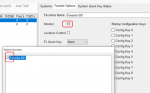
It did not show up but it IS there: I have to figure out how to set Monitor and Download in ProScan!

I need to "Turn" on the new Favorite
 

ProScan

Software Provider
Premium Subscriber
Joined
Jul 2, 2006
Messages
8,406
Reaction score
4,867
Location
Ontario, Calif.
OK !

I was looking at the wrong place:

It did not show up but it IS there: I have to figure out how to set Monitor and Download in ProScan!

I need to "Turn" on the new Favorite

No need for a Download option in ProScan as it automatically downloads (writes).
 

WX4JCW

Member
Premium Subscriber
Joined
Jun 26, 2006
Messages
3,501
Reaction score
1,027
Location
Stow, Ohio
the question I have searched, but on the remove from Metadata how do you put multiple entries in, or could we separate the site meta from system Meta
 

ProScan

Software Provider
Premium Subscriber
Joined
Jul 2, 2006
Messages
8,406
Reaction score
4,867
Location
Ontario, Calif.
the question I have searched, but on the remove from Metadata how do you put multiple entries in, or could we separate the site meta from system Meta

Yes, you can use multiple Format Specifiers . Examples: 1) %DE %C 2) System:%S Dept:%DE Chan:%C

The system name can be used instead of the site name if using BCDx36HP or SDSx00 series scanners . Go to the Options - Scanner Specific tab then change the option "System And Site Names Useage For Logging And Displaying"
 
Top