ProScan

Software Provider
Premium Subscriber
Joined
Jul 2, 2006
Messages
8,628
Reaction score
5,224
Location
Ontario, Calif.
ProScan Version 1.7 Build 2 includes the RadioReference Imports feature, improved Scanner Over IP, and bug fixes.

Supported scanners are the BCD996T, BC796D, BC785D, BC780XLT, BC296D, and the BC250D.

I'm thriving to make this the best Computer Aided Scanning program and suggestions are very much appreciated.

http://www.proscan.org/index.htm

Bob
 

belvdr

Active Member
Joined
Aug 2, 2013
Messages
2,587
Reaction score
1,668
Back to the problem, if you cannot ping, then you either have a subnet mask issue or a firewall. Forget ProScan until you can get pings to work.
 

54firefighter

Member
Joined
Aug 20, 2013
Messages
55
Reaction score
5
Location
Schwenksville, PA
Latest Info:

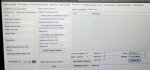
SDS200 > Proscan = OK

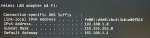
Proscan PC = 192.168.1.15
2nd PC = 192.168.1.8

Firewall OFF
192.168.1.15 < > 192.168.1.8 Ping = OK
Proscan >192.168.1.15 = No Link
Proscan >192.168.1.8 = No Link

Once again any suggestions would be greatly appreciated. Thank you to all that has help and any more help in the future.
 

Attachments

  • Proscan.jpg
    Proscan.jpg
    86.9 KB · Views: 35
  • Proscan PC.jpg
    Proscan PC.jpg
    43.1 KB · Views: 33
  • 2nd Computer.jpg
    2nd Computer.jpg
    77.5 KB · Views: 27

ProScan

Software Provider
Premium Subscriber
Joined
Jul 2, 2006
Messages
8,628
Reaction score
5,224
Location
Ontario, Calif.
When you hit the Start button, does the button change to Stop (as it should) or does it stay on Start?
Are you using this URL on both computers? 192.168.1.15:5001
 

54firefighter

Member
Joined
Aug 20, 2013
Messages
55
Reaction score
5
Location
Schwenksville, PA
I want to Thank all for your help, but after numerous untold hours, I can not seem to proceed further then having the scanner link to Proscan. I guess I just don't have the computer sense to get any further. I have thrown in the towel. Thanks again!
 

belvdr

Active Member
Joined
Aug 2, 2013
Messages
2,587
Reaction score
1,668
I want to Thank all for your help, but after numerous untold hours, I can not seem to proceed further then having the scanner link to Proscan. I guess I just don't have the computer sense to get any further. I have thrown in the towel. Thanks again!
To be honest, you haven’t answered many questions and that hasn’t helped. For example, it was asked a few moments ago if you started the web server, because in your latest screenshots it wasn’t running.

I’m sorry you weren’t able to get it to work.
 

54firefighter

Member
Joined
Aug 20, 2013
Messages
55
Reaction score
5
Location
Schwenksville, PA
belvdr i apologize, but I have become somewhat frustrated. I thought I have enough computer knowledge to be able set up Proscan.

Latest info:
Scanner linked to Proscan
Proscan Web Sever operational on Proscan PC (FW on, Chrome Browser)
2nd Computer no Proscan Web Sever Page (FW off both computers, Chrome Browser)

FW Off (Both Computers):
Proscan PC > 2nd PC = Ping OK
2nd PC > Proscan PC = Ping OK

Both Computers:
Mask 255.255.255.0
Gateway: 192.1688.1.1
 
Top