Hello Everyone,
New subscriber to ProScan. I bought my SDS machine just before Thanksgiving. Coming over from a 996t was quite a quantum leap for me. So, when I set out to program my SDS machine, using Sentinel, I was a bit unsure on how to do it. Well, I messed it up about 2% worth.
One of the cities in San Diego County was overlooked. When I tried to install it, I was unable to do so, and I now know why.
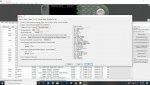
If you'll look under the favorites list-tree in the snip below, you'll see the header "SAN DIEGO COUNTY" right? O.K.
When I get the City of VISTA from the master list and click "IMPORT", it wants to know where to place VISTA, right?
Because of the way I began my favorites list 6 months ago, I didn't understand how the whole thing worked. If I'd never have placed "SAN DIEGO COUNTY" at the top and instead just had "RCS NEXTGEN" in its place, there would be no problem! "So, what is the problem?", you may ask, "...just delete SAN DIEGO COUNTY".
The problem is that If I delete the "SAN DIEGO COUNTY" header, I will be deleting everything attached underneath it.
So using ProScan, is there a way to edit my favorites to incorporate VISTA into the "department" category where it belonged in the first place? If not, I'm not willing to redo all of my favorites for the sake of one missing city.
Your thoughts...can do, or can't do?
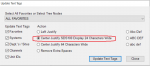
View attachment 83593