ProScan

Software Provider
Premium Subscriber
Joined
Jul 2, 2006
Messages
8,369
Reaction score
4,815
Location
Ontario, Calif.
ProScan Version 1.7 Build 2 includes the RadioReference Imports feature, improved Scanner Over IP, and bug fixes.

Supported scanners are the BCD996T, BC796D, BC785D, BC780XLT, BC296D, and the BC250D.

I'm thriving to make this the best Computer Aided Scanning program and suggestions are very much appreciated.

http://www.proscan.org/index.htm

Bob
 

JohnDistai

Member
Joined
Sep 10, 2010
Messages
129
Reaction score
19
I have an old Macbook with a Core 2 Duo processor and 2GB of DDR3 RAM, 150GB HD, ethernet, and wireless. This is obsolete for MacOS, but I may be able to wipe it and run Windows 10 on it.

Would this be technically sufficient for running 2-6 ProScan instances, recording traffic, and/or making the audio available to other networked devices in my home?
 

luckygecko

Member
Joined
Jul 24, 2015
Messages
69
Reaction score
3
Location
US
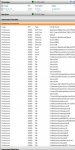
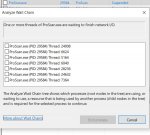
Any ideas? I can manually unsuspend it. Seems to be random. I'm running Windows 10. I've tried running ProScan in Windows 8 compatibility mode. Same issue. 83785
 

Attachments

  • proscan.JPG
    proscan.JPG
    56.7 KB · Views: 8

tazluv690

NC_MAN
Joined
Jul 1, 2006
Messages
42
Reaction score
0
Location
Fuquay Varina , N.C.
hello my name is Eric and i have a BC296D and i'm a premium subscriber and I also paid for the full version of Pro Scan..I've been trying for two days to try and figure this out. Can i use some think like auto program the scanner for me since I have the program cable? or do i have to manually add all the frequencies by each row? if I can use like and auto function please let me know how i do it please a really appreciate all the input that i can get..Hope all is well from this historic moment and staying home lock down...
 

ProScan

Software Provider
Premium Subscriber
Joined
Jul 2, 2006
Messages
8,369
Reaction score
4,815
Location
Ontario, Calif.
hello my name is Eric and i have a BC296D and i'm a premium subscriber and I also paid for the full version of Pro Scan..I've been trying for two days to try and figure this out. Can i use some think like auto program the scanner for me since I have the program cable? or do i have to manually add all the frequencies by each row? if I can use like and auto function please let me know how i do it please a really appreciate all the input that i can get..Hope all is well from this historic moment and staying home lock down...

What part are you trying to figure out? Advise so I can concentrate in that area.
Is ProScan communicating with the scanner indicated by the virtual display?
You don't need to enter the frequencies manually. If importing from the Radio Reference Database, you want to first create a new file by going to the Database menu and click on New then choose a name and click the Save button. After that go back to the Database menu and click on Import then Radio Reference Web.
 

ProScan

Software Provider
Premium Subscriber
Joined
Jul 2, 2006
Messages
8,369
Reaction score
4,815
Location
Ontario, Calif.
yes its communicating... Yes im tryingto import from RR to my uniden BC296D I also have full pd version of proscan as well...
Do you have a ProScan database file opened? Do you see the menu Database -> Import -> RadioReference Web.
Are you able to login to RadioReference?
 

ProScan

Software Provider
Premium Subscriber
Joined
Jul 2, 2006
Messages
8,369
Reaction score
4,815
Location
Ontario, Calif.
I get an error when I try to update to a later version. Presently have v15.7.
I'm thinking the error is due to my host (HostGator) removing SSL TLS 1.1 (without giving me a heads up). That combined with the .Net Framework 2.0 using TLS 1.1 by default. I added the TLS1.2 protocol to the next version not out yet.

The bottom line is download directly from my proscan.org site. Exit ProScan before installing.
 

ProScan

Software Provider
Premium Subscriber
Joined
Jul 2, 2006
Messages
8,369
Reaction score
4,815
Location
Ontario, Calif.
Any ideas? I can manually unsuspend it. Seems to be random. I'm running Windows 10. I've tried running ProScan in Windows 8 compatibility mode. Same issue.
What exactly is the issue?
Does it do it at startup or when you click on something?
Are you running ProScan 16.1
What type of scanner?
 
Last edited:
Top