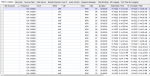
I've spent a few hours trying out Proscan and I'm very impressed. I really like the virtual control, the fact that it can program a wide variety of Uniden scanners, the mute button (!), the fact the the virtual control looks just like the controls and screen for the scanner.
I've never done a scanner stream before, but might take a look at that. It would be neat when I'm out of town to be able to log in and see what's going on in my area. That's if I can figure out how to set that up.
I have a bunch of questions about the database/frequency function. These are things that I either can't figure out or aren't sure if the are available. Hopefully some of the experienced users can help me out. I've both looked on line and in the manual, but have had no luck. My search fu is week today.
Is there are way to set a default save location other than the Proscan folder? I'm not sure that I really need to change anything or if I'm just not used to how the pop up window works.
I've been able to copy a column, but have not been able to copy a row or multiple rows. Since I build a lot of my own Favorites Lists and to do that use the RRDB import function, I sometimes move information around to make it easier to see when I'm scanning.
I also have not been able to move a row up or down to reorder it. Again, this is just for my convenience. An example is one of the regional fire nets imports from the RRDB in frequency order, but I'd rather put it in channel number order.
I can add a channel or TG, but I can't insert a row between two other entries.
It seems that the only way to create a new file is to create it first, then read it out of the radio and save or save as. I think that I can figure out a work around, but if there is an easier way to do that I'd like to know.
I think that's it, for now.