ProScan

Software Provider
Premium Subscriber
Joined
Jul 2, 2006
Messages
8,399
Reaction score
4,843
Location
Ontario, Calif.
ProScan Version 1.7 Build 2 includes the RadioReference Imports feature, improved Scanner Over IP, and bug fixes.

Supported scanners are the BCD996T, BC796D, BC785D, BC780XLT, BC296D, and the BC250D.

I'm thriving to make this the best Computer Aided Scanning program and suggestions are very much appreciated.

http://www.proscan.org/index.htm

Bob
 

Enforcer52

Voice Of The Piney Woods
Feed Provider
Joined
Sep 4, 2023
Messages
1,333
Reaction score
1,220
Location
Lake Livingston, TX
Was waiting till the UID problems were solved before bringing this up.

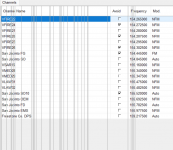
I am having the below happening in version 23+ since the first version of 23 was released. All these extra lines showing in the channel window. I can click to another channel and then back and the lines go away. Never had this problem before v23.

1721316449404.png
 

ProScan

Software Provider
Premium Subscriber
Joined
Jul 2, 2006
Messages
8,399
Reaction score
4,843
Location
Ontario, Calif.
Was waiting till the UID problems were solved before bringing this up.

I am having the below happening in version 23+ since the first version of 23 was released. All these extra lines showing in the channel window. I can click to another channel and then back and the lines go away. Never had this problem before v23.

View attachment 166044
I haven't seen that before. I'll wait a while on this to see if anyone else has this same pronlem. Does it happen on the system, department grids too?
 

Enforcer52

Voice Of The Piney Woods
Feed Provider
Joined
Sep 4, 2023
Messages
1,333
Reaction score
1,220
Location
Lake Livingston, TX
I haven't seen that before. I'll wait a while on this to see if anyone else has this same pronlem. Does it happen on the system, department grids too?
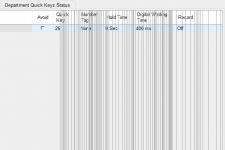
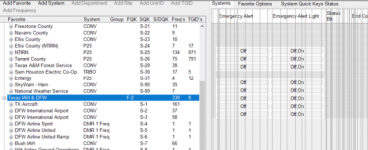
yes happens on all of them, usually when you scroll to the right more so than just going to the grid when it is scrolled to the starting column.
1721330080176.png

1721330238982.png
 

ProScan

Software Provider
Premium Subscriber
Joined
Jul 2, 2006
Messages
8,399
Reaction score
4,843
Location
Ontario, Calif.
yes happens on all of them, usually when you scroll to the right more so than just going to the grid when it is scrolled to the starting column.
View attachment 166064

View attachment 166065
Can you send me a Bug Report.
Bug Reporting and Suggestions

Bugs & Suggestions received initially via email are assigned the highest priority

Bug Reporting

If you discover a bug, send an email to support@proscan.org. The advantage of email is so I can ask questions and send you production quality files with additional testing to help fix the bug. The person reporting the bug will get the fix sooner than waiting for the next release. Put "bug" in the Subject line.

Bug Reports - Advise on the following:
  • Product (ProScan, Free Client, or RadioFeed):
  • Version:
  • Scanner type:
  • Scanner firmware version (if applicable):
  • Windows version:
  • Options pertaining to the bug:
  • Describe in detail what the bug is doing or not doing:
 

cg

Member
Premium Subscriber
Joined
Dec 13, 2000
Messages
5,185
Reaction score
1,695
Location
Connecticut
Perhaps your antivirus is false positive. If you read back a few posts to the previous page, there are others seeing it and many that are not.
 

RandyKuff

Member
Premium Subscriber
Joined
Oct 15, 2015
Messages
2,687
Reaction score
1,608
Location
Lorain, Ohio
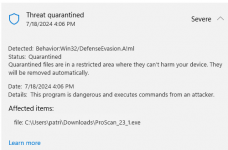
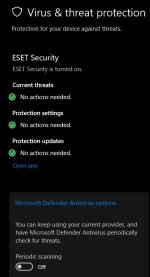
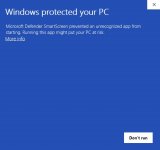
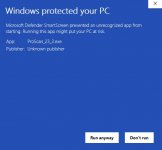
@ProScan Windows Defender is blocking saying this is a virus. Not sure if anyone else has seen this .
Perhaps the file on Proscan website has been compromised?

View attachment 166067
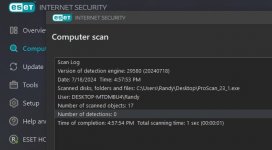
I scanned that file with ESET antivirus...
That file is clean...
My Windows Defender is shutdown.../ I don't use it...

PSS.jpg

VS!.jpg
 
Last edited:
Top